Vigor2820 Series User’s Guide
42
Router Name: Type in the router name provided by ISP.
Domain Name: Type in the domain name that you have assigned.
Specify an IP address – Click this radio button to specify some
data if you want to use Static IP mode.
IP Address: Type the IP address.
Subnet Mask: Type the subnet mask.
Gateway IP Address: Type the gateway IP address.
Default MAC Address: Click this radio button to use default MAC
address for the router.
Specify a MAC Address: Some Cable service providers specify a
specific MAC address for access authentication. In such cases you
need to click the Specify a MAC Address and enter the MAC
address in the MAC Address field.
DNS Server IP
Address
Type in the primary IP address for the router if you want to use
Static IP mode. If necessary, type in secondary IP address for
necessity in the future.
P
P
P
P
T
T
P
P
f
f
o
o
r
r
W
W
A
A
N
N
2
2
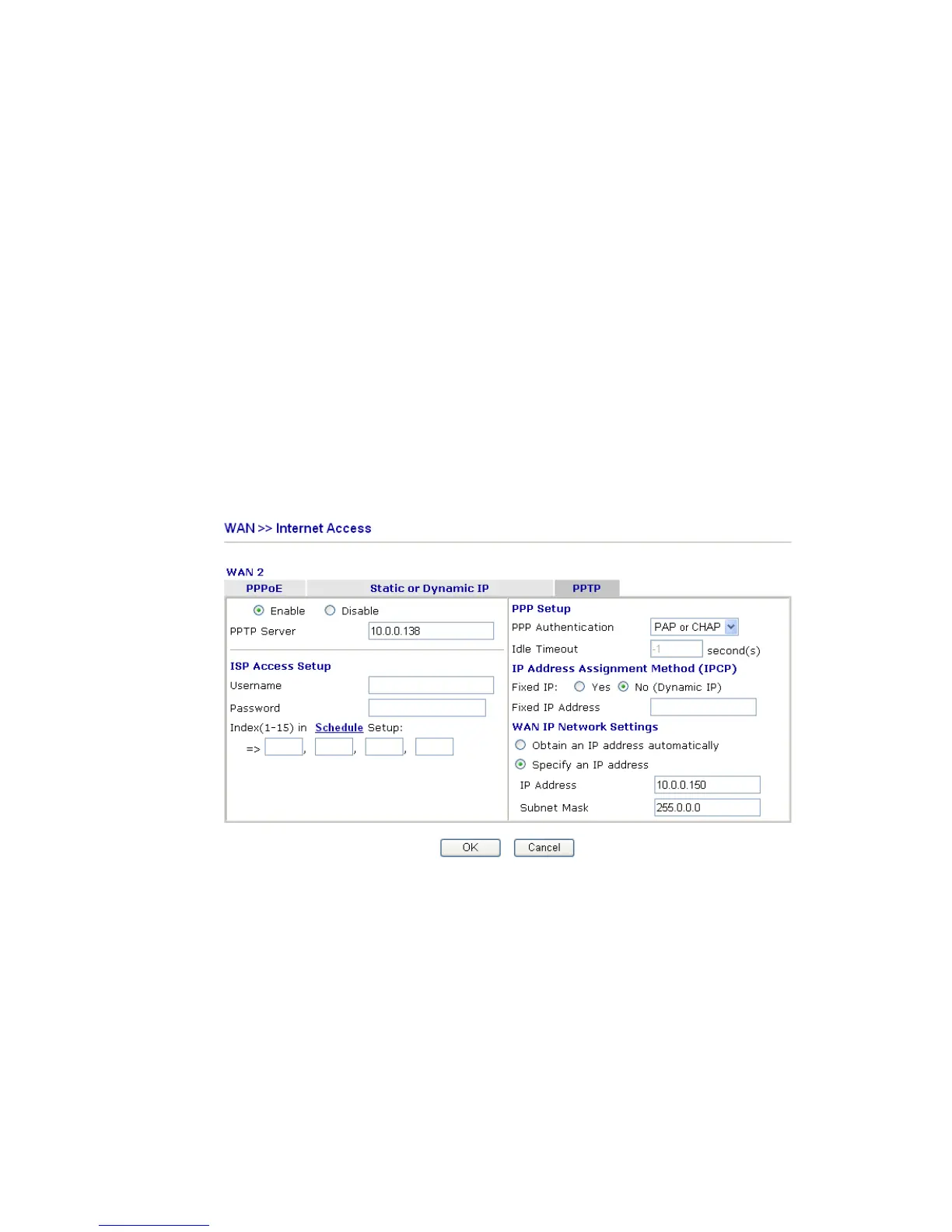
To use PPTP as the accessing protocol of the Internet, select PPTP mode. The following
web page will appear.
Enable/ Disable
Click Enable for activating this function. If you click Disable,
this function will be closed and all the settings that you adjusted
in this page will be invalid.
PPTP Server Specify the IP address of the PPTP server.
ISP Access Setup Username -Type in the username provided by ISP in this field.
Password -Type in the password provided by ISP in this field.
Index (1-15) in Schedule Setup - You can type in four sets of time
schedule for your request. All the schedules can be set previously
in Application – Schedule web page and you can use the number
that you have set in that web page.
PPP Setup PPP Authentication - Select PAP only or PAP or CHAP for PPP.
Idle Timeout - Set the timeout for breaking down the Internet after













 To Next Page