Vigor2820 Series User’s Guide
45
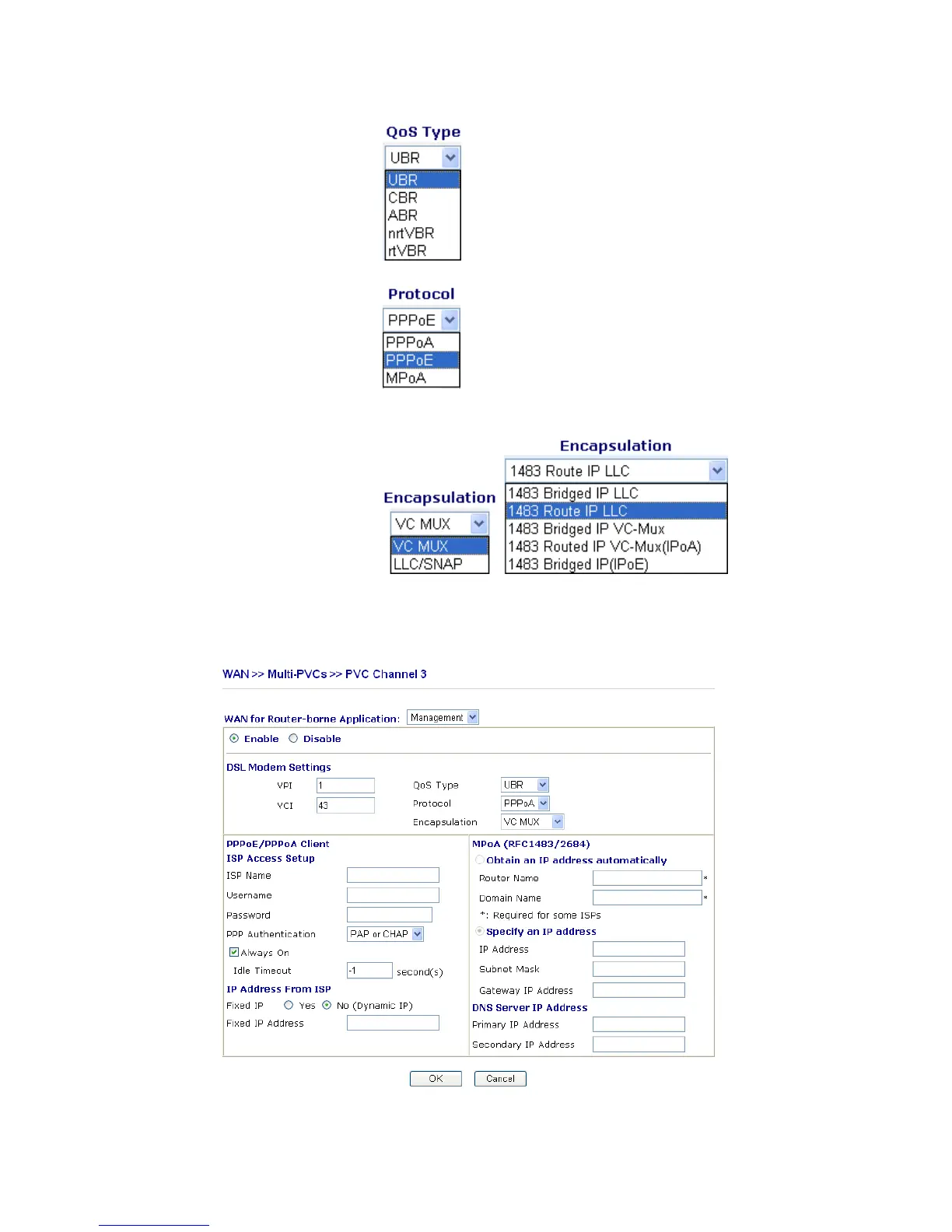
QoS Type Select a proper QoS type for the channel.
Protocol Select a proper protocol for this channel.
Encapsulation Choose a proper type for this channel. The types will be different
according to the protocol setting that you choose.
WAN link for Channel 3, 4, 5 are provided for router-borne application such as TR069 and
VoIP. The settings must be applied and obtained from your ISP. For your special request,
please contact with your ISP and then click WAN link of Channel 3, 4 or 5 to configure your
router.













 To Next Page