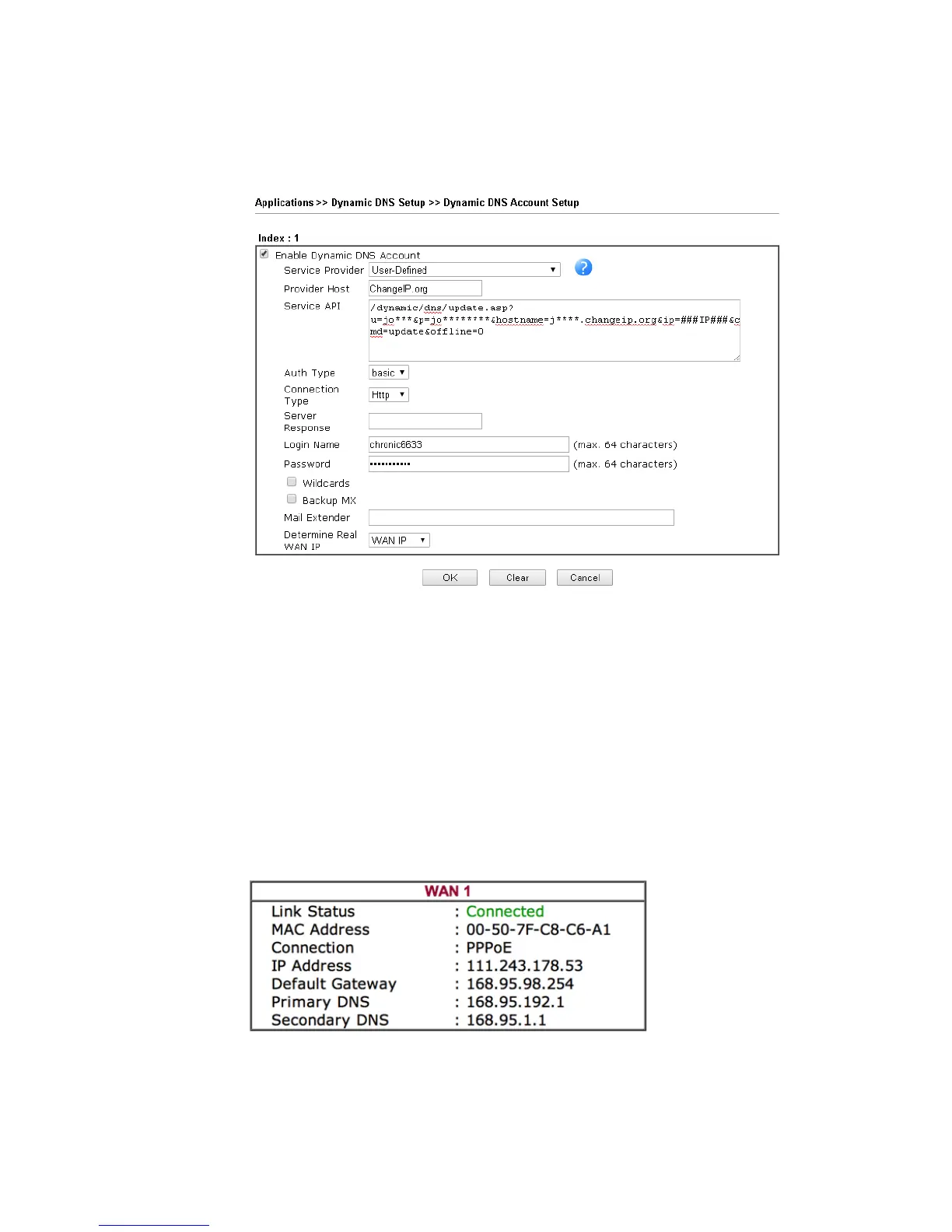
Now we have to configure the router so it can do the same job for us automatically.
1. Please go to Applications >> Dynamic DNS to create a profile for user-defined DDNS
client.
2. Set the Service Provider as User-Defined.
3. Set the Service API as:
/dynamic/dns/update.asp?u=jo***&p=jo********&hostname=j****.changeip.org&ip=###IP
### &cmd=update&offline=0
In which, ###IP### is a value which will be replaced with the current interface IP
address automatically when DDNS service is running. In this case the IP will be
1.169.185.242.
4. After setting, the Customized DDNS service will be up, and our IP will be updated to the
DDNS server.
P
P
a
a
r
r
t
t
B
B
:
:
3
3
3
3
2
2
2
2
.
.
n
n
e
e
t
t
Username: bi*******
Password: 88********
Host name: bi*******.3322.org
WAN IP address: 111.243.178.53















 To Next Page