36
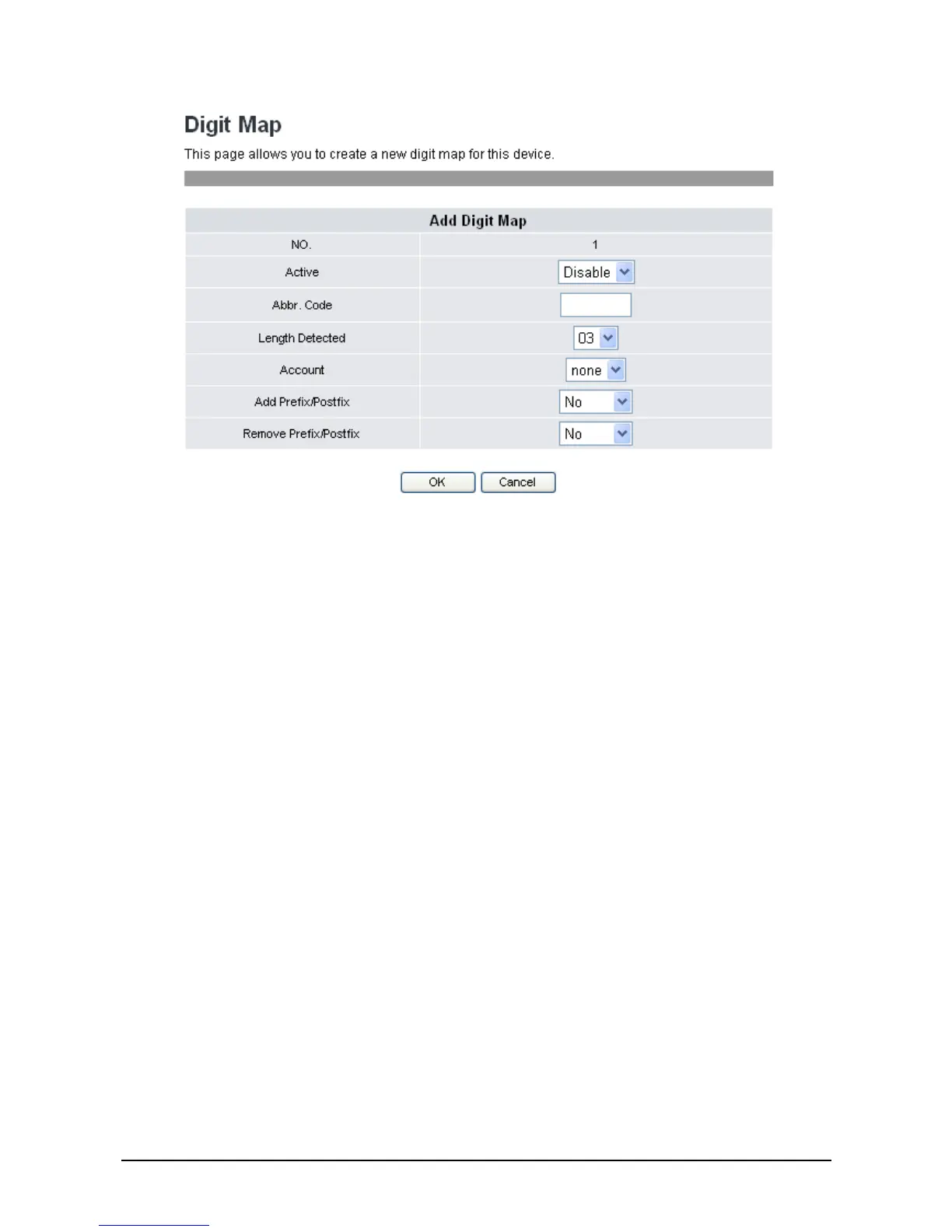
3. Select Enable in Active field to activate the setting of the dial plan numbered 1.
4. Input all the information required for the following parameters:
Abbr. Code: Set abbreviation digits to screen dialing numbers one by one from
the beginning. If it matches abbreviation digits, then this dialing rule
will be executed. For example, set Abbr. Code as “3”. It means any
number dial from “3” will be followed this dialing plan.
Length Detected: Set detecting length. Once the length has matched, VoIP phone will
send out digits immediately. Select from 03-20 digits in length
through the drop-down list.
Account: Select a SIP account for this dialing plan.
Add Prefix/ Postfix: Add the set prefix or postfix to match dialed number.
Remove Prefix/ Postfix: Remove the prefix or postfix to match dialed number.
5. Click OK to save your settings or Cancel to cancel.
To configure General Rule setting through the web browser, do the following:
1. Click Edit to add a new general dial plan rule. The following screen will be displayed.



 To Next Page