43
3
3
.
.
6
6
.
.
3
3
A
A
d
d
m
m
i
i
n
n
i
i
s
s
t
t
r
r
a
a
t
t
o
o
r
r
P
P
a
a
s
s
s
s
w
w
o
o
r
r
d
d
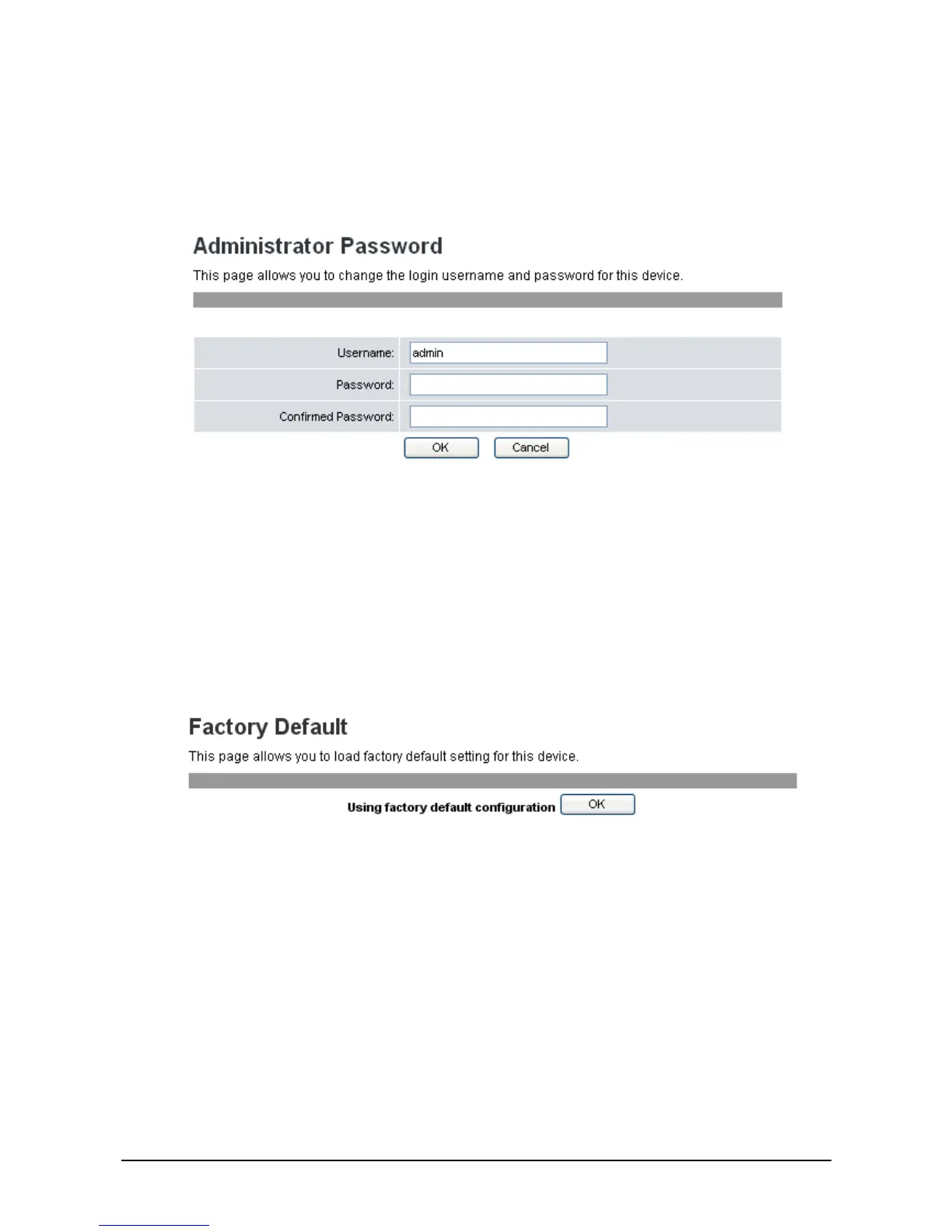
The system authority menu is only accessible through the web browser.
To change the user name and password, do the following:
1. Click System Settings>>Administrator Password. The following screen will be displayed.
2. Enter the new username and the new password. Enter the new password again in the Confirm
Password field to confirm.
3. Click OK to save your settings or Cancel to cancel.
3
3
.
.
6
6
.
.
4
4
F
F
a
a
c
c
t
t
o
o
r
r
y
y
D
D
e
e
f
f
a
a
u
u
l
l
t
t
You can reset all the settings on the VoIP phone to restore factory default settings.
1. Click System Settings>>Factory Default. The following screen will be displayed.
2. Click OK.
3. A confirmation message appears. Click OK to proceed with reset. The system will automatically
reboot.
3
3
.
.
6
6
.
.
5
5
R
R
e
e
b
b
o
o
o
o
t
t
To reboot the VoIP phone manually, do the following:
1. Click System Settings>>Reboot. The following screen will be displayed.



 To Next Page