46
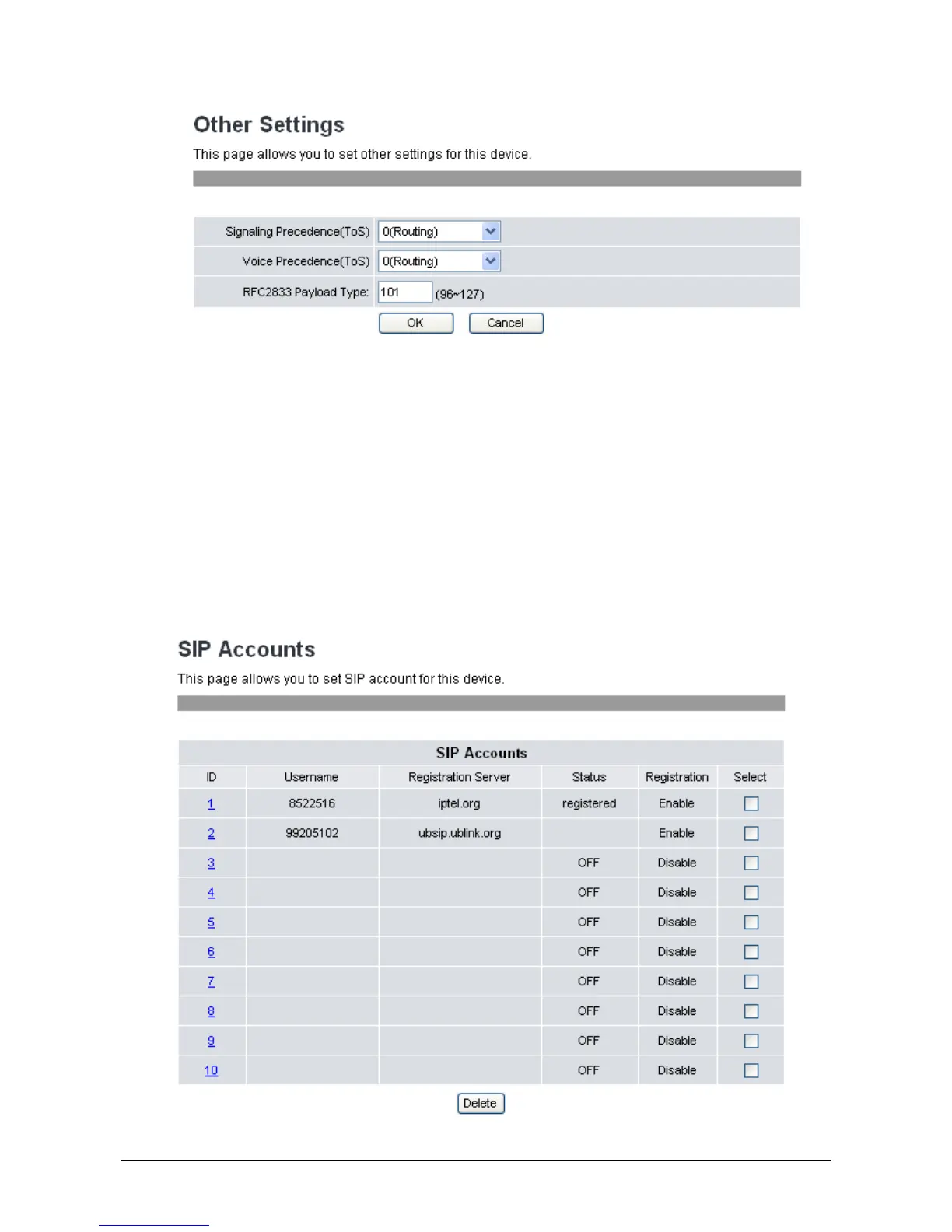
2. Select the Signaling Precedence (ToS) from the options: 0 (Routing), 1 (Priority), 2 (Immediate), 3
(Flash), 4 (Flash Override), and 5 (CRITIC/ECP).
3. Select the Voice Precedence (ToS) from the options: 0 (Routing), 1 (Priority), 2 (Immediate), 3
(Flash), 4 (Flash Override), and 5 (CRITIC/ECP).
4. Enter settings for RFC2833 Payload Type between 95-255. Default value is 101.
5. Click OK to confirm your settings or Cancel to cancel.
3
3
.
.
8
8
S
S
I
I
P
P
A
A
c
c
c
c
o
o
u
u
n
n
t
t
s
s
To configure the SIP account setting from the web browser, click SIP Accounts. The following screen
will be displayed.



 To Next Page