39
Speak Out Gain: Set the volume sent out from the microphone from Level 1-20.
Default is Level 10.
Mic Digital In Gain: Set the volume sent in from a digital microphone from Level 1-20.
Default is Level 10.
Mic Analog in Gain: Set the volume sent in from an analog microphone from Level 1-20.
Default is Level 10.
Headset Digital In Gain: Set the volume sent in from a digital headset from Level 1-20.
Default is Level 10.
Headset Analog In Gain: Set the volume sent in from an analog headset from Level 1-20.
Default is Level 10.
Headset Out Gain: Set the volume sent out from the headset microphone from Level 1-
20. Default is Level 10.
Frequencies should be configured with known values to avoid uncomfortable high pitch sounds.
3. Click OK to save your settings or Cancel to cancel.
3
3
.
.
4
4
A
A
l
l
a
a
r
r
m
m
C
C
l
l
o
o
c
c
k
k
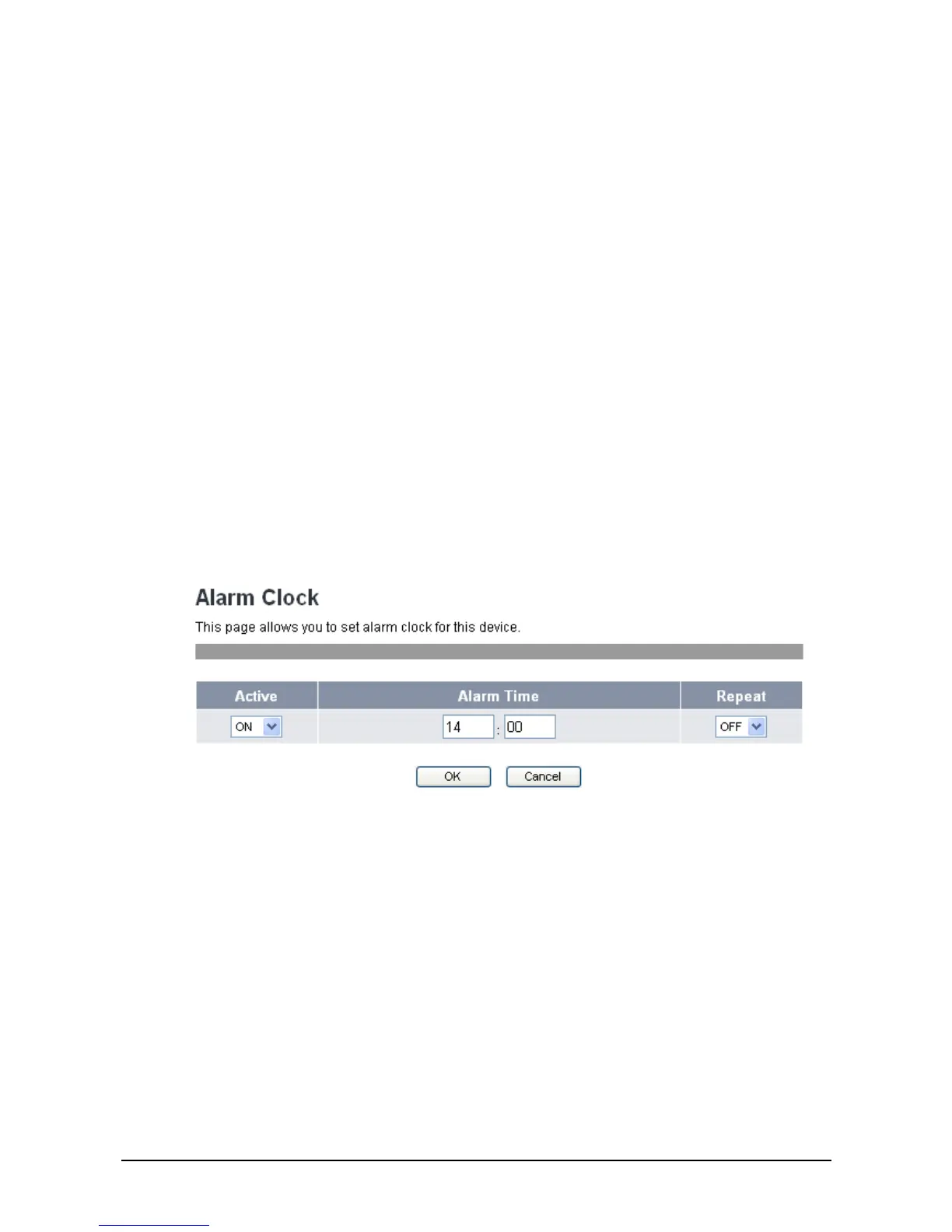
The Alarm Clock menu allows you to set the alarm of your VoIP phone through the web browser.
To activate alarm clock, do the following:
1. Click Alarm Clock. The following screen will be displayed.
2. Select On from the Active field.
3. Input the alarm time.
4. Select Repeat field option:
• On: to sound the alarm everyday at the specified time.
• Off: to disable the repeat function, the alarm will only sound at the specified time.
3
3
.
.
5
5
C
C
a
a
l
l
e
e
n
n
d
d
a
a
r
r
The Calendar menu allows you to set the calendar and set schedules of your VoIP phone through the
web browser.
To set the calendar, do the following:
1. Click Calendar. The following screen will be displayed.



 To Next Page