38
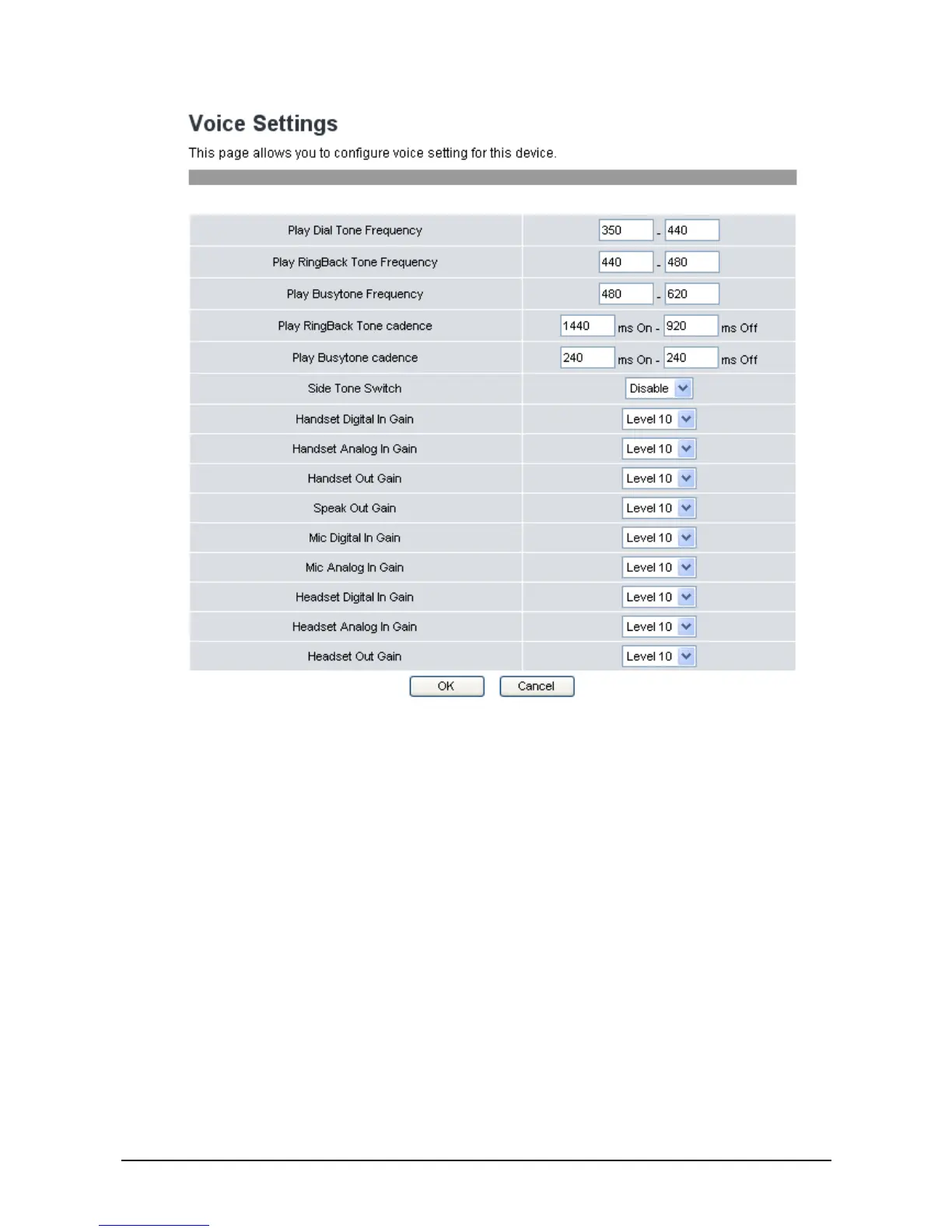
2. The following options are available:
Play Dial Tone Frequency: Set the dial tone frequency range when you pick up the handset.
Play RingBack Tone Frequency: Set the ring tone you hear before the recipient of your call picks
up and answers your call.
Play Busytone Frequency: Set the busy tone frequency range when the number you dial is busy.
Play RingBack Tone cadence: Set the ring back tone cadence range you hear before the recipient
of your call picks up and answers your call.
Play Busytone cadence: Set the busy tone cadence range when your line is busy.
Side Tone Switch: Select whether to Enable / Disable side tone switch.
Handset Digital In Gain: Set the volume sent in from a digital handset from Level 1-20.
Default is Level 10.
Handset Analog in Gain: Set the volume sent in from an analog handset from Level 1-20.
Default is Level 10.
Handset Out Gain: Set the volume sent out from the handset from Level 1-20. Default is
Level 10.



 To Next Page