60
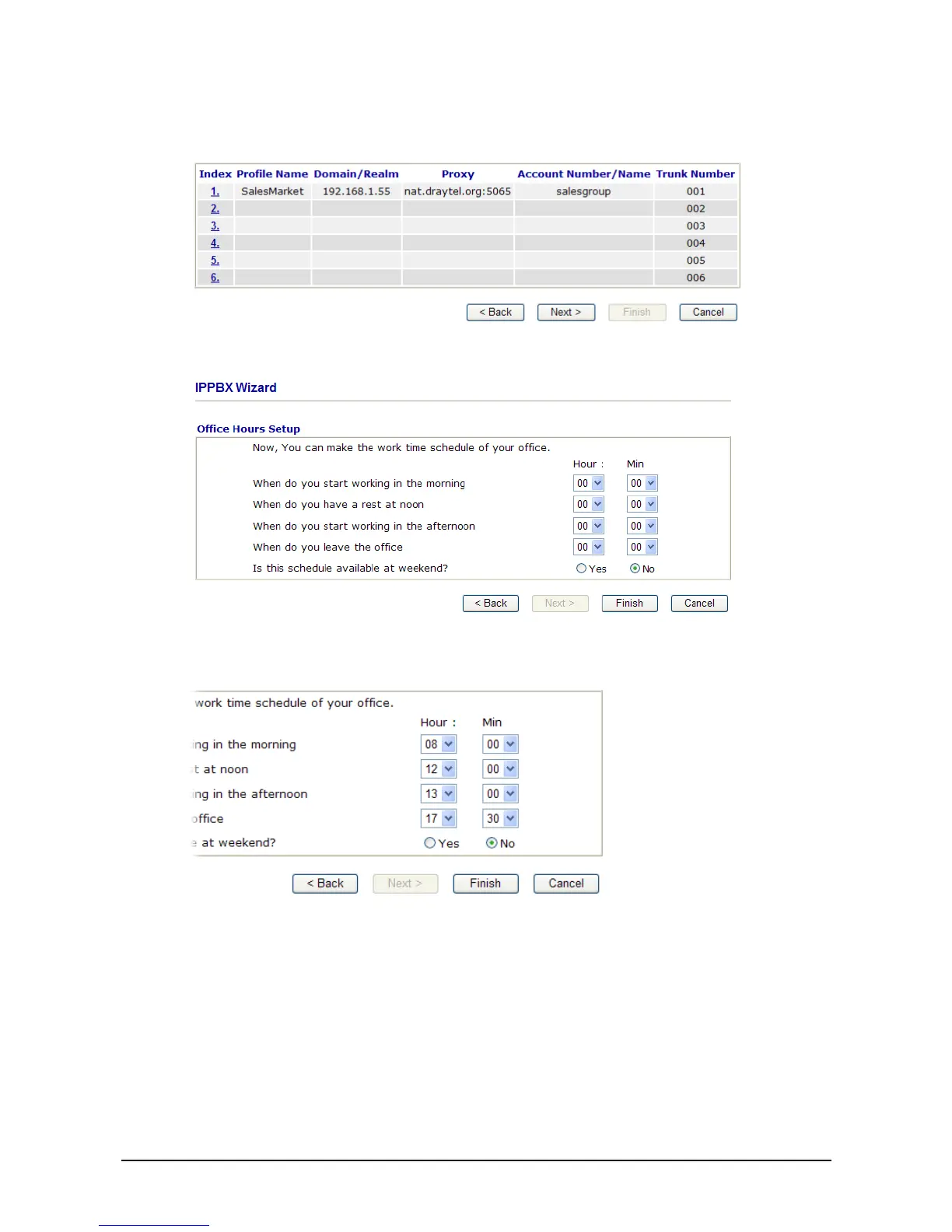
5. Type the profile name, domain/realm, proxy, account number/name, password and trunk number
fields, then click OK to save them. The new added profile will be displayed on the screen.
6. Click Next to access into office hours setup page.
7. Please specify office hours including starting point and ending point on duty day(s).Then, click
Finish to save the settings and exit the wizard.



 To Next Page