Copyright 2010 Baker Hughes Company.
20 | PACE Calibration Manual–English
Appendix A. PACE Menus and Screens
A.2 PACE Controller Screens
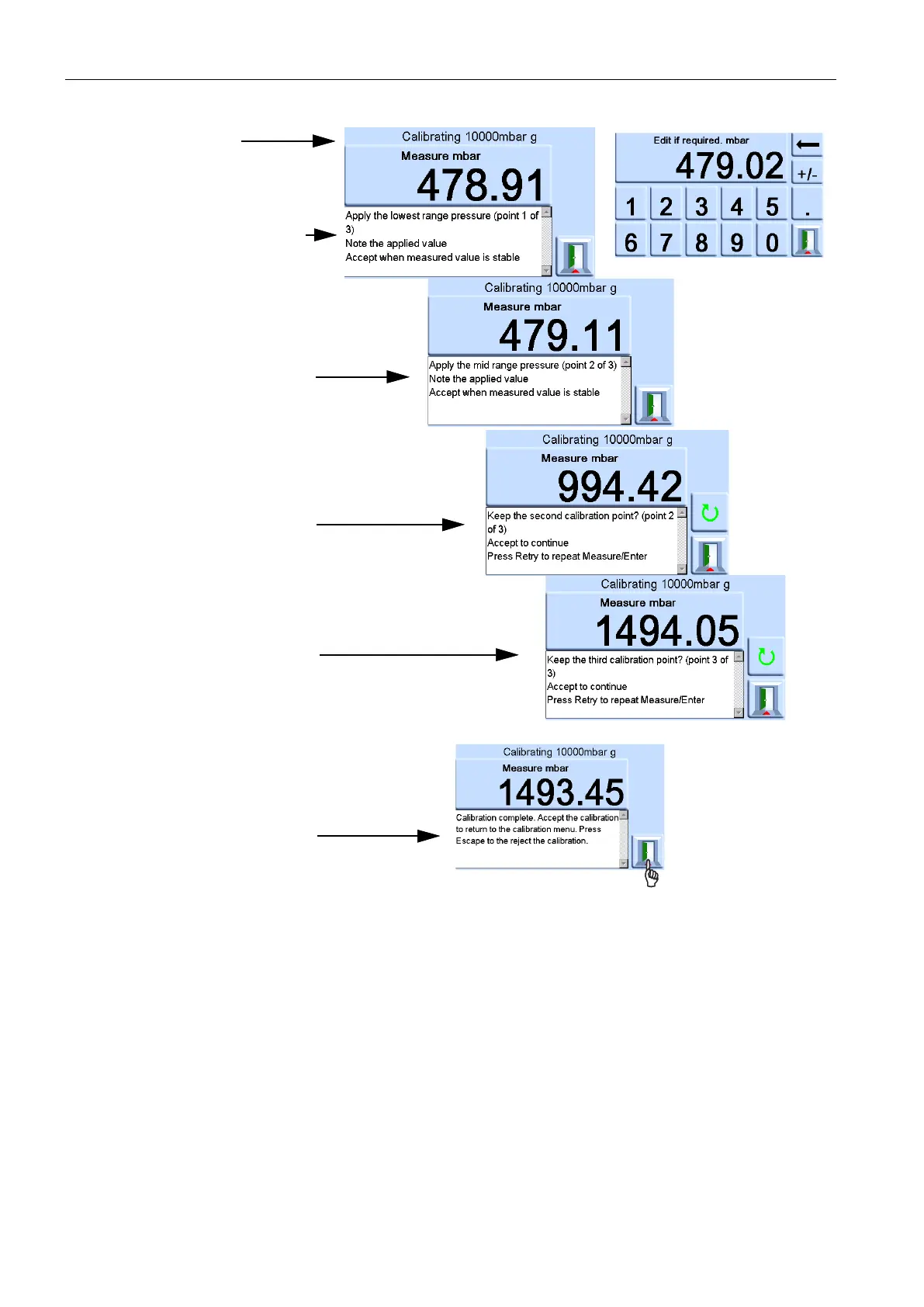
Calibrating
Apply the lowest range pressure
(point 1 of 3)
Note the applied value
Accept when measured value is
stable
Apply the mid range pressure
(point 2 of 3)
Note the applied value
Accept when measured value is
stable
Keep the second calibration
point? (point 2 of 3)
Accept to continue
Press retry to repeat
Measure/Enter
Keep the third calibration point?
(point 3of 3)
Accept to continue
Press retry to repeat
Measure/Enter
Calibration complete. Accept the
calibration to return to the
calibration menu. Press Escape
to reject the calibration.



 To Next Page