Music player control enabling
If the music player control is set to “OFF” (Fig 66),
press ENTER to activate it.
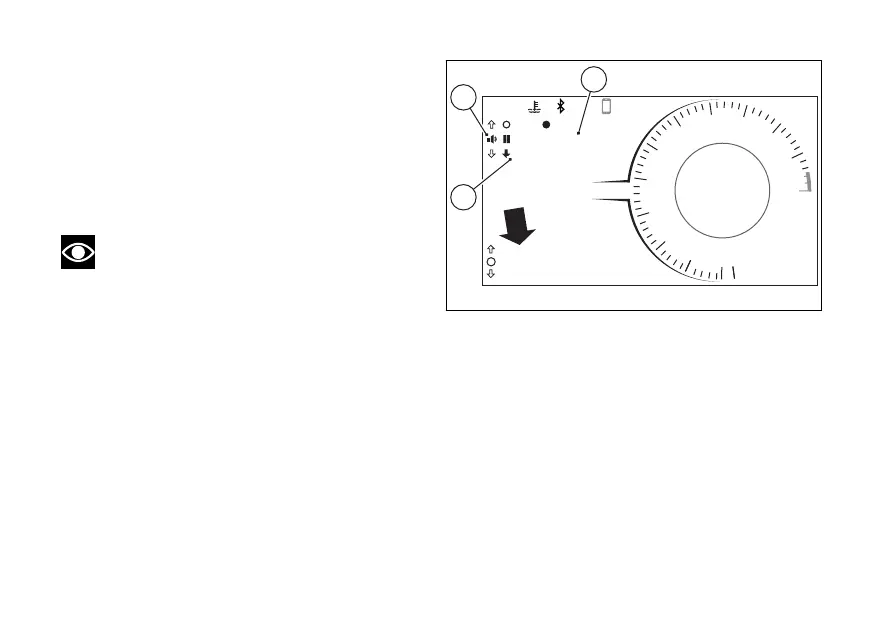
With the music player control active, the display
shows the title of the track currently being played on
the connected (A), together with the
available controls (B), and the “EXIT” indication
preceded by the black arrow facing downwards (C).
Note
The full name of the track is displayed once,
scrolling the characters from right to then only
the first characters are displayed. If the title of the
track is not available, “NOT AVAILABLE” will be
displayed.
DQS
EBC
1
N
0
2
3
4
5
6
7
8
9
11
10
12
12:34
PM
DTC
DDA OFF
3
3
U/D
ABS 1
DWCRPM X 1000
km/h
120 °C
SPORT
Gear
1
PLAYER ON
EXIT
SKIP PLAY
TRACKNAME
A
B
C
Fig 67
119














 To Next Page