Parameter and displaying
Upon key-on, the instrument panel displays the
DUCATI Logo and runs a sequential check of the LED
warning lights. At the end of this routine the
instrument panel displays the main screen in either
of the modes (RACE, SPORT, STREET) according to
the last configuration in use before KEY-OFF.
During this first check stage, if the motorcycle speed
exceeds 5 km/h (3 mph), the instrument panel will
stop the check routine and display the main screen.
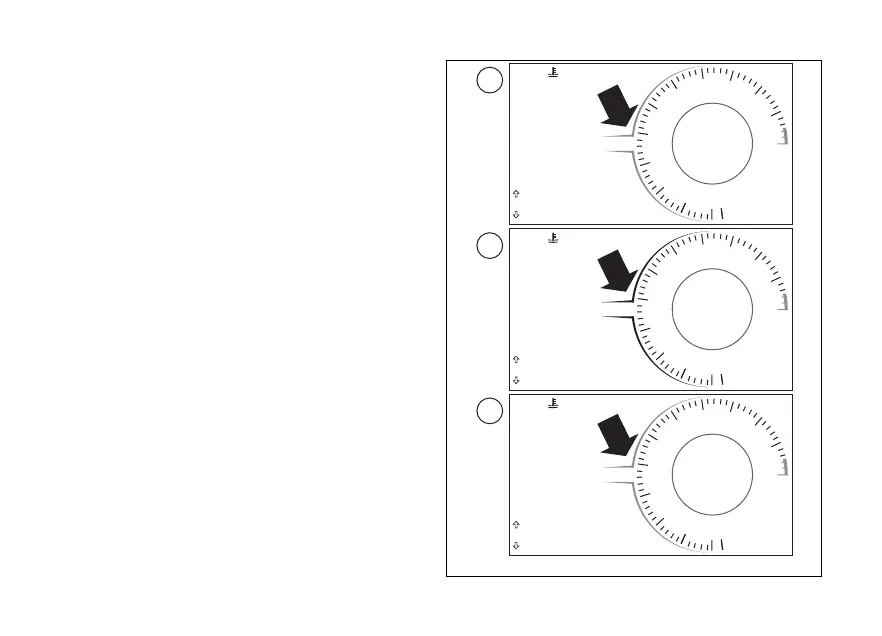
There are three main pages, each
associated with the corresponding riding mode:
RACE, SPORT, STREET.
The between the pages are the name
and colour of the riding mode specified at the centre
of the display and the colour of the rpm box:
●
red for the RACE riding mode (A)
●
black in DAY mode or white in NIGHT mode for
SPORT riding mode (B)
●
grey for the STREET riding mode (C)
DQS
EBC
1
N
0
2
3
4
5
6
7
8
9
11
10
12
12:34
PM
DTC
DDA OFF
3
3
U/D
ABS 1
DWC
RPM X 1000
km/h
TOT
120 °C
RACE
Gear
1
km
260
DQS
EBC
1
N
0
2
3
4
5
6
7
8
9
11
10
12
12:34
PM
DTC
DDA OFF
3
3
U/D
ABS 1
DWC
RPM X 1000
km/h
TOT
120 °C
SPORT
Gear
1
km
260
DQS
EBC
1
N
0
2
3
4
5
6
7
8
9
11
10
12
12:34
PM
DTC
DDA OFF
3
3
U/D
ABS 1
DWCRPM X 1000
km/h
TOT
120 °C
STREET
Gear
1
km
260
A
B
C
Fig 41
73














 To Next Page