75
2
Proceccing Documents by Retrieving a Saved JOB
Basic Operations
3
After the processing is completed, the
standby
screen reappears.
Retrieving a Saved JOB by JOB Log
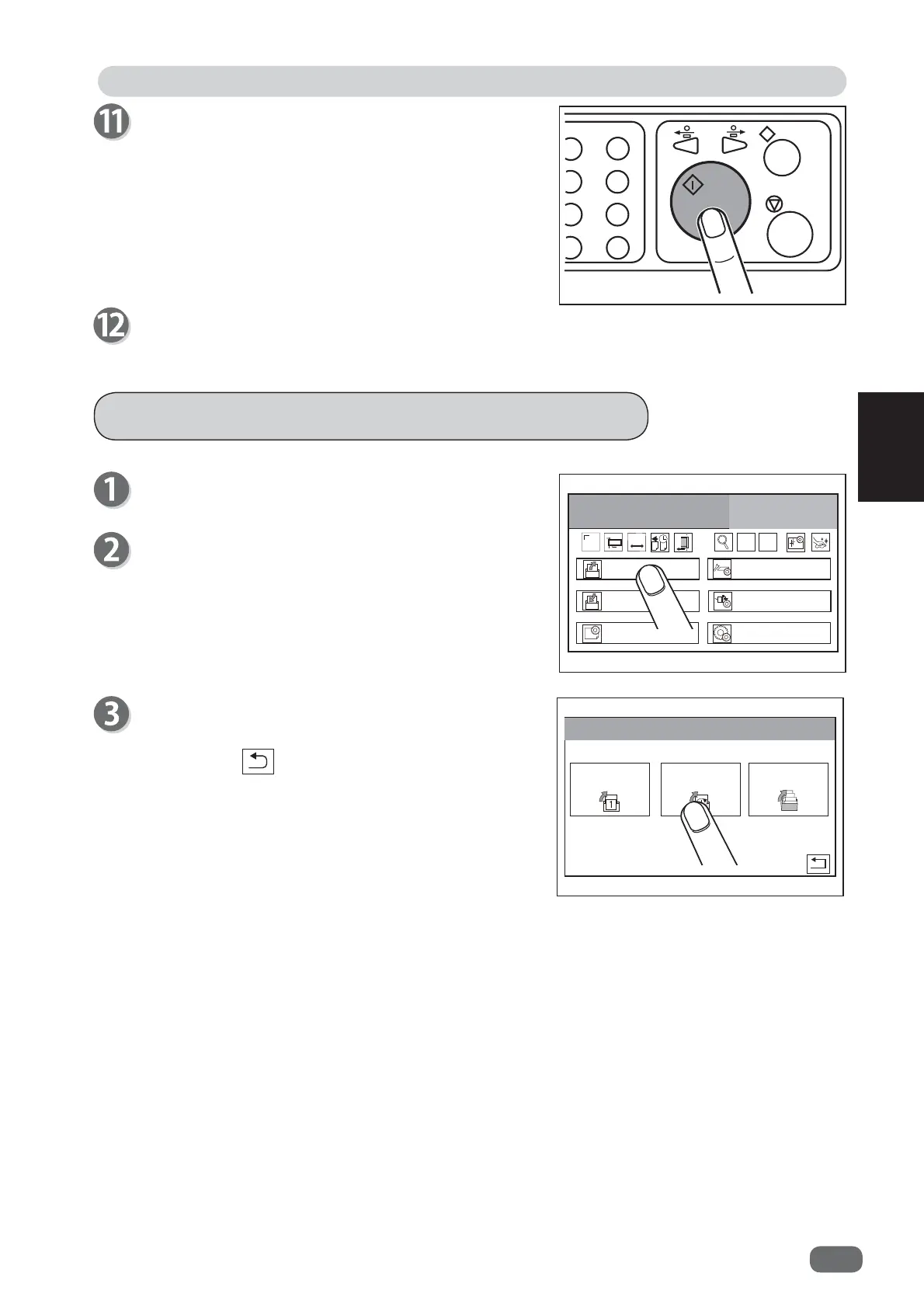
Make sure that the
standby
screen is displayed on
the
touch panel
.
Touch
Retrieve JOB
.
5HWULHYH-2%
(QWHU-2%
$GMXVW
3URFHVV
6\VWHP
(QYLURPHQW
&2817
6+76
-
+
6(7
7
Make sure that the LED on the START key is green,
and then press the START key.
If it is red, the DC-516 is having an error.
Follow the instruction displayed on the
LCD panel
.
5HWULHYH-2%
-2%1R
-2%/RJ
&DWHJRU\
Touch
JOB Log
.
Touching the
return
icon returns to the
standby
screen.



 To Next Page