71
EN
3. Removetheon-boardcomputerbypullingtheon-boardcomputertowardsyouandlngthe
underside up.
NOTICE
Always take the on-board computer with you if you park the e-bike somewhere.
4.6.1. Oponal:adjusngtheon-boardcomputer
Youcanalsoadjusttheon-boardcomputersoitisaachedtothehandlebarsatthedesired
angletoreadthedisplayopmally.
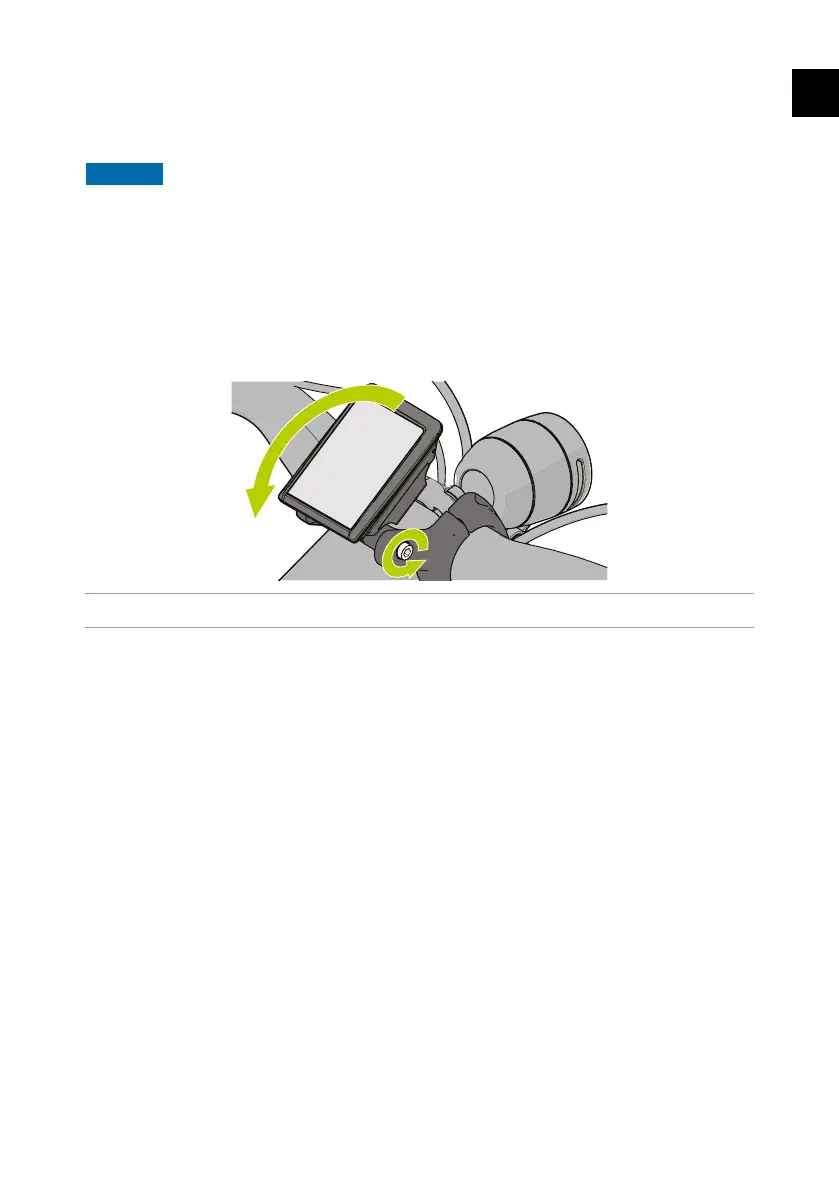
1. Loosentheadjusngscrewonthesideoftheholderunlyoucanlttheholder.UseaTorx
T20screwdriverforthis.
Figure 17 - Loosening and adjusng the holder.
2. Tightentheadjusngscrewoftheholderagaininthedesiredangle.
4.6.2. Oponal:Changingtheon-boardcomputer
Itispossibletoreplacetheon-boardcomputerKiox300withyoursmartphone.Todoso,you
need to purchase the SmartPhoneGrip from Bosch. Ask your dealer or have a look at the Bosch
eBikewebpageformoreinformaon.
4
Thee-bikewillautomaticallyturnofftosaveenergyafter10minutesofinactivity.
4.7. Analysing ride data with the Bosch Flow app
To download all data from the on-board computer 4 , you can install the Bosch Flow app
(available in the App Store or Google Play Store) on your smartphone. You can use this app to
analyse ride data and routes etc.
4.7.1. Pairing the on-board computer with the app
1. Open the app.
2. CreateaBoschuseraccountwithyouremailaddress,orloginwithyourexisngBoschuser
account.
3. Createaproleandfollowthestepsintheapp.
4. Select “Connect my eBike”.



 To Next Page