83
EN
Ҍ Press to increase the assist level.
Ҍ Press to decrease the assist level.
The current assist level is indicated in the status bar at the top of the display of the on-board
computer.
Inaddion,eachassistancelevelhasitsowncolour.TheassistancelevelLEDandtheaccent
colourofthedisplayshowthecolouroftheacvelevel.
4
If you remove the on-board computer from the e-bike, it will remember the last selected level.
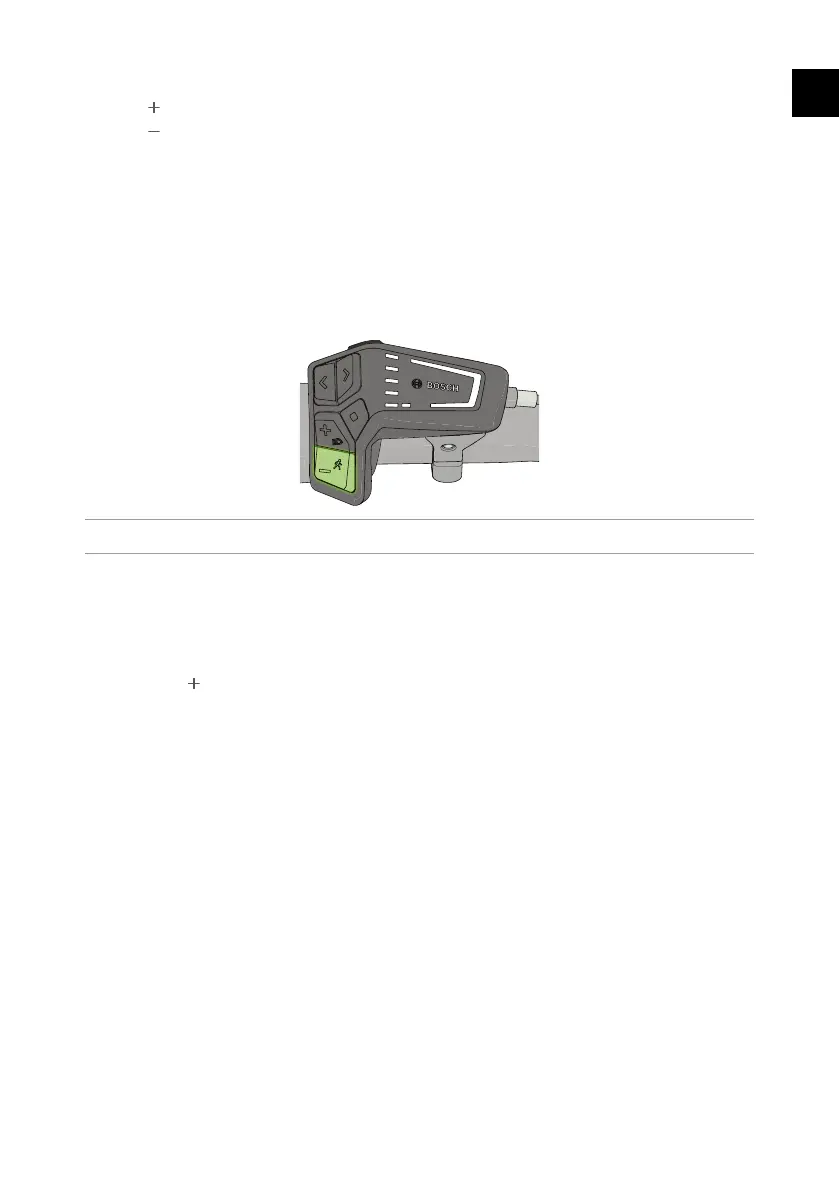
6.3. Walk assist
Figure 31 - Acvate walk assist.
The e-bike has a walk assist feature to ease walking uphill with the e-bike.
Thespeedofthewalkassistdependsontheselectedassistlevel.Themaximumwalkingspeedis
6km/h.
4
The walk assist feature is not available in the “OFF” mode.
1. Hold down onthecontrolunittoacvatethewalkassistfeature.Assoonasyourelease
thebuon,thewalkassistfeaturewillimmediatelyturno.
Thewalkassistfeaturealsoturnsoautomacallyif:
Ҍ the wheels of the e-bike are blocked by braking or if they hit an obstacle.
Ҍ thespeedishigherthan6km/h,forexampleifyourunorwalkdownhill.



 To Next Page