34 35
METHOD OS
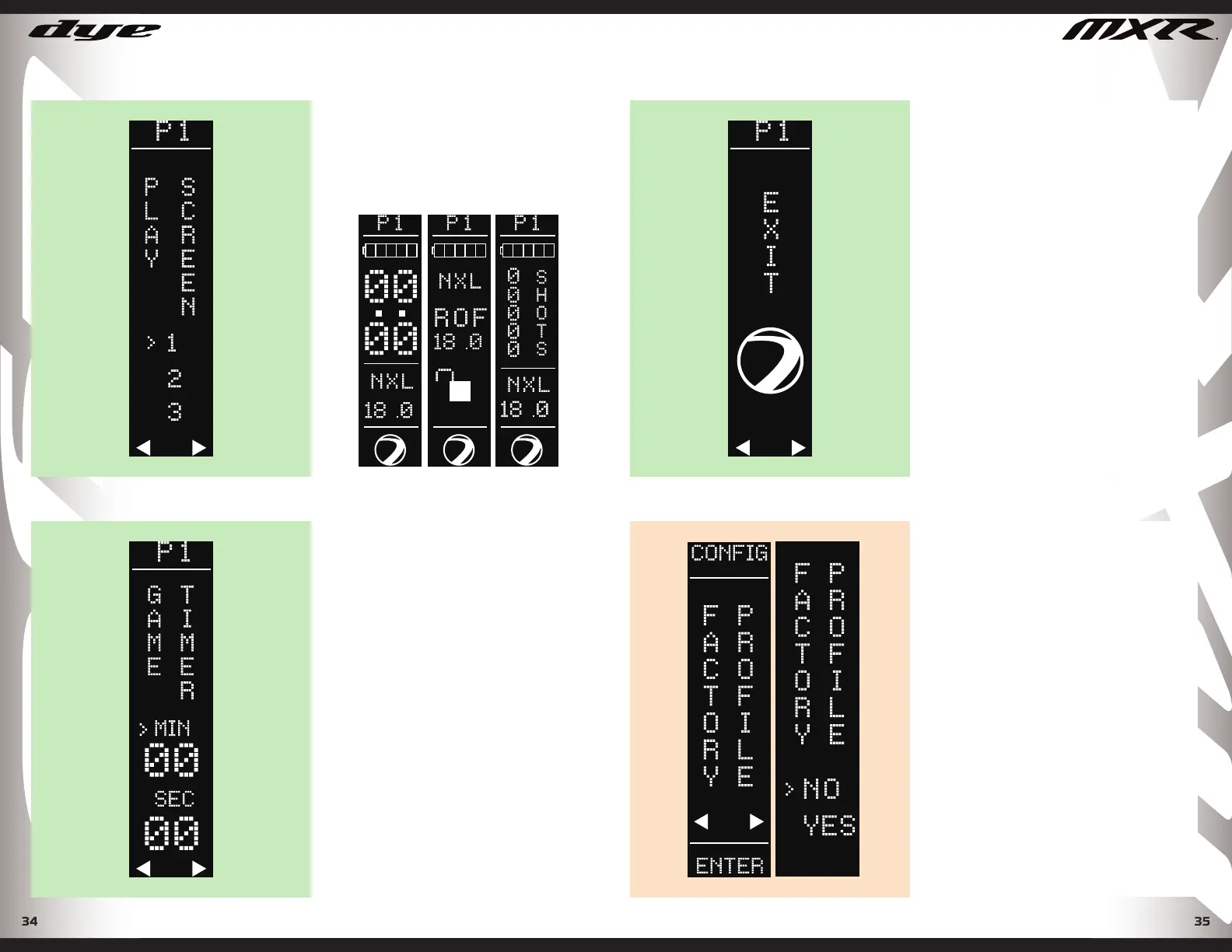
PLAY SCREEN
Values 1-3 (Factory Default 1) Select
the best play mode screen for your
style of play.
PERFORMANCE SETTINGS
GAME TIMER
Set countdown game timer. (Default
2:30) To operate game timer in play
mode, press the joystick right to start
and stop the game timer, toggle and
hold the joystick RIGHT for 2 seconds
to reset.
DYEPAINTBALL.COM
FACTORY PROFILE
The Factory profi le is locked and
cannot be modifi ed. Factory setting
allows the gun to be returned to the
factory baseline for trouble shooting,
without losing any of the users
personal settings in profi le 1 or 2.
FACTORY PROFILE SETTING
METHOD OS
EXIT SCREEN
Selecting Exit will return you to the
previous menu layer. At any point in
the menu tree you can toggle and
hold the joystick UP to exit to the
previous menu layer. You may need
to Exit more than once to return to
the play screen.
PERFORMANCE SETTINGS
DYEPAINTBALL.COM


 To Next Page