Leaders in Pipeline Survey Systems
2 - 12
OPERATING MANUAL
PART 1 – OPERATION
AVW 150203 – 2010O&MPt1-Sec2.DOC
2.3.2 Quick Start
2.3.2.1 Start-up Screen (GPS Off)
Fig. 8 (right) shows the Start-up screen. Note
the GPS sub-system is turned Off at this stage.
To switch the GPS ON press the key adjacent
to the GPS symbol
After a few seconds the screen will change to
GPS ON: note this does not mean the GPS has
acquired the signal, only that it is searching.
The pipe symbol (bottom row first from left)
indicates that the pipeline diameter has not
been entered for this survey:
Note that calculated conductance, resistance and cover data cannot be displayed
unless the pipeline diameter is entered. The symbol will flash as a reminder of this.
To enter the pipeline diameter, press the key adjacent to the flashing pipe symbol. The
Pipeline Specification screen is now displayed:
2.3.2.2 Pipeline Specification screen
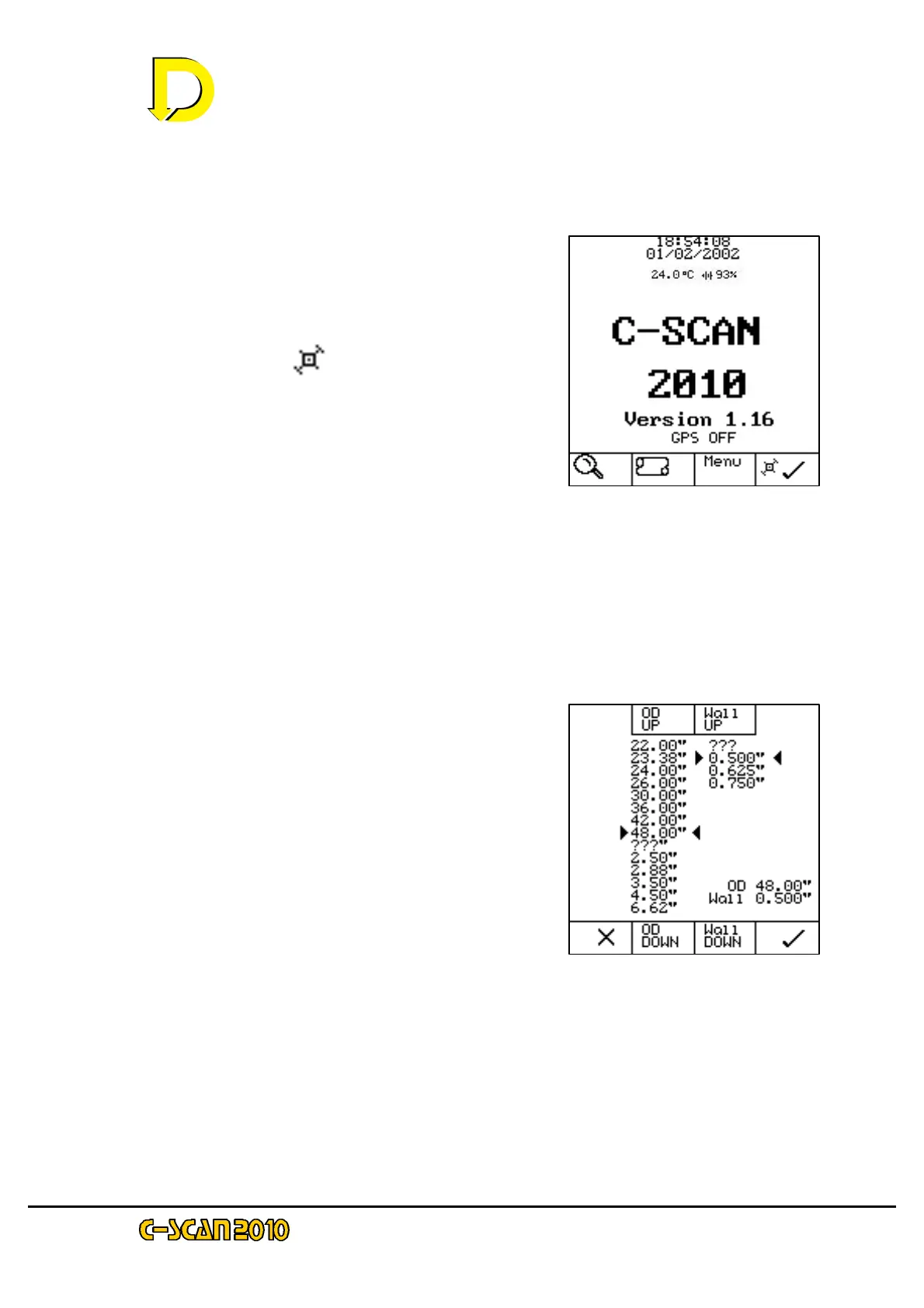
Fig. 9 (right) shows the Pipeline Specification
Screen.
Using the keys adjacent to the appropriate OD
box (OD Up or OD Down), scroll to the outside
diameter required.
Using the keys adjacent to the appropriate Wall
box (Wall Up or Wall Down), scroll to the wall
thickness required.
Note that wall thickness may not be known. In that case select the ??? option.
Calculation of conductance will then change slightly as an average will be taken. The
resulting error will not be significant.
When completed, press the key adjacent to the key box (bottom RH corner) to continue.
Fig. 8 – the Start-up screen
Fig. 9 – the Pipeline



 To Next Page