Leaders in Pipeline Survey Systems
4 - 4
OPERATING MANUAL
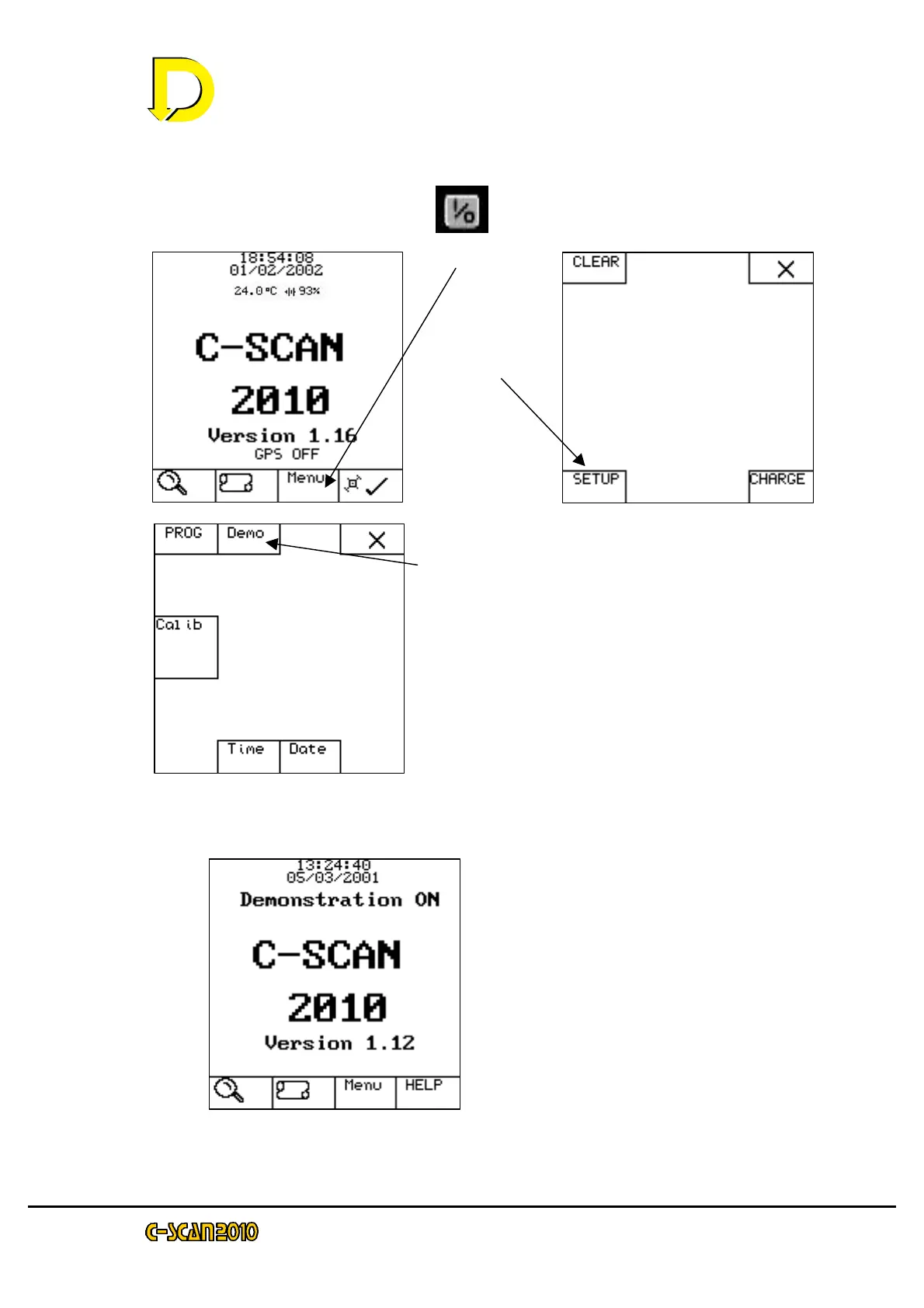
4.2.1 Starting DEMO MODE
Switch on the C-SCAN: Press
Press Menu
Press Demo
Screen will show DEMO ON
Press X to return to main screen.
NOTE: since we are in DEMO mode GPS
cannot be used.
The main screen will now show
“Demonstration ON” above the C-SCAN 2010
message.
Now the detector is in Demo Mode, go back to QUICK START in Section 2.3.2
and follow the instructions. (It may help to have a photocopy of the survey lists)
Press
SETUP



 To Next Page