Leaders in Pipeline Survey Systems
2 - 13
OPERATING MANUAL
PART 1 – OPERATION
AVW 150203 – 2010O&MPt1-Sec2.DOC
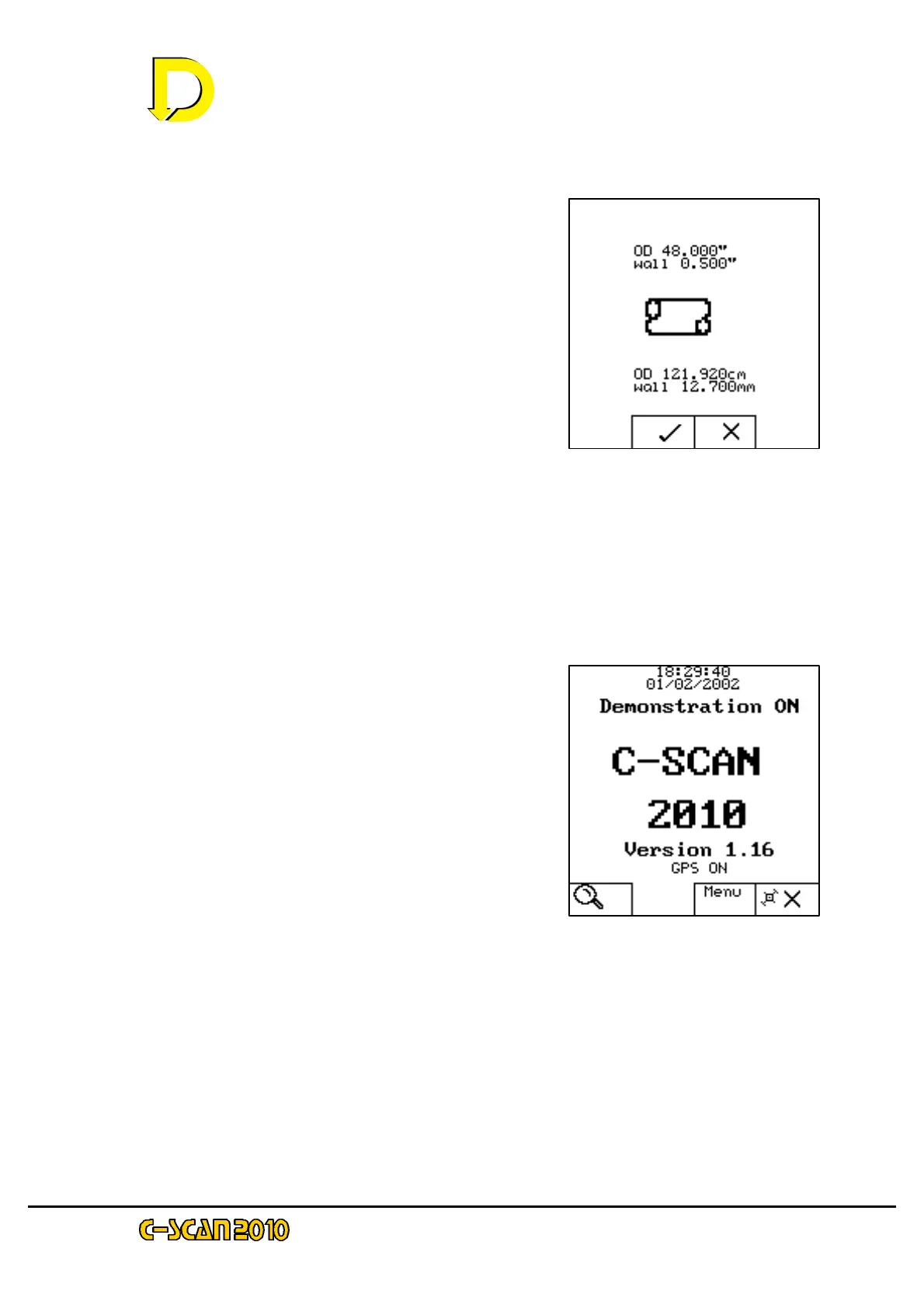
2.3.2.3. Pipeline Specification Confirmation
The final pipeline specification selection will now
be shown – see Fig. 10 right. If correct, press
the key adjacent to the tick sign again to continue.
If further editing of the specification is required,
press the key adjacent to the X sign to return to
the Pipeline Specification screen.
When the tick symbol key is pressed the display will return to the Start-up screen.
2.3.2.4 Start-up screen (GPS ON)
Fig. 11 (right) shows the Start-up screen with
GPS ON. As the pipeline specification has now
been entered, the SEARCH symbol (magnifying
glass in bottom LH corner box) will be
flashing, indicating that the instrument is now
ready to make a survey.
To start the survey, press the key adjacent to
the Search symbol.
The Search screen will now be displayed –
see Fig. 6 on page 2-10 above, together with
specific task repeats of this screen at
Figs. 13, 14 & 15 on pages 2-14/15 below.
Fig. 10 – the Pipeline
Specification Confirmation
screen
Fig. 11 – The Start-up screen
(GPS ON)



 To Next Page