Leaders in Pipeline Survey Systems
2 - 17
OPERATING MANUAL
PART 1 – OPERATION
AVW 150203 – 2010O&MPt1-Sec2.DOC
Distance marker rather than referencing from Zero (relative) – see Fig. 17 above.
Section 4.5 later in this manual.
Press the STORE ]key now.
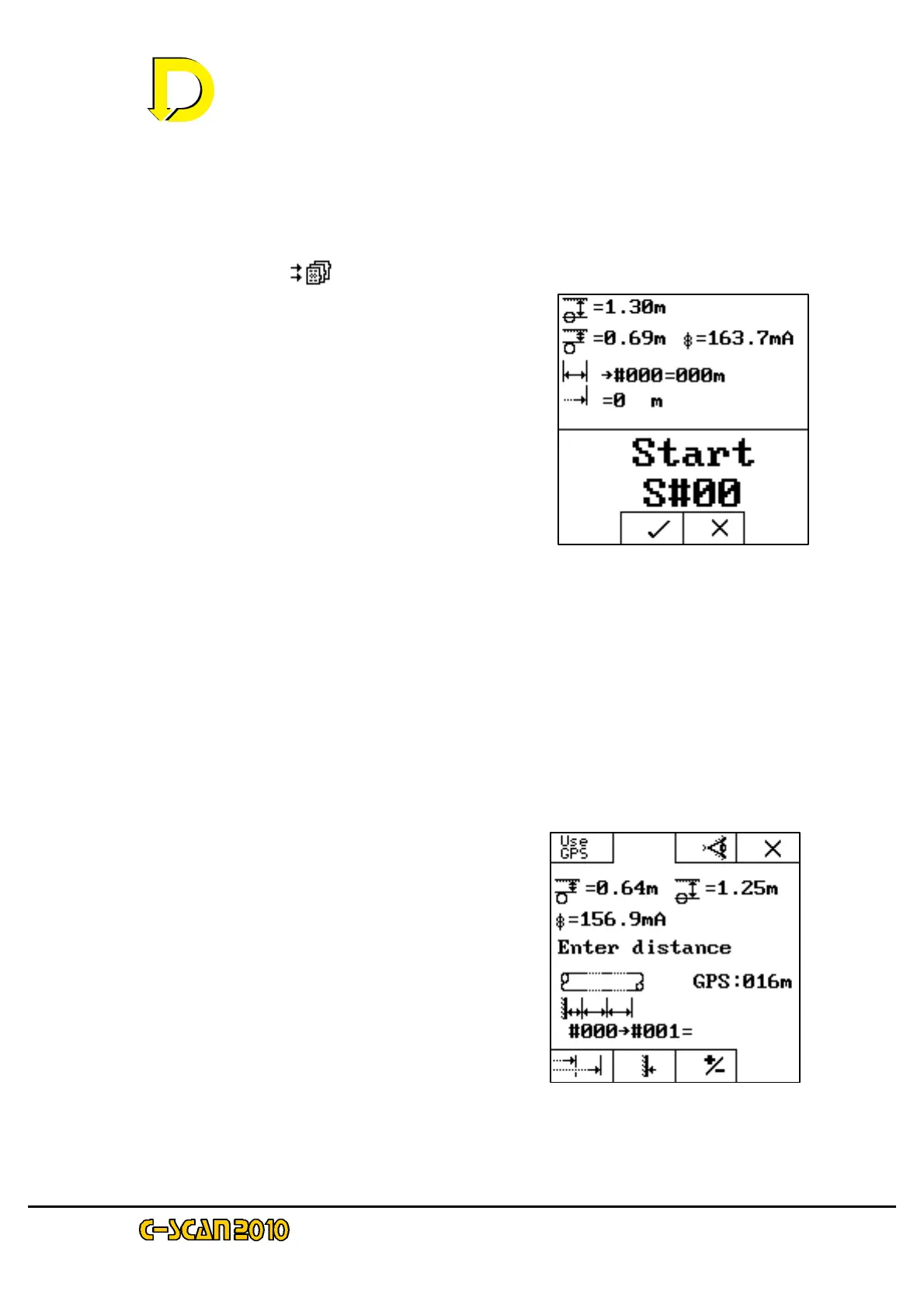
This is the final screen before data is
– see Fig. 18 right.
Pressing the key below the X box
will revert to the previous screen.
Pressing the key below the tick box
-up screen.
T
show ? if pipeline diameter is not
entered, current, survey number (~00),
and distance from the Start point (0m).
Press the tick key now.
That is the first survey point completed.
Entering Distance
Move down the pipeline to the next location (at least 100m for this test). Go through the
– -16.
If it is set into ‘DEMO MODE’ the DU will automatically call the next data point.
This point i.e: the second point on
– will obviously show different
data from the start point. Two choices are
– see Fig. 19 right.
(shown as GPS:016m i
USE GPS box. To enter the distance manually,
just use the numerical keypad.
If you have not entered the distance manually,
USE GPS key now.
Fig. 18 the Start Point screen
– Distance Screen 1



 To Next Page