Leaders in Pipeline Survey Systems
4 - 5
OPERATING MANUAL
When you have gone through the Survey 1 data and have just completed the
last point (Current 52.64, depth1.11) and are happy with the controls, come back
to this point for more details.
We have now completed the first ‘virtual’ survey. In a real situation, a surveyor
may do a number of surveys before downloading the data. As the first survey is
complete, we now need to know how to create a ‘new’ survey. The start screen
should be shown and still be in Demo Mode: if it isn’t, re-select Demo Mode as
explained above.
4.3 Creating a new survey
As before, wait until the detector is overhead and press the CALCULATE key.
When the calculation is done and stored, the following display is shown.
This is the point at which a new survey is created.
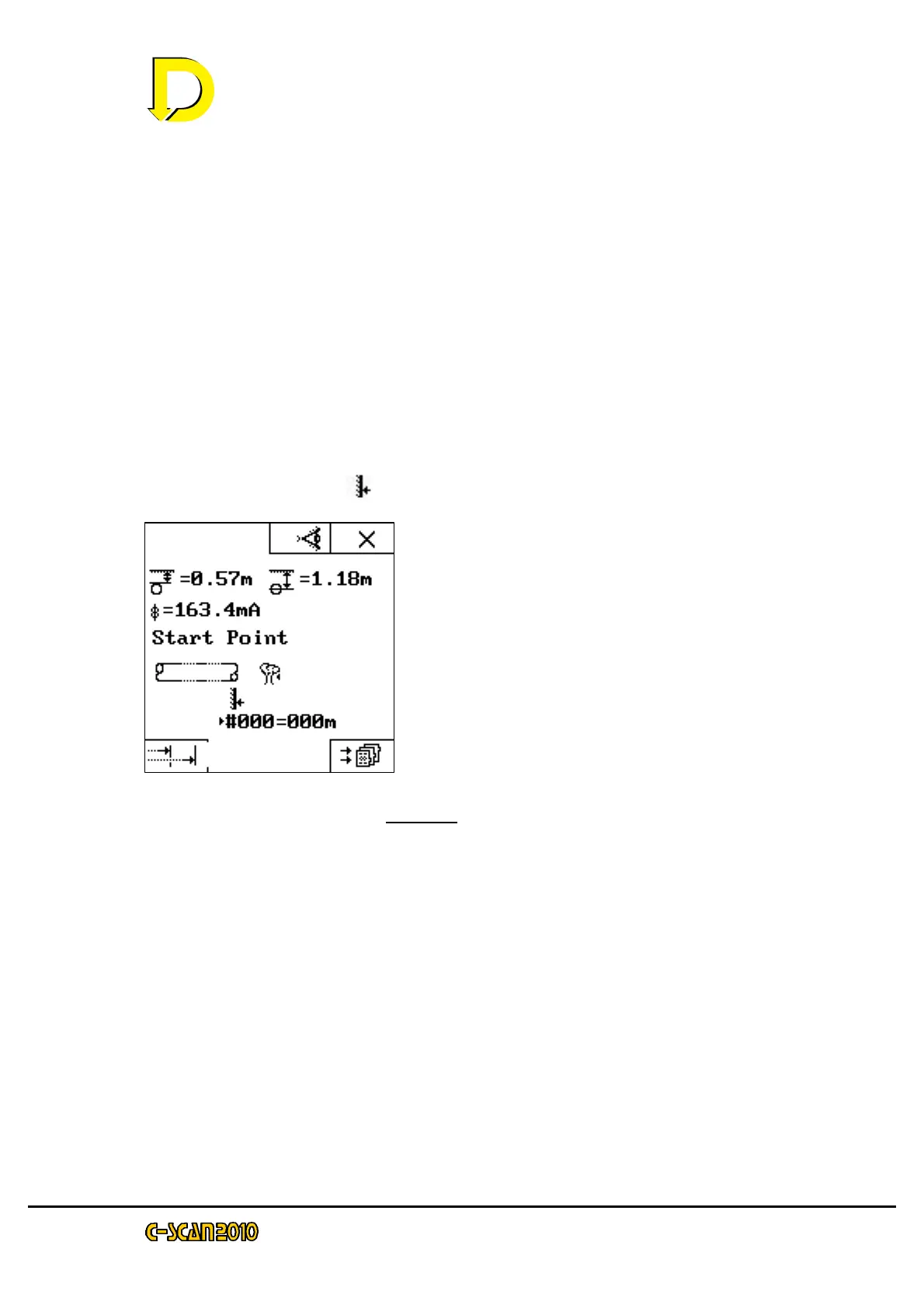
The START POINT key ( ) defines the new survey. Press it now.
The display will jump straight to the START
POINT screen.
Pressing the tick will store the new point and
revert to the start screen. You will see that the
pipeline key has re-appeared. This is because a
new survey has been started.
Continue the survey.
NOTE: on the next SEARCH screen the survey
number has been incremented to S#01 (the first survey is survey S#00). The
point counter increments and does not reset to zero.
Referring to the survey list, continue through to Survey 4. Note that on Survey 4
there is no GPS data. You can choose your own distances to see how the effect
of distance changes the readings (try negative distances – this indicates a
change of direction in surveying.
If you need to go over this again, go to the CLEAR MEMORY menu and start
again. Continue doing this until you are happy with the controls and procedure.
NOTE: Switching off disables Demo Mode. The readings made during Demo are
still retained in memory.
4.4 Notes on entering distances
The distance that is entered is crucial to calculating the correct attenuation,
hence It is very important that this value is correct. Remember that the distance
entered relates to pipeline distance, not the direct distance between two points.



 To Next Page