Leaders in Pipeline Survey Systems
4 - 7
OPERATING MANUAL
#03 100 300
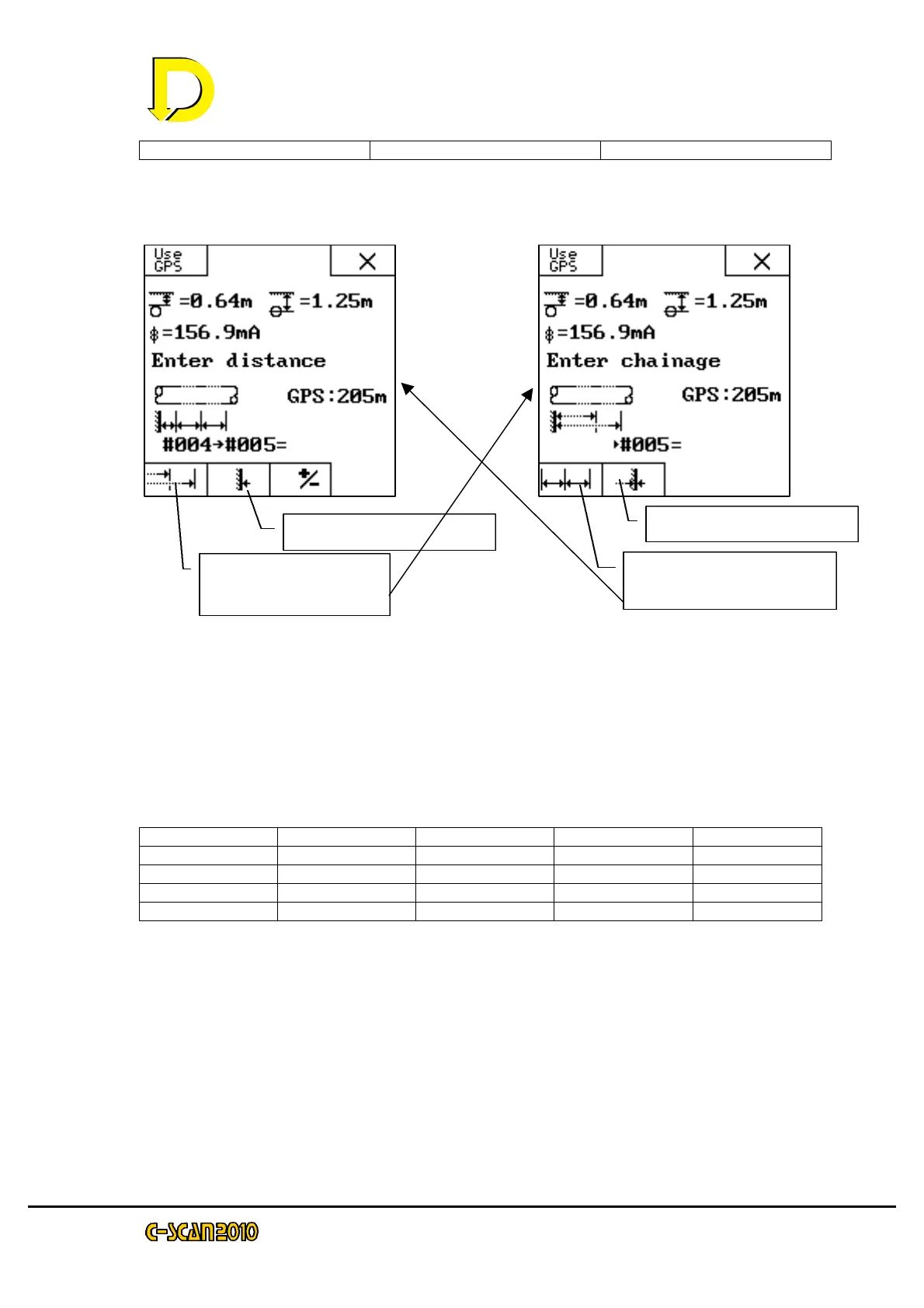
This can make it easier to reference if CP points have distance values. To use
Chainage rather than distance, use the chainage key as shown below.
NOTE: We may freely switch between CHAINAGE and DISTANCE. When we enter a distance,
the chainage is automatically stored (it is displayed on the attenuation display).
The chainage start point is used to start a new survey. This point does not have
to be zero. As an example, consider a survey of four points. The first point is at
CP marker 10 which has a distance marker of 3678m (3.678km) and the last
point is at CP marker 11 which has a distance marker of 3978m (3.978km). The
two intermediate points are 100m apart.
Point CP number Line distance distance chainage
#00 10 3678 3678
#01 - - 100 3778
#02 - - 100 3878
#03 11 3978 - 3978
Point #00 is entered as a chainage start point with a value of 3678m
Points #01 and #02 are entered as distance from previous point as 100m
Point #03 is entered as chainage 3978m.
Select CHAINAGE
Press this key to go to Select DISTANCE
Press this key to go to START POINT CHAINAGE start point.
Select Chainage.
Press this to go to
this to go to
Start Point
Chainage start



 To Next Page