21CA 602 O602EN1
VIBRATING/DRIVING
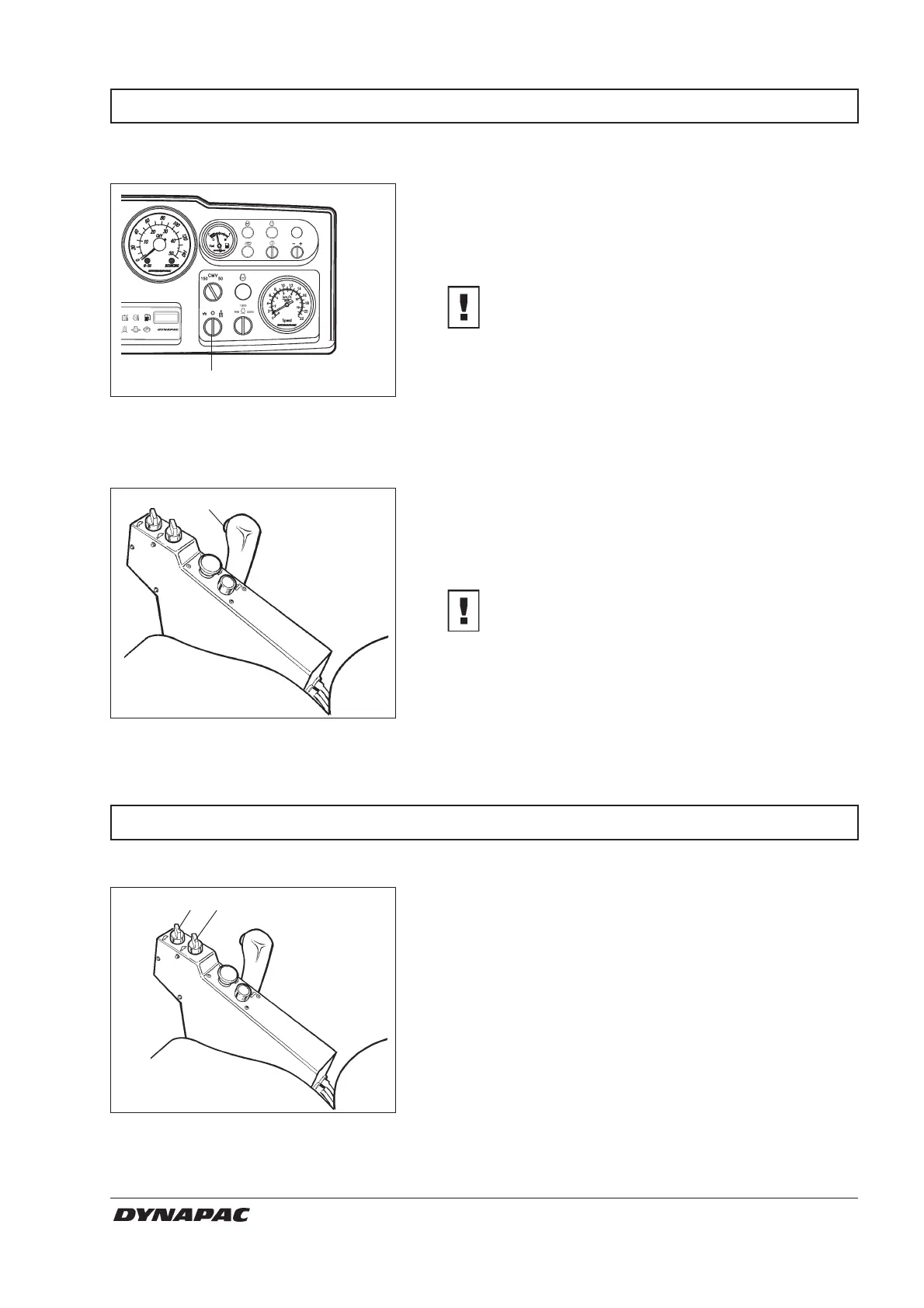
Fig. 22 Instrument panel
24. Amplitude selector Low/0/High
24
38
Fig. 23 Control panel
38. Switch, vibration ON/OFF
Low/High amplitude – Setting
Vibration – Engaging
DRIVING ON DIFFICULT COURSES
If the machine should get stuck, and it is equipped with
a 2-speed drum drive, turn the speed selectors as
instructed below.
If the drum spins, turn the drum drive to high and the
rear axle to low.
If the tires spins, turn the drum drive to low and the rear
axle to high.
As soon as the machine regains its grip, turn the speed
selectors to their initial positions.
Fig. 24 Control panel
35. Speed selector, drum
36. Speed selector, rear axle
35 36
Drum drive
Vibration on the drum can be set in two different modes
with the changeover switch (24). Turn the knob to the
left for low amplitude/high frequency and to the right for
high amplitude/low frequency.
Amplitude setting may never be altered while
vibration is in action. Switch off vibration and
wait until it has ceased before altering the
amplitude.
Engagement and disengagement of vibration is made
with the changeover switch (38) on the front of the
forward/reverse lever. Always switch off vibration
before the roller comes to a complete standstill.
Vibrating may never be performed when the
roller is stationary, the surface and the
machine may otherwise be damaged.
CAUTION
CAUTION



 To Next Page