DS551DR4 User Manual 15
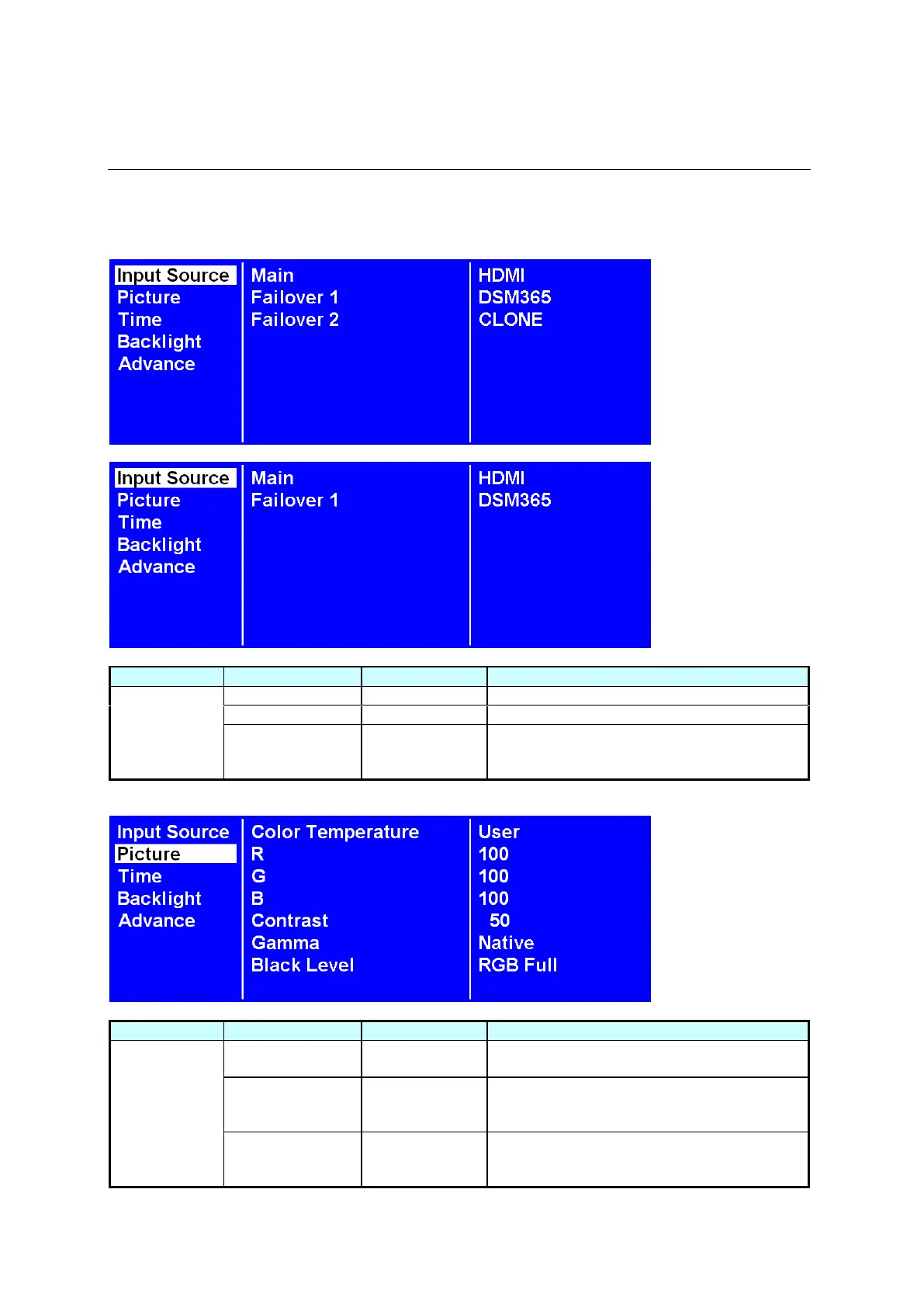
Navigating the On Screen Display (OSD) Menu
Press the MENU button on either the rear panel control or remote control to show the OSD. Use the
navigation arrows to select and adjust the menu items.
Set the Main input to display.
Set the Failover 1 input to display.
Set the Failover 2 input to display.
Note: This function only available on 1000
nit display.
Select the color temperature. (User, D93,
D65 and D55).
Adjust the red light level. Range 0 – 100.
Note: The feature is only supported on User
mode.
Adjust the green light level. Range 0 – 100.
Note: The feature is only supported on User
mode.



 To Next Page