DS551DR4 User Manual 7
Installation
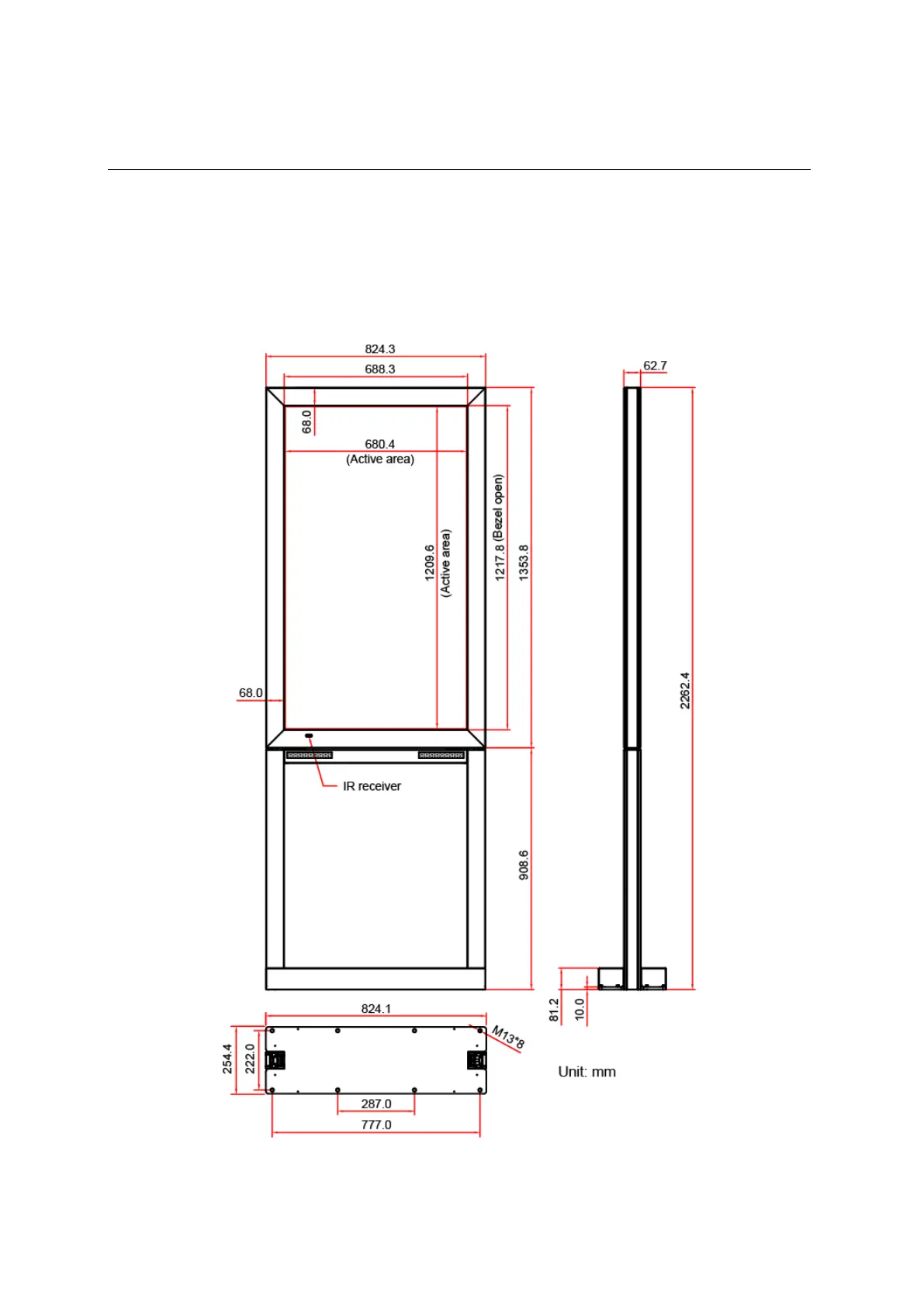
The LCD must be properly installed onto the stand, details please refer to the display installation guide.
Incorrect installation may cause injury or damage the equipment. Product warranty does not cover
the damage caused by improper installation and DynaScan shall not be held responsible in such
incident. If you attempt to install the LCD on a different way, such as hanging from the ceiling or your
customized platform/ enclosure; please contact DynaScan directly for more assistance.
DS551DR4



 To Next Page