Dynatron® 850plus & 550plus
ULTRASOUND - Treatment Instructions
52
Poor Coupling
If all or part of the soundhead is not touching the patient, coupling may not be adequate and
the patient will not receive the intended dosage of the ultrasonic wave. Poor coupling, if
allowed to continue, can also result in increased temperature of the soundhead. Do not hold
the soundhead in the air while a treatment is running as this may damage the soundhead
crystal and/or stress electronic components in the device.
Ultrasound Coupling Bar Graph
This feature for models having software greater than Rev. 1.01 only (see Page 2).
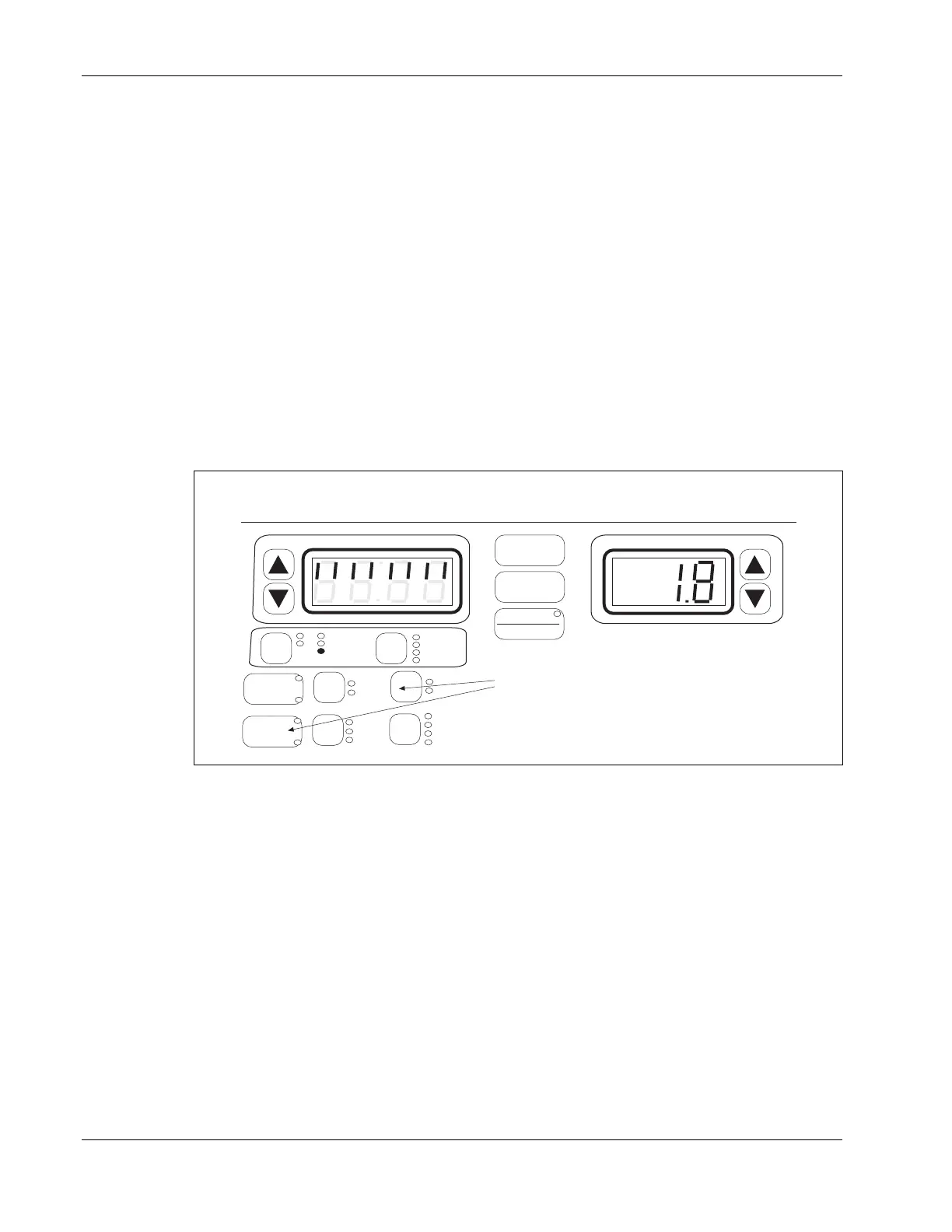
During an ultrasound treatment, you can press SOUND-TARGET (press both keys at once)
to display a bar graph to indicate coupling. Coupling sensing indicates whether adequate
contact is being maintained between the soundhead and the patient’s skin. The bar graph
uses the eight segments in the top half of the display, with eight lighted segments indicating
best conductance, and one lighted segment indicating poorest conductance. In the illustration
below, eight of the eight segments are lighted indicating good coupling.
POWER-INTENSITY
TIME
START
STOP
PAUSE
WIDTH
RATE
FREQ
TIME
SOUND
MICRO
HV 1
2
1
FUNCTION
Press the SOUND and the TARGET keys
simultaneously during an ultrasound treatment to
view a graph showing soundhead coupling. Press
Time to return to the treatment time display.
CH
Ultrasound Coupling Bar Graph
PREMOD
IFC
HIGH
LOW
TARGET
SWEEP
COMBO
SOUND
1 MHz
2 MHz
3 MHz
10%
20%
50%
CONT
Coupling Bar Graph. Eight lighted segments indicate good coupling between patient and soundhead.
To correct poor coupling ensure you are using an adequate amount of ultrasound conductive
gel, and the face of the soundhead is making full contact with the patient’s skin.
Press TIME to redisplay the treatment time. Treatment time continues counting down while
the bar graph is displayed unless the treatment is paused for any reason.
Disable the Coupling Sensing. You can disable the coupling sensing capability of the
device if desired. While the treatment is running, press the FUNCTION and the
Power/Intensity DOWN ARROW keys at the same time. The Time display will very briefly
display the new setting as follows:
CP 1 = Coupling on
CP 0 = Coupling off








 To Next Page