14 Dynaudio
Xeo Hub
Connections and control elements
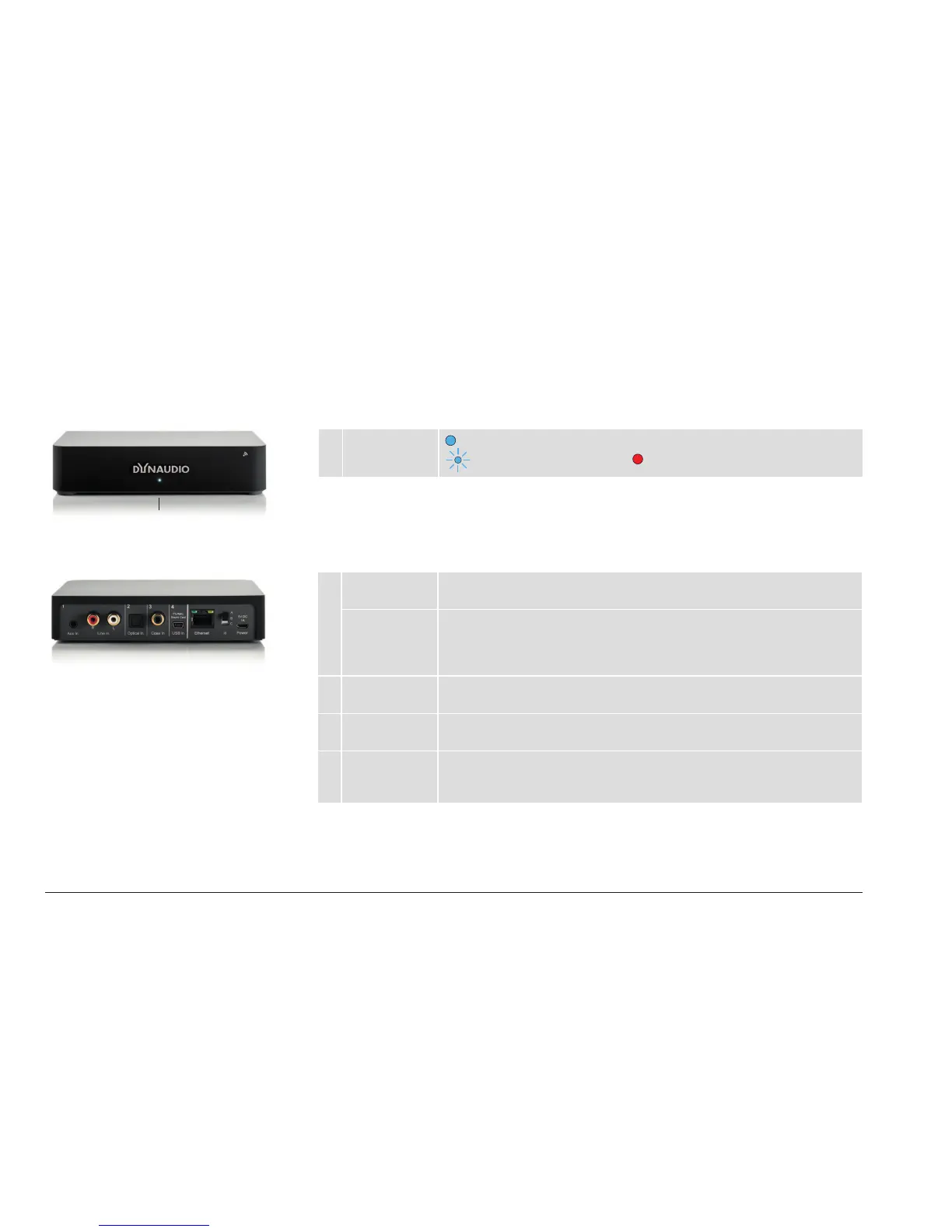
Front plate
1 Operational
state
= connection to a speaker, Extender, or Link
= searching for a connection, = no connection
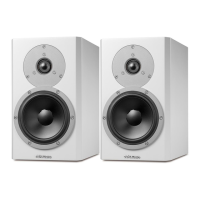
Rear plate – inputs
1 Aux In Input for cable with stereo jack (3.5 mm stereo)
Connect devices here that have an output for the stereo jack.
Line In Input for cable with RCA plug
Connect devices here that have an output for the RCA plug.
NOTE: If a device is connected in parallel at Aux in, only that device will be
played back.
2 Optical In Input for optical digital cable (Toslink)
Connect devices here that have an optical digital output.
3 Coax In Input for electrical digital cable (coax)
Connect devices here that have an electrical digital output.
4 USB In Input for USB cable
Connect your computer’s USB output here. The Hub will then work as a
sound card.
1



 To Next Page