DynaVox Technologies
30
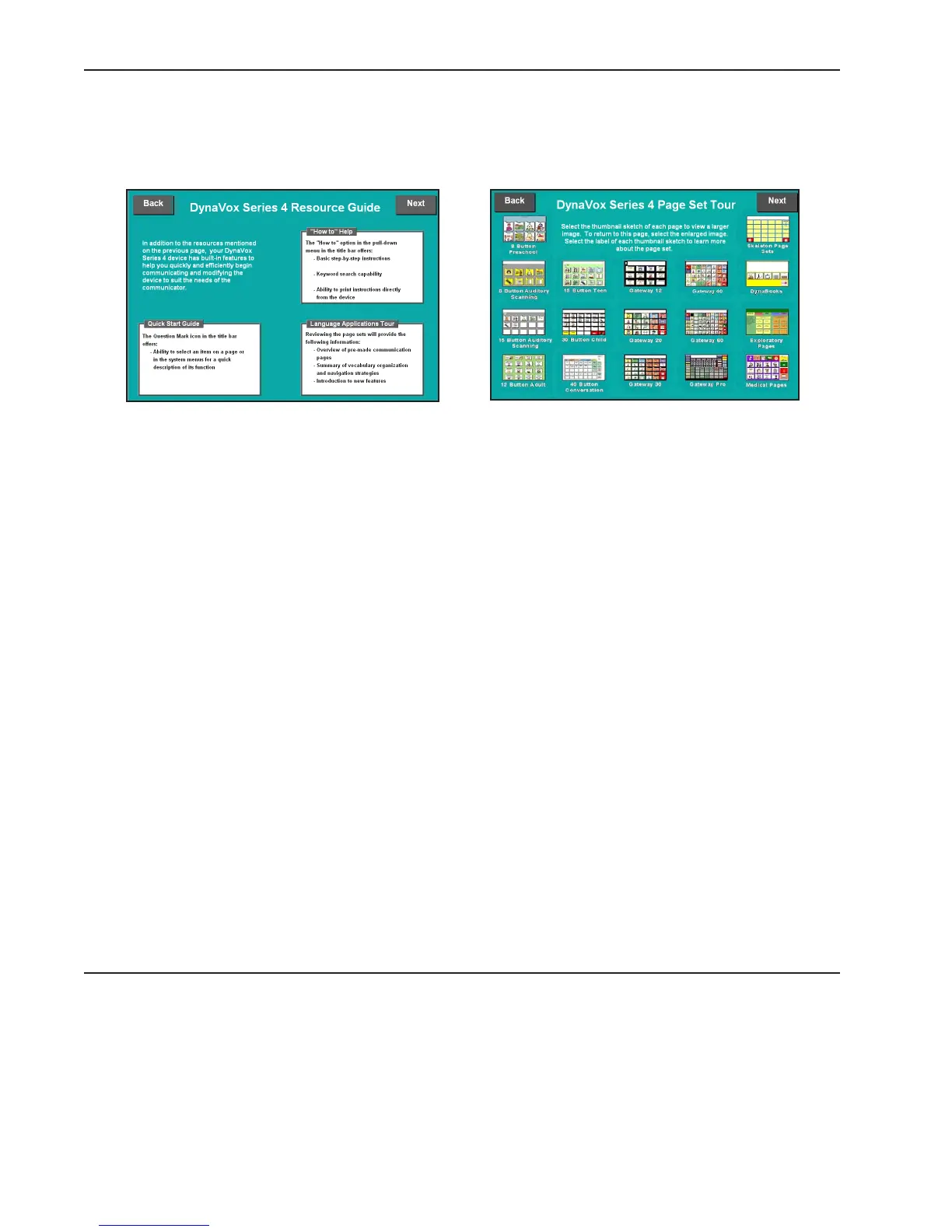
Select the Next button in the top right corner to move on to the third introductory page (DynaVox Series
4 Resource Guide). This page offers a review of the informative resources that are available on your
DV4/MT4 device. These resources include the How To help program, the ? button and the Language
Applications tour that is provided in subsequent introductory pages.
The fourth introductory page (DynaVox Series 4 Page Set Tour) will open when you select the Next button
in the top right corner of the third page. This fourth page features small graphics that represent the
DynaVox Language Applications page sets. The DynaVox Series 4 software provides pre-programmed sets
of communication pages for individuals of all ages and conversational needs. The page sets provide
useful, appropriate vocabulary and a reliable page navigation system to support day-to-day
communication. The graphics on this introductory page represent the master page of each DynaVox
Language Applications page set. Selecting one of the images will open an enlarged version of the graphic,
making it easier to see the visual details of the page. To close the enlarged graphic and return to the
third introductory page, select any area on the device’s touch screen.
Below each graphic is a label that displays the name of the page set. Selecting this label opens a
summary page that provides a basic overview of the selected page set. The basic layout strategies and
the vocabulary of each page set are defined in these summary pages. The methods that the selected page
set uses for navigation and message retrieval are also noted. The summary page also lists the topics that
are featured on the page set’s main page. After reviewing the introductory information on these summary
pages, you should have an idea about which page sets you would like to try.
Once the page sets have been reviewed, it is time to move on to the next page. To do this, select the
Next button in the top right corner of the fourth introductory page.



 To Next Page