Quick Start: Introducing DynaVox Series 4
Part # 400023
69
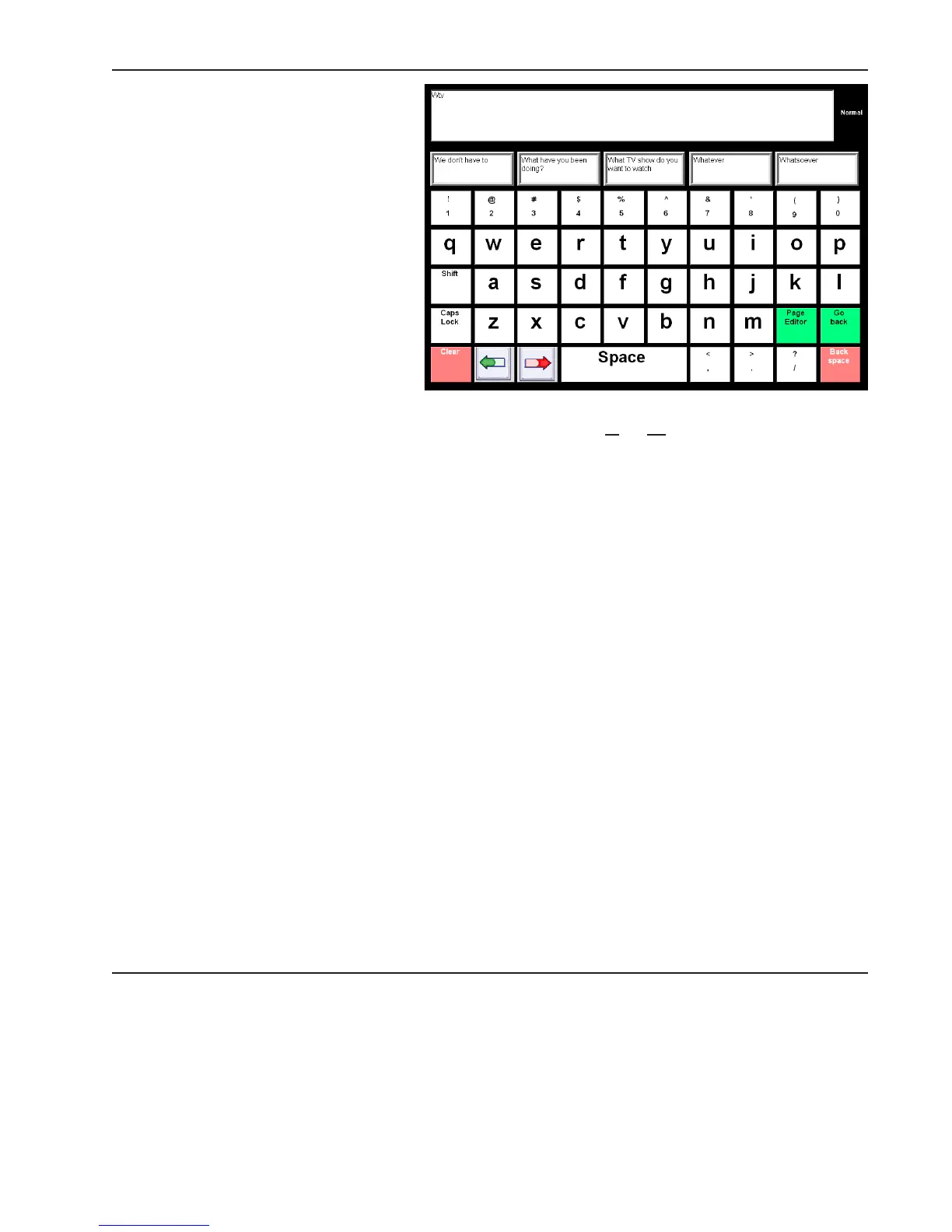
1. Select the W button.
2. Select the T button.
3. Select the V button. “What
TV show do you want to
watch?” will be presented
in one of the predictor
buttons.
5. Select the What TV show
do you want to watch?
button. The question will
be sent to the Message
Window.
Flexible abbreviation predicted this
question from the letters you entered
because the letters are found in the same sequence in the sentence: W
hat TV show do you want to
watch. With flexible abbreviation, it took only four selections to send this question to the Message
Window. It would take 36 selections to completely type out this sentence on the system keyboard popup.
Abbreviation Expansion
Another way to accelerate message composition on a keyboard page is to use the DynaVox Series 4
abbreviation expansions feature. This feature allows you to define specific abbreviations for longer words
and phrases, thereby reducing the number of letters you must enter to compose a message. Once you
have defined a specific abbreviation in the software, the device will automatically supply the full word or
phrase whenever the abbreviation is entered on a keyboard page or popup. For example, you may define
“INY” as an abbreviation for “It’s nice to see you.” If the abbreviation expansions feature is active, “It’s
nice to see you” will appear onscreen wherever you enter “INY” and then add a space.
Abbreviation expansions allow things you say often (greetings, introductions and questions, for example)
to be sent to the Message Window with just a few selections. Since the abbreviation expansion feature is
an active default setting when you receive your device, all you need to do to try out this feature is create
a test abbreviation. Follow the step-by-steps below to create an abbreviation for “It’s nice to see you.”
1. Select the pull-down menu button.
2. Select Setup in the main pull-down menu. The Setup menu will open.
3. Select Tools Menu in the second pull-down menu. The Tools menu will open.
4. Select the Abbreviation Browser button. The Abbreviation Browser menu will open.



 To Next Page