SHANGHAI ESURVEY GNSS CO., LTD.
7
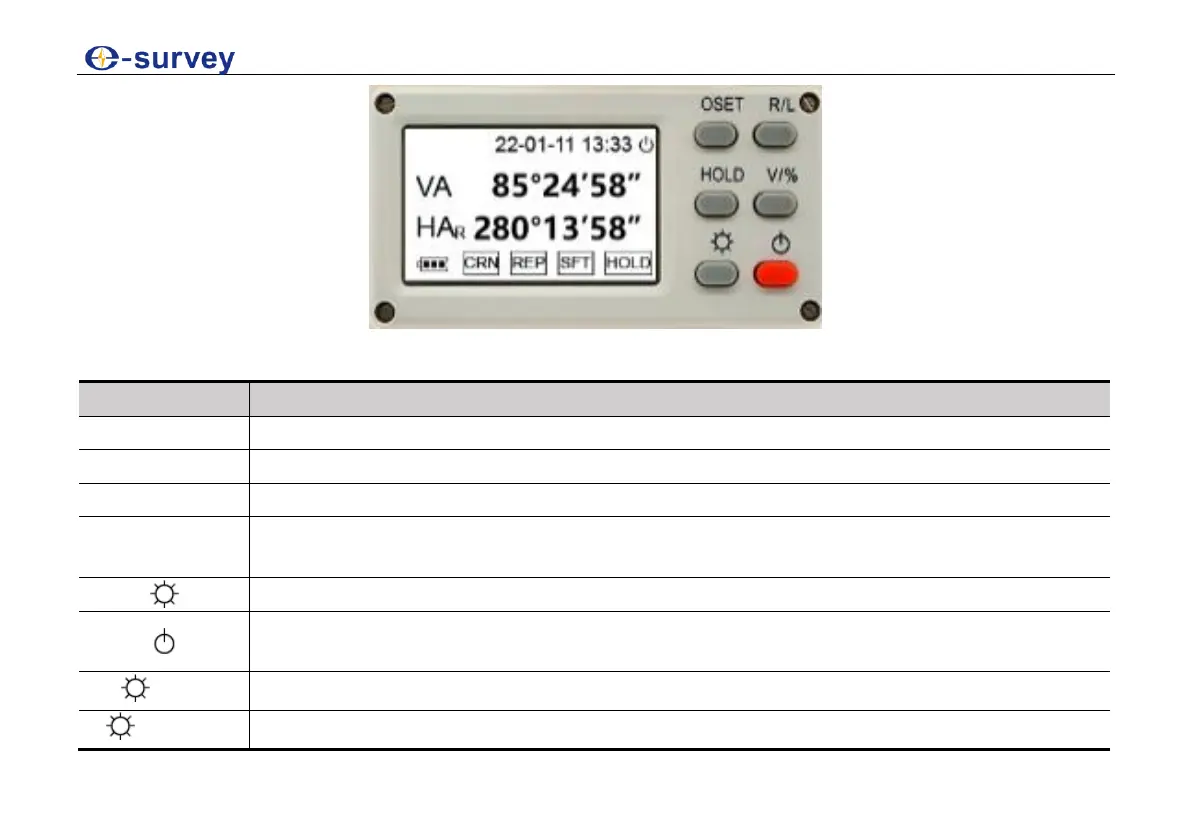
Keyboard
Set the horizontal angle to 0.
Set the horizontal angle right or left.
Hold the horizontal angle.
Set the display unit of the vertical angle (° or %) by pressing 1 second and turn
on or off the laser pointer by pressing 3 seconds.
Turn on or off the light by pressing 3 seconds.
Power on or off the instrument by pressing 3 seconds and turn on or off the laser
plummet by pressing 1 second after powering on the instrument.
Configure the instrument.
Measure the same horizontal angle several times.



 To Next Page