17
Auxiliary relay modes.
Courtesy light mode.
Basic operang
features
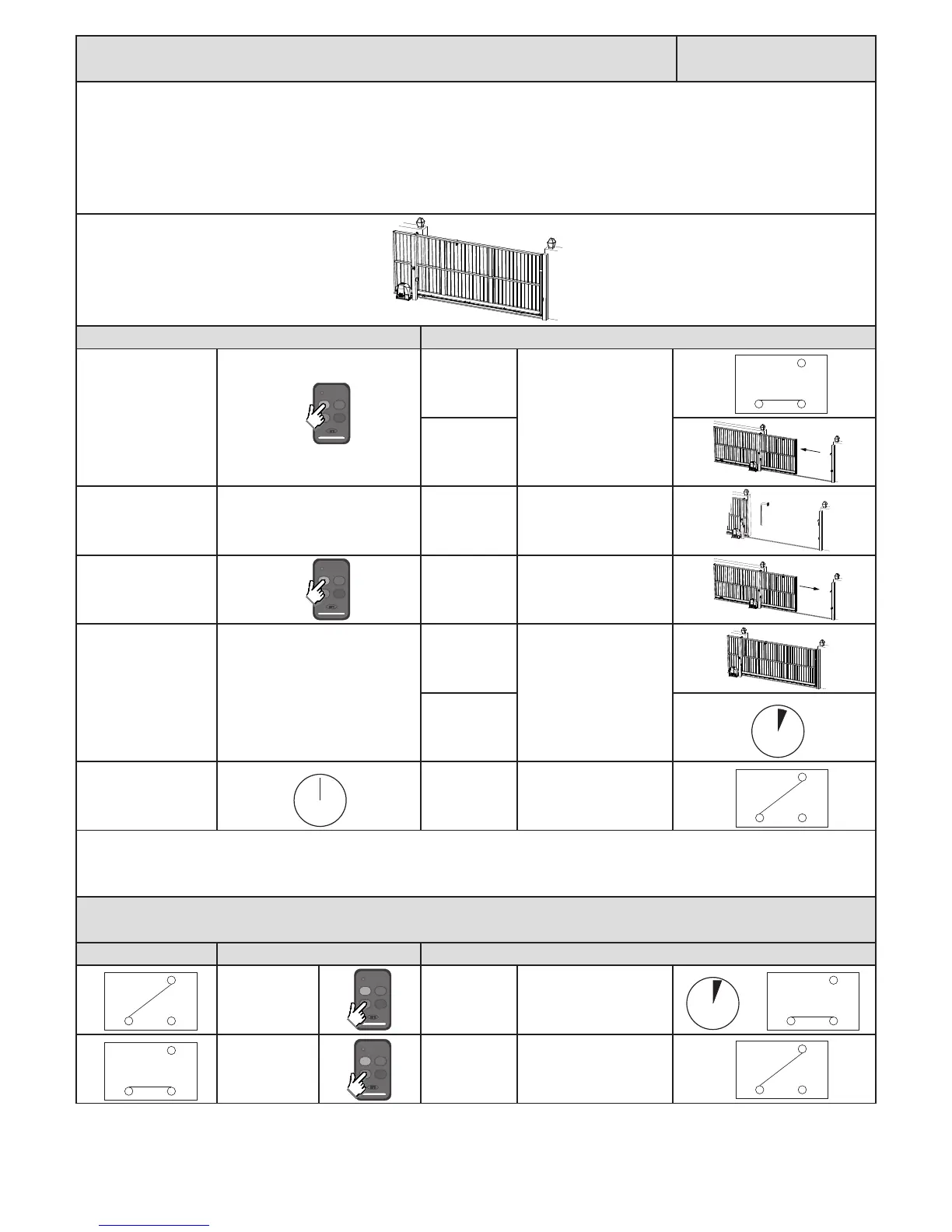
With courtesy light mode selected, the auxiliary light will switch on as the gate begins opening and remain on for the programmed light on me aer
the gate has closed.
The auxiliary relay can also be triggered to switch on without the gate opening by simply pressing and releasing any remote buon programmed into
the auxiliary relay funcon of the receiver.
The relay on me for the two dierent triggers can be programmed to dierent on mes if wanted.
Below is an example of courtesy light mode when standard BT mode is acve.
Acon Response
Momentary BT trigger.
Auxiliary relay
acvates.
No buzzer tone.
Gate begins
opening.
Gate reaches open
posion.
Gate stops. No buzzer tone.
Momentary BT trigger.
Gate begins
closing.
No buzzer tone.
At full closed posion.
Gate stops.
No buzzer tone.
Relay on mer
begins counng
down.
Aer relay on mer
meout.
Auxiliary relay
deacvates.
No buzzer tone.
If the gate is closed and any remote buon programmed into the auxiliary relay funcon is pressed momentarily,
the following will occur.
Auxiliary relay status Acon Response
Momentary
auxiliary relay
trigger.
Auxiliary relay
switches on for
programmed
me.
No buzzer tone.
Momentary
auxiliary relay
trigger.
Auxiliary relay
switches o.
No buzzer tone.
ON
Com N/O
N/C
3 Min.



 To Next Page