MF2E-E -B 2
- 10 -
�
Meanwhile to enable DDNS server function then click <
<
<
< set
set
set
set >
>
>
> to restart
device .( details refer to : 5.6 ddns settings )
�
Connect device to internet via ADSL , then it can be accessed via ddns through
WAN .
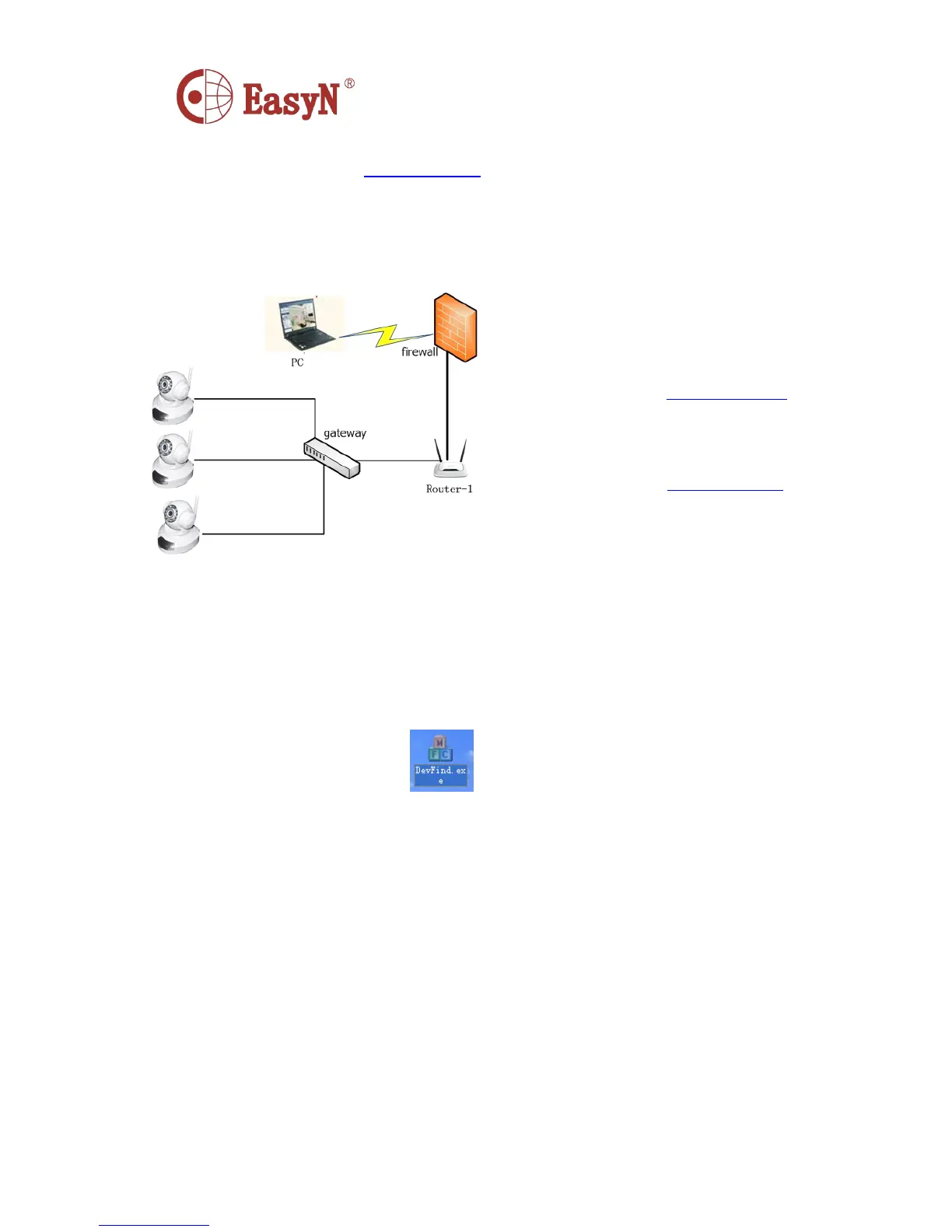
4.4 . CONNECT NETWORK VIA ROUTER
5.
5.
5.
5. SOFTWARE
SOFTWARE
SOFTWARE
SOFTWARE OPERATION
OPERATION
OPERATION
OPERATION
5.1 . IPcamera TOOL
I n picture 3, camera-1 ’ s IP is not in the same subnet with computer-1, it can not
be accessed, to run Devfind.exe in CD, click search button then click-on
searched IP Camera, then we can configure the settings, interface as picture 4.
1)
1)
1)
1) Connect device to LAN through cable
2)
2)
2)
2) Configure device through IPcam tool .
( Details refer to : 5.1 IPcamera tool )
3)
3)
3)
3) Access device as administrator .
4)
4)
4)
4) Access ddns setting page to enable DDNS
service then click <
<
<
< set
set
set
set >
>
>
> to restart device .
( Details refer to : 5.6 ddns settings )
5)
5)
5)
5) Then it can be accessed through internet .



 To Next Page