MF2E-E -B 2
- 11 -
P
P
P
P icture
icture
icture
icture 4-
4-
4-
4- LAN
LAN
LAN
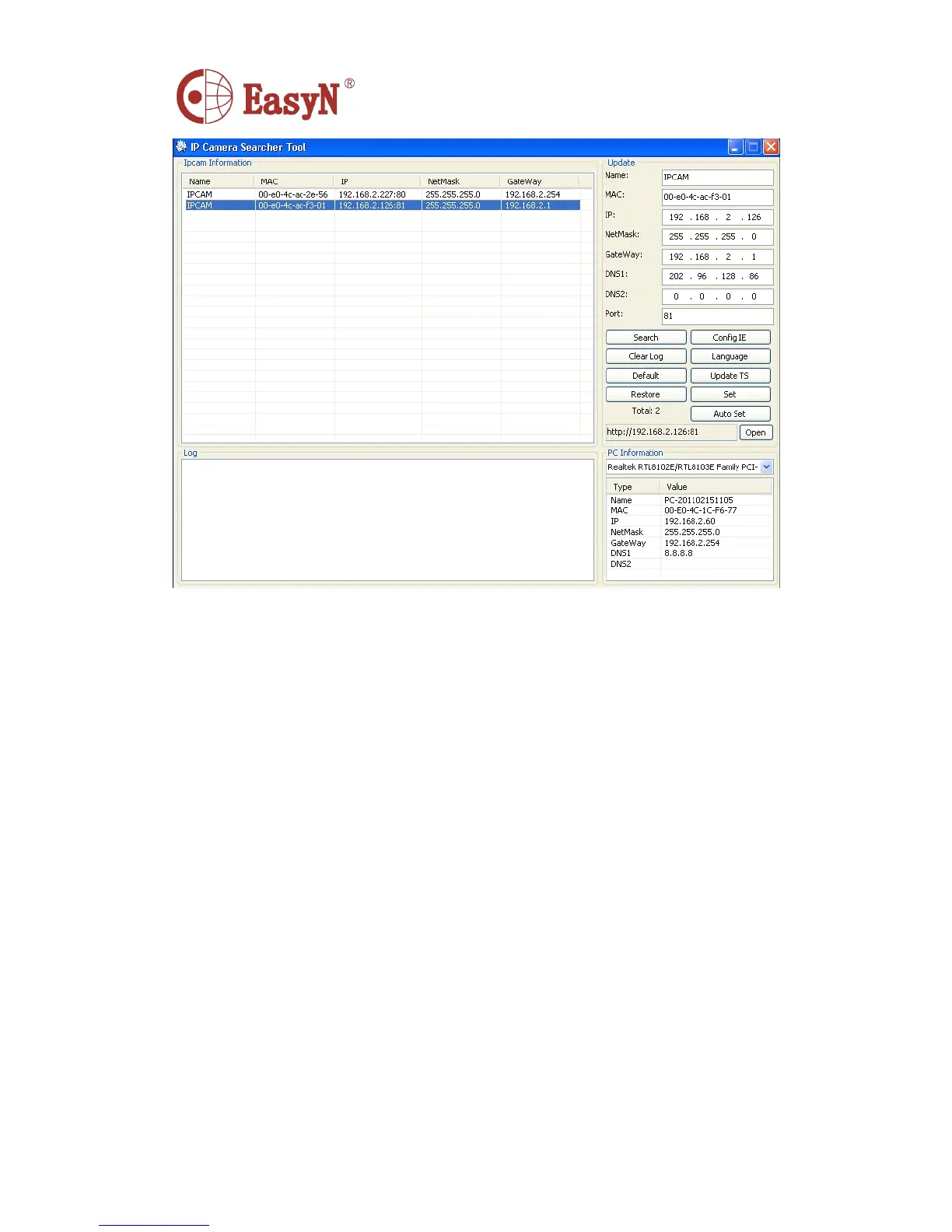
LAN configuration
configuration
configuration
configuration interface
interface
interface
interface
N otice: device factory set IP: 192.168.1.126 , port 81
Detail configuration:
� Please carefully check current computer information on right down side
of interface, it lists information about computer-1 ’ s IP
configuration, if there are more network adapters in computer, please
select the right network that camera-1 working on.
� IP address: configure IP address, it must confirm to be the same subnet
within PC .
� M ask: default mask: 255.255.255.0
� Gateway: confirm the PC within the same gateway
� DNS : DNS provider ’ s IP address
� P ort: device provides HTTP service port, default is 81
� U ser and password :
:
:
: default administrator account user: admin , no
password
5.2 . LOGIN IP CAMERA
W e can directly access IPCAM through IP
IP
IP
IP Camera
Camera
Camera
Camera Search
Search
Search
Search Tool
Tool
Tool
Tool or IE
IE
IE
IE .
1) Double click option IE in device list to open login page
2) Directly access via IE by inputting address on address blank of IE browser . As below:



 To Next Page