MF2E-E -B 2
- 26 -
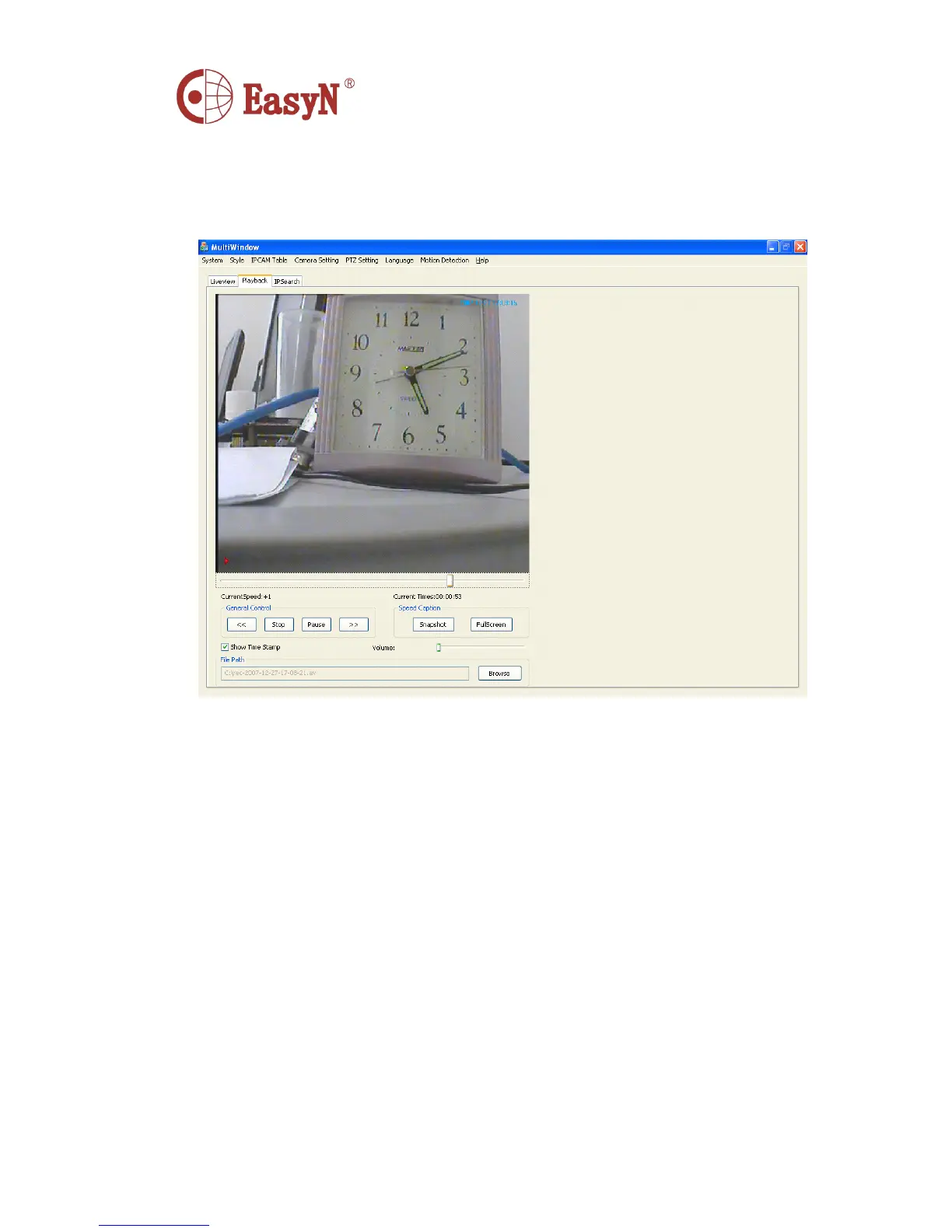
6.8. PlayBack
Choose the Playback option to play back the video files and manage them
Current Speed: Show the speed of the current play
Current Time: Show the schedule of the current play
Genetral Control: Control the file which is playing
<< : Back
Play : Play
Pause : Pause
>> : Go ahead
Show Time Stamp : whether show the record time on the playing file
Volume : Control the volume of the playing file
File Path : Select the video file which you need to playback
Speed Caption: Additional control
Snapshot : Snapshot the playing file
FullScreen : Full window record
6.9. IP Search
Find the network server
’
s IP quickly,While you press the Search button,it will show all of the



 To Next Page