MF2E-E -B 2
- 16 -
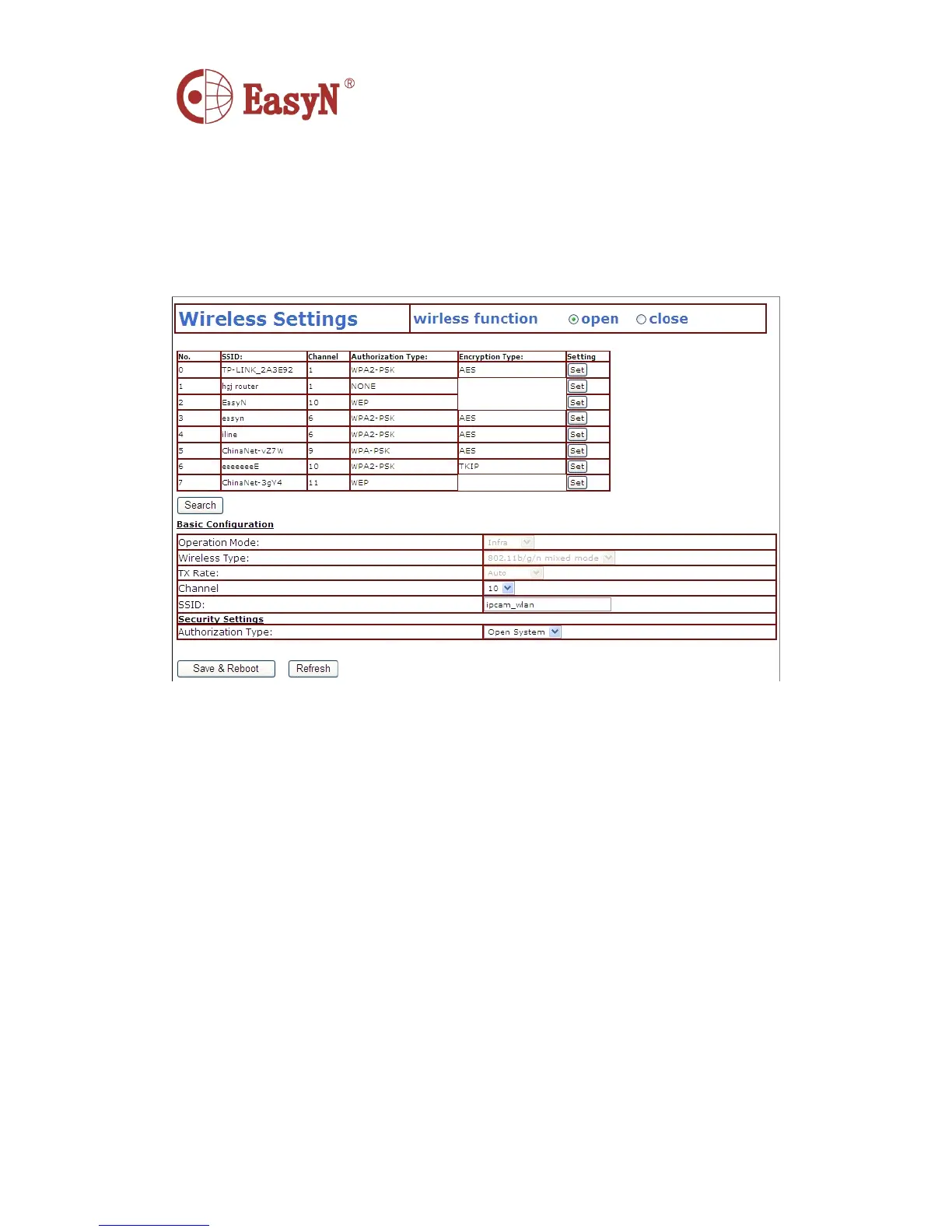
To enable WIFI configuration referring to picture 11 , click “ Search
”
button , then will pop up a page of searched wireless network , select the
right wireless network , then all parameter of the wireless network will
auto write into the parameter blanks such as shown in picture 11 ( such
as SSID, encryption, etc. ) , then input password and check it is ok. After
configuration , click “ Save & restart ” button;
N otice: the wireless function should be enabled on wired condition
P icture 12- WIFI configuration
5.6 . DDNS SETTINGS
I n picture 3 , router-1 acquire external IP address through ADSL , and the
IP address is dynamic , when we want to access device from internet , we
do not know what is the IP address , hence , we should acquire the address
via dynamic domain name server in internet , the camera-1 send a message
to dynamic domain name server(ddns) from time to time , then the ddns can
analyze the external IP address of the router-1 camera-1 connected , we
can acquire the IP address of the server through dynamic domain name.
Actually , the dynamic domain name stands for dynamic IP address , if we
can not access device through IP address, the dynamic domain name is not
available.
�
�
�
� MANUFACTURER
MANUFACTURER
MANUFACTURER
MANUFACTURER DDNS
DDNS
DDNS
DDNS
T he manufacturer has set up ddns in internet , and provide a dynamic domain name for
each device , and the settings has been done when the device produced , such as shown
in picture 13. After set remote configuration , input the dynamic domain name in
browser address blank, then the address will be analyzed as the right IP address
of device , and start to connect device.



 To Next Page