MF2E-E -B 2
- 17 -
P
P
P
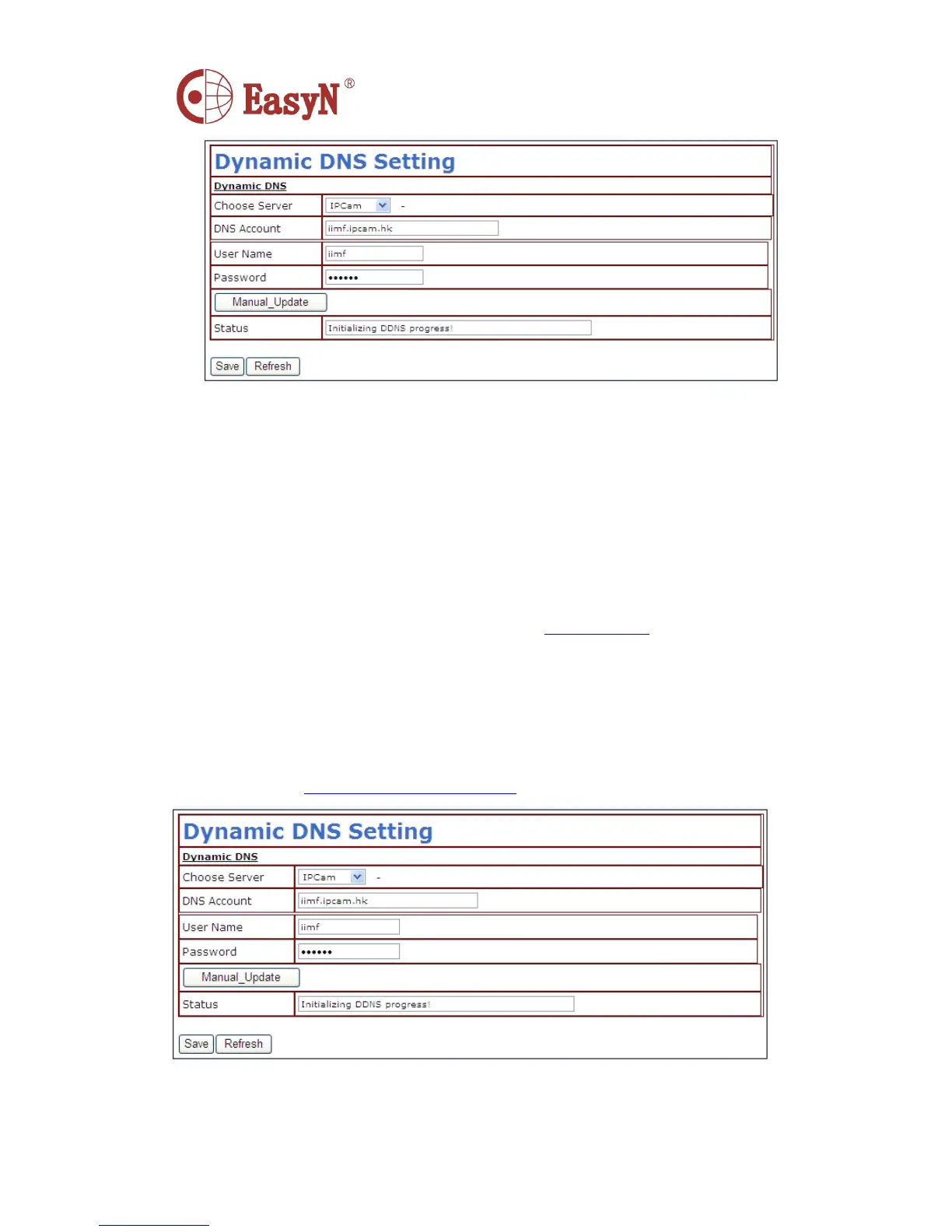
P icture
icture
icture
icture 13-
13-
13-
13- DDNS
DDNS
DDNS
DDNS configuration
configuration
configuration
configuration
N otice: the dynamic domain name uses forwarding mode to access device,
it auto changes into the IP address and port relating to device.
N otice 2: on it can access device via IP address but not dynamic domain
name condition , please check the DNS configuration whether it is available
and confirm the configuration is attaching with LAN configuration in
computer.
�
�
�
� THIRD PARTY DDNS ACCESS
If it is some reason that can not use the manufacturer ddns , we also can
apply third party ddns as instead , such as www.3322.org domain system
,
login this kind of web to apply a free dynamic domain name , then input
information as shown in picture 14 , after save, then we can access with
the dynamic domain name.
N otice: usually, third party ddns uses analyzing mode to access device
,
it will keep the link still after inputting on browser , if device port
is not 80 , then need to add a ” : ” then the port behind dynamic domain
name , such as:
http://ipcam.3322.org:81



 To Next Page