MF2E-E -B 2
- 27 -
nerwork server
’
s IP that have line connecting with yours.
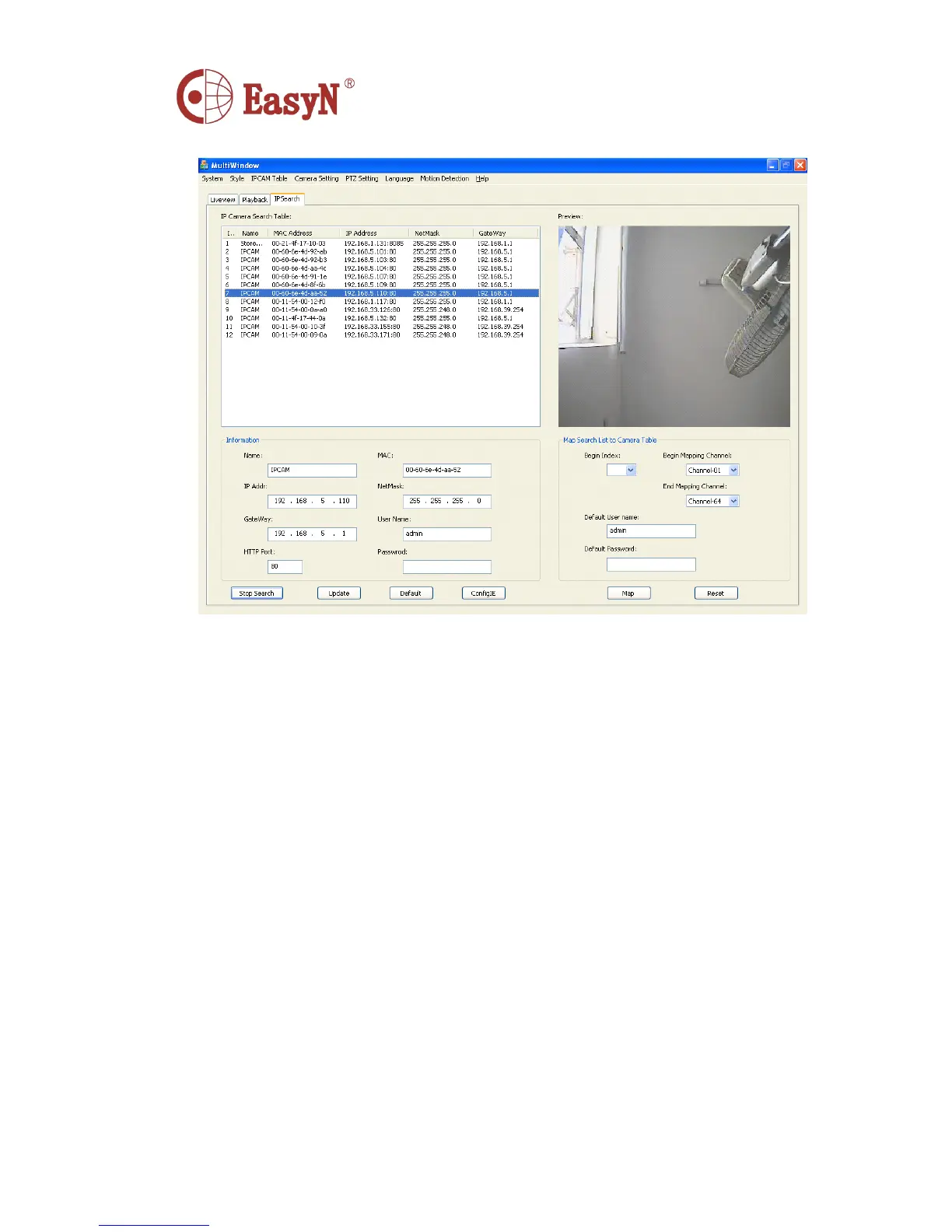
1. IP Camera Search Table : Show the network information table which is the result of
search.
Information : Basec information of network cameras
Name : The name of camera
MAC : MAC address
IP Addr : IP address
NetMask : Subnet mask
GateWay : Gateway
UserName : UserName
HttpPort : HTTP port
Password : Password
Search : Search
Update : Configure the network information
Default : Back to the original configuration on the camera
ConfigIE : Change the IE, in order to guarantee the camera
’
s normal play
2. Preview: Double-click to preview the current selected network camera
3. Map search List to Camera Table: Mapped the search network camera
address to Camera Table



 To Next Page