(29)
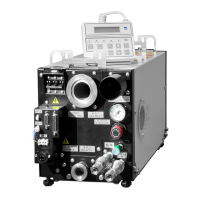
Table 5.2 LCD Controller Indication
No
ITEM INDICATION
1.1 Operating mode selection 1
(10 second count down)
& & & & & & &
%
U T Y : S T D R E M : S I G
@
1.2 Operating mode selection 2
(10 sec count down)
& & & & & & & R U N : A L T
%
D I L : S T D B P : A T @
2 Motor current
B P : # # . # A
%
M P : # # . # A
3 Cooling water flow W A T E R F L O
W %
# # . # L / m
i n
4 Dilution N
2
gas flow
(with dilution mode)
D I L . N 2 F L O W
%
# # . # P a m 3 / s
5 Dilution N
2
gas flow
(without dilution mode)
%
W / O D I L . N 2 M O D E
6 Pump casing temperature
P U M P C A S I N G %
# # #
*
C
7 Total operation time
O P E . T I M E %
# # # # # h
8 ALARM / TRIP
$ $ $ $ $ : $ $ $ $ $ $ $ %
$ $ $ $ $ $ $ $ $ $ $ $ $ $
" &&&&&&& " shows pump serial number.
" % " shows present number of ALARM / TRIP.
" @ " shows 10 second countdown after turning on power.
Mode selection contains items below.
UTY : Service observation REM : Operation switched to remote
RUN : Remote start signal DIL : Dilution N
2
BP : BP operation
Dilution N2 gas flow displays the amount of N2 gas excluding seal N2; therefore, it differs
from the N2 approximate flow rate in Table 3.1.
Total operation time displays the hours of operation after initialization at factory.
Upper row " $$$$$$ " describes cause of ALARM / TRIP.
Lower row " $$$$$$ " shows value of parameter that caused ALARM / TRIP.
Display defaults to No. 2 (Motor Current) when buttons on LCD controller are not operated
for one minute.
"DISP. SELECT" scrolls the display in order. It will display progressively all present
ALARM/TRIP’s.
EBARA Corporation



 To Next Page