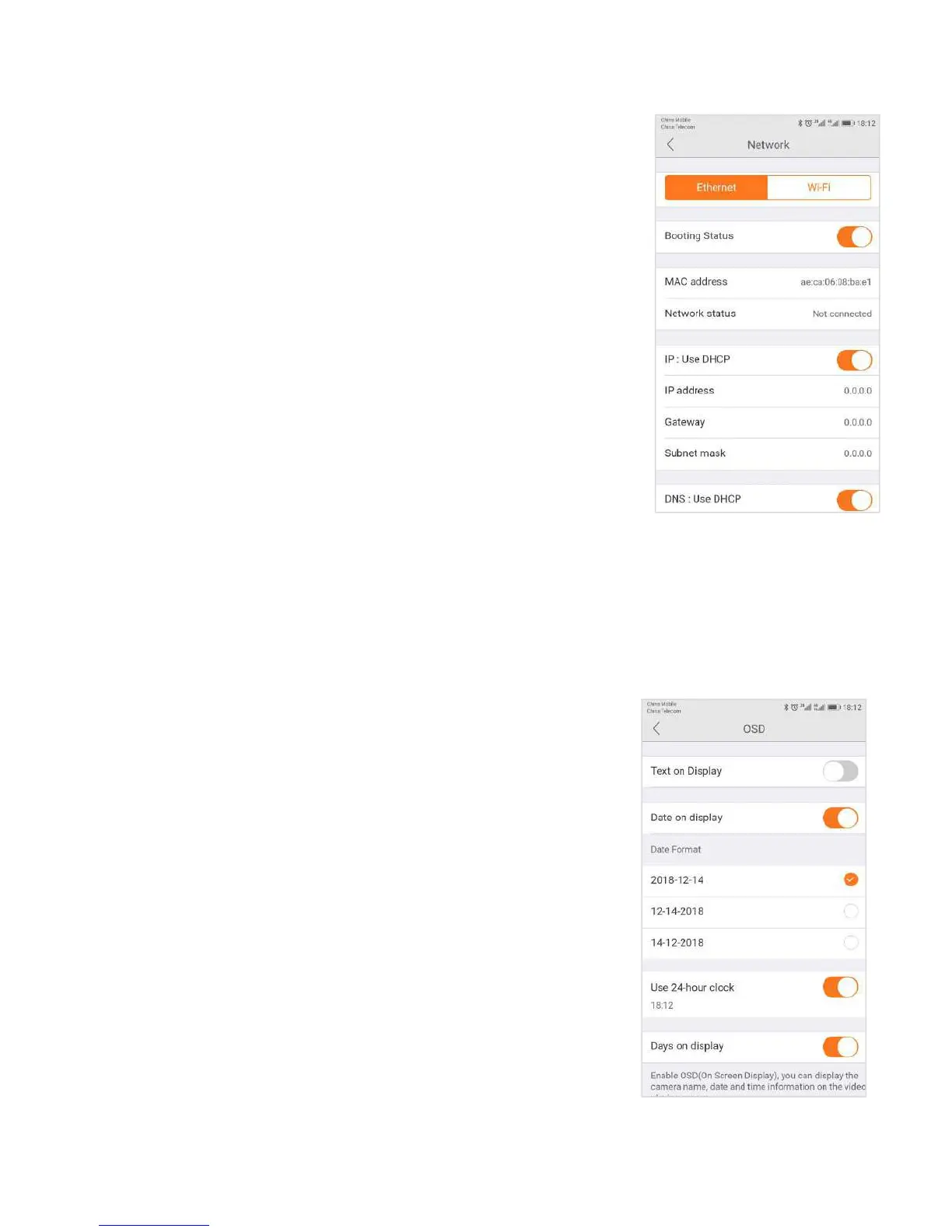
Warning: If you change the settings on this tab, it is possible that the network can
The Network Tab enables you to choose the network interface that you want to
use - Ethernet or Wi-Fi. When you choose Ethernet, you can view the MAC address,
the network status, and the IP information.
Once your device is connected, it is recommended that you do not change the
settings or click Apply on the Network tab, as this is likely to cause you to be
disconnected from the Network.
3.6.13 OSD (On Screen Display)
In the OSD tab, you are able to manage what displays on the video
screen. These settings include:
● Display Text - Add text that will show up on the video screen.
● Display Date - Choose whether to display the date on the
screen and the type of date format (MM-DD-YYY or
● Display Time - Choose whether to display the time on the
screen and the time format (12 hour or 24 hour).
● Display Day of the Week - Choose whether to display the day
of the weekon the live screen.
After changing the settings, click Apply.


 To Next Page