The BOLTMARK
®
II‑series PrinTers
Basic OPeraTing insTrucTiOns
19 2018/02/27#2.0EN
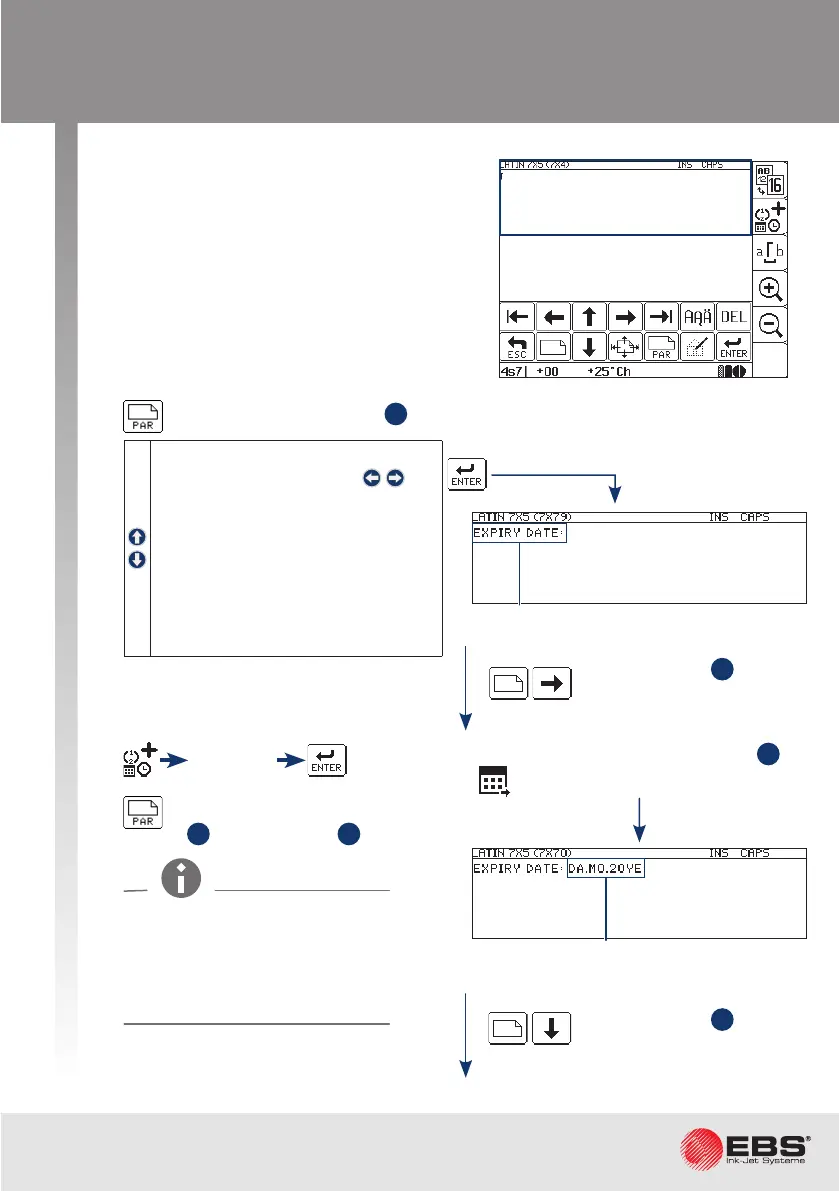
creating a new text
5
6
7
Type : Text
Char. set : Lan 7x5
Typeface : Normal
Chr. width : Proporonal
Distance : 2
Rotaon : None
Spec. reg. : None
Front dist : 0
Back dist : 0
Set parameters for subtext
1
.
Create subtext
2
to the
right of the previous one.
Create subtext
3
below
the previous one.
Editor ‑ a new empty window.
Type in a text via the keyboard.
Type in a text via the keyboard.
Date+os.
Use the special register creator to set up subtext
2
as
a Date+os. ( ) special register.
The other parameters of
subtext
2
- as for subtext
1
.
The expiry date (the Date+os.
special register) is printed
correctly when the Oset
and Oset interv prinng param-
eters are set.



 To Next Page