The BOLTMARK
®
II‑series PrinTers
Basic OPeraTing insTrucTiOns
202018/02/27#2.0EN
creating a new text
To conrm the end of text eding (the text is saved to text library).
The above example contains only certain opon out of those available in the text editor.
8
9
10
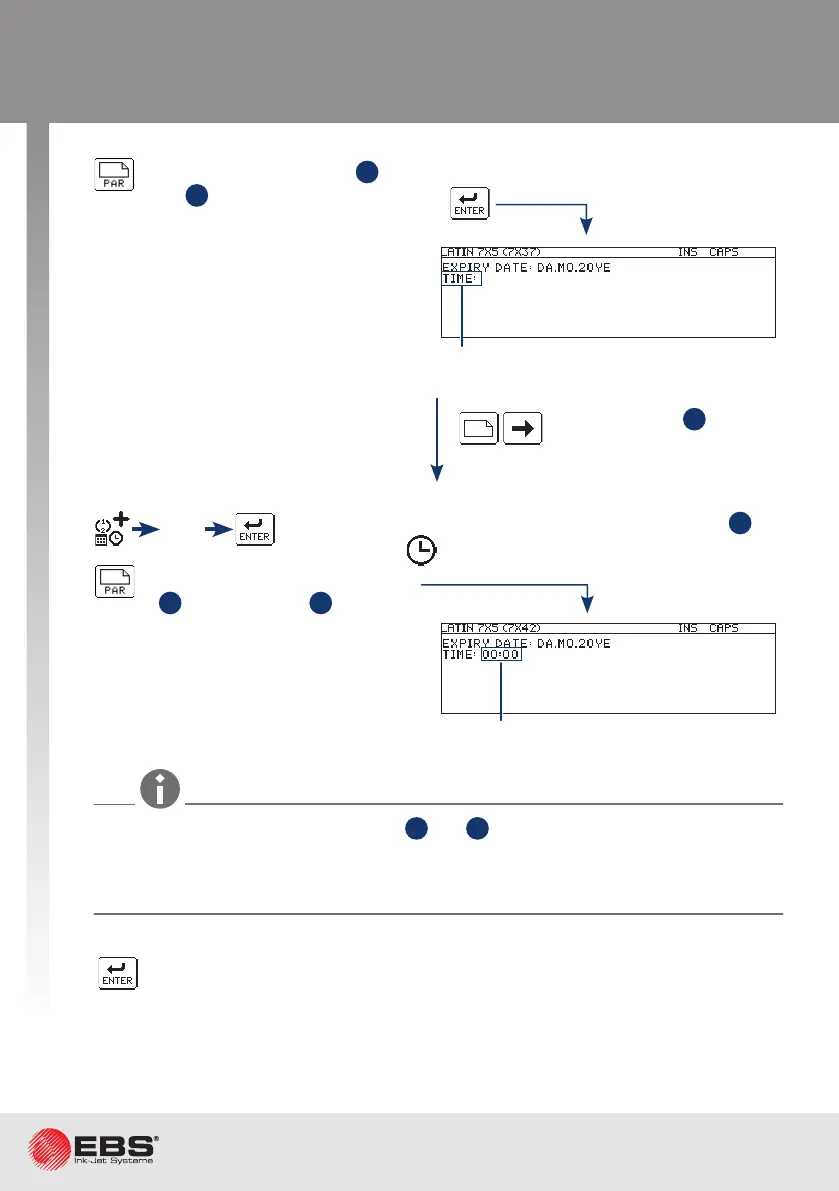
Set parameters for subtext
3
the same as
for subtext
1
.
Create subtext
4
to the
right of the previous one.
Type in a text via the keyboard.
Type in a text via the keyboard.
In the subtexts where special registers (
2
and
4
) are used, leers typed in for
the date and digits typed in for the me are replaced with values during prinng
(e.g. DA - tens and units of the 2-digit day number in month, MO – tens and units
of the 2-digit month number in year, YE – tens and units of the 2-digit year number).
Time
Use the special register creator to set up subtext
4
as
a Time ( ) special register.
The other parameters of
subtext
4
- as for subtext
2
.



 To Next Page