LX2NB Manual v.1.9 Page 20 / 60
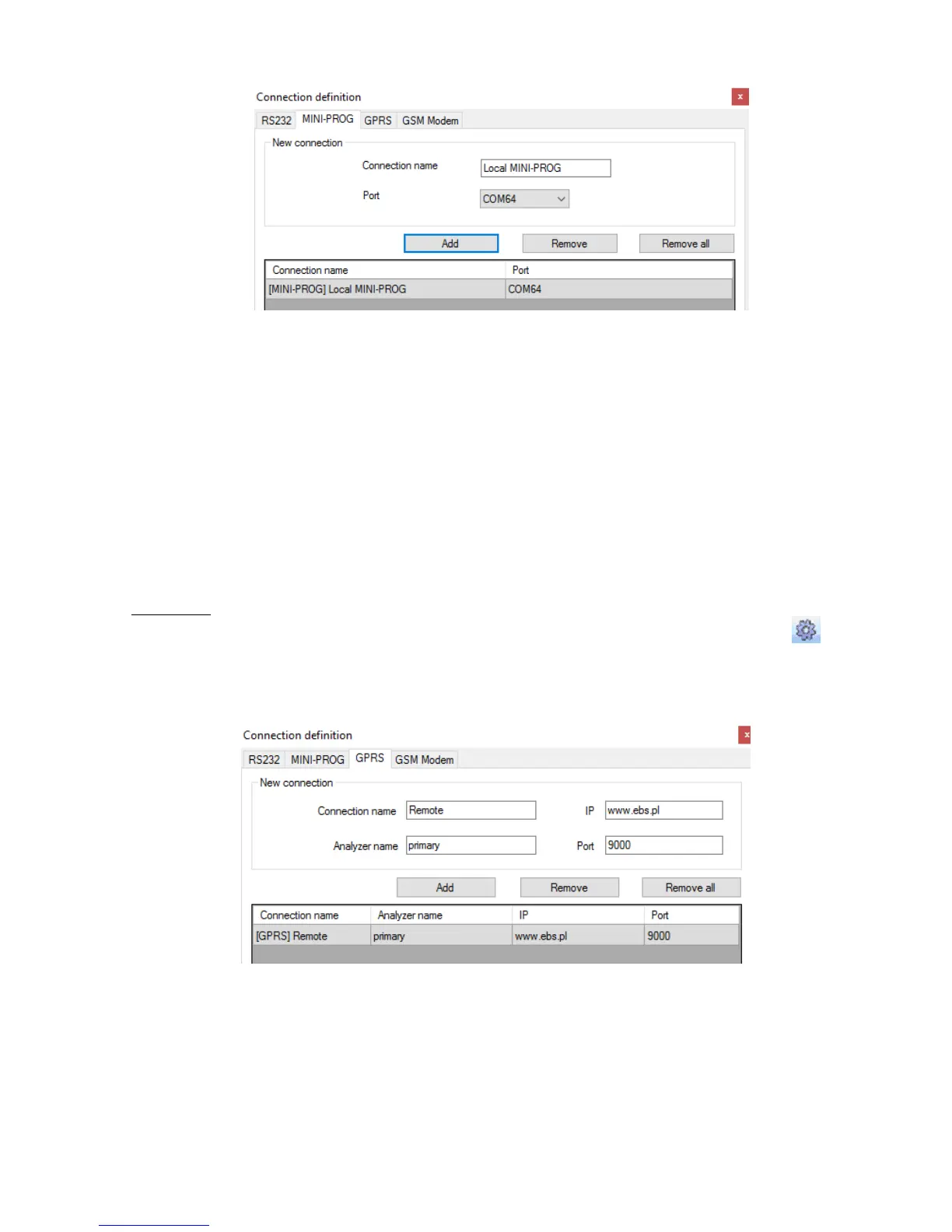
Operations are the same as with the "RS232" tab. Specify the name, the correct
COM port and add a connection.
Programmers MINI-PROG-BT and SP-PROG-BT have microUSB ports, through which
we can connect to the computer using the USB port, but also have built-in Bluetooth
interface.
6.2.5.2. Remote connection
As provided above the device and software makes for complete configuration with
GPRS link or CSD channel. This programming mode requires definition of linking
parameters.
GPRS link
Activate file in Main menu and select Connection function (or after clicking on
icon on fast access bar) and click on GPRS tab to carry out configuration of this
mode.
On screen the following window shall appear:
Define:
Name of connection e.g.: Remote
Select name of analyzer e.g.: Primary
Enter analyzer address e.g.: www.ebs.pl
Enter port on which analyzer operates e.g. 9000



 To Next Page