LX2NB Manual v.1.9 Page 50 / 60
7.10. DEVICE MONITOR
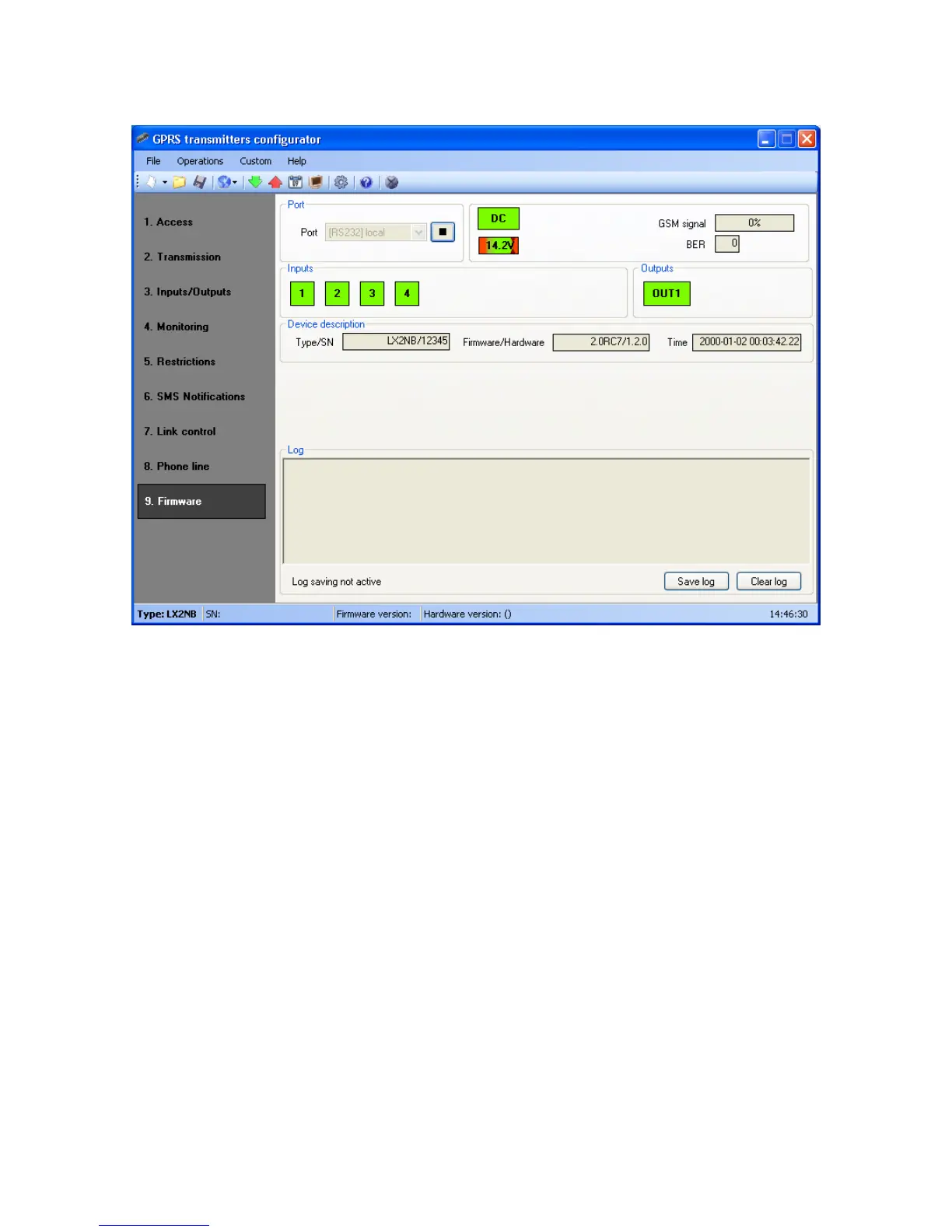
“Device Monitor” provides real-time information about device state. To use this
function device must be connected to PC computer with GD-PROG cable (using
DEBUG mode). Correct RS232 port must be chosen in “Port” field. “Device monitor”
provides following information:
DC power indication
GSM network signal level indication
Bit-Error-Rate level measuring
Inputs and output state monitoring
Type or serial number of device
Firmware and hardware revision
Device time
These parameters are also shown in LOG window in text style. All data can be saved
to file.
7.11. EVENTS HISTORY



 To Next Page