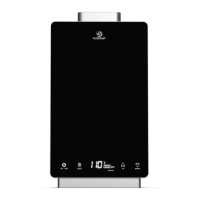
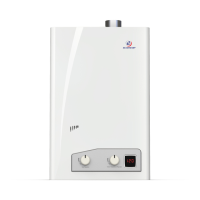
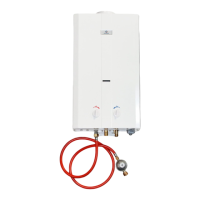
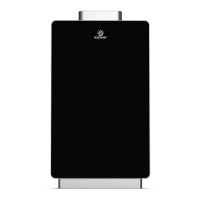
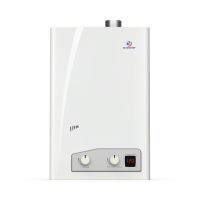
PLEASE NOTE: SH12
-
A IS FOR INDOOR PERMANENT INSTALLATIONS ONLY. THIS MANUAL AND ALL ECCOTEMP CONTENT IS SUBJECTED TO CHANGE WITHOUT NOTICE.
PLEASE VISIT SUPPORT.ECCOTEMP.COM FOR MORE INFORMATION.
34
34
Support: Support.Eccotemp.com Shop Online: www.Eccotemp.com Phone: 866-356-1992
English
Have a problem with your Eccotemp SMARTHOME water heater? The Eccotemp SMARTHOME app can tell you
exactly what the problem is. Download it today to unlock your SMARTHOME water heater’s full capabilities.
Simply search for “Eccotemp” on the Apple App Store, or Google Play or scan one of the QR codes on the
previous page.
Timer
The timer can be used to allow hot water for set time periods, each time your SMARTHOME water heater
is turned ON/OFF. With the scheduler, you are also able to set schedules for specic days and times to
allow hot water usage.
Scheduler
With the scheduler, you are able to set schedules for specic days and times to allow hot water usage.
When a timer and a schedule are both set, the schedular function takes priority. Hot water is produced
only during the selected schedule, regardless of the timer that is set. For example, if a timer is set to allow
15 minutes of hot water, but a schedule is also set to allow only 10 minutes of hot water on a specic
day, your SMARTHOME water heater will stop heating water after 10 minutes on that specic day. The
user can then turn the SMARTHOME water heater OFF and back ON again, but the water will not warm
because the scheduled time to allow hot water has passed.
Error Codes
The Eccotemp SMARTHOME water heater app has a troubleshooter to diagnose any device errors, which
will help keep your SMARTHOME water heater running in top shape.
Network Error
The build in network troubleshooter will tell you if there is a WiFi problem.
Operating Instructions
SMARTHOME MOBILE APP CONT.


 To Next Page