26
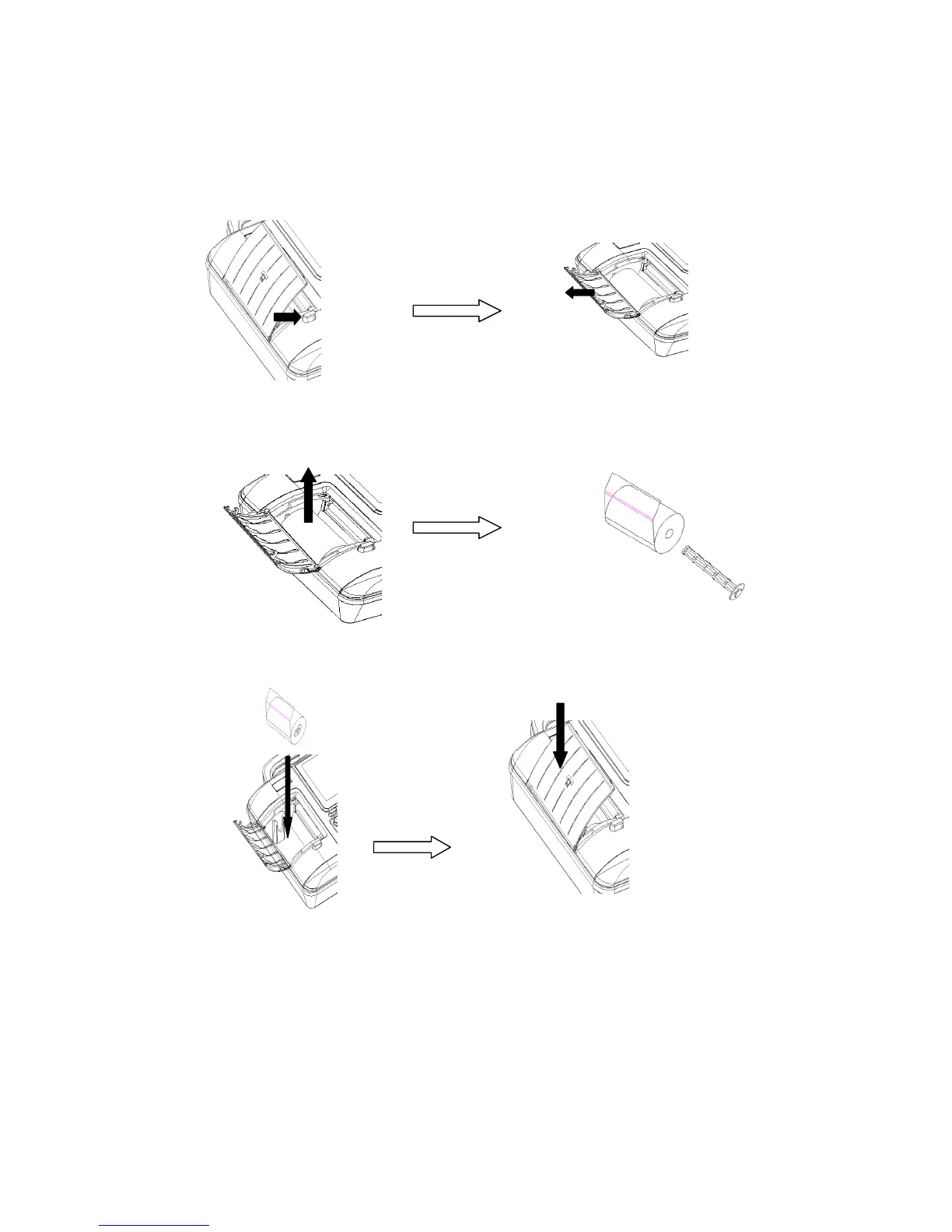
4.7 Loading recording paper
1) Press the Open Button to open the paper compartment cover according to the arrow shown in
the figure.
2) Take out the paper rollers from the paper compartment. Insert the rollers into the rolled paper as
shown below
3) As shown in the figure below, put the paper with rollers back into the paper compartment. After
that, pull about 2cm of the paper out and close the cover.
5 Operation Instructions
5.1 Startup and shutdown
5.1.1 Startup with the mains supply
When power cord and grounding cable are well connected, and the AC supply indicator is lit. Press



 To Next Page