37
Three lead rhythms: Users can set any 3 leads as lead rhythms in the 12 leads. Under auto mode, if
3CH×4+3R is selected, the lead rhythm recorded as the rhythm leads set here.
When lead selection finished, press 【F1】 button to save and return, or press 【F2】 button to
cancel setup and return.
5.5 Display setup
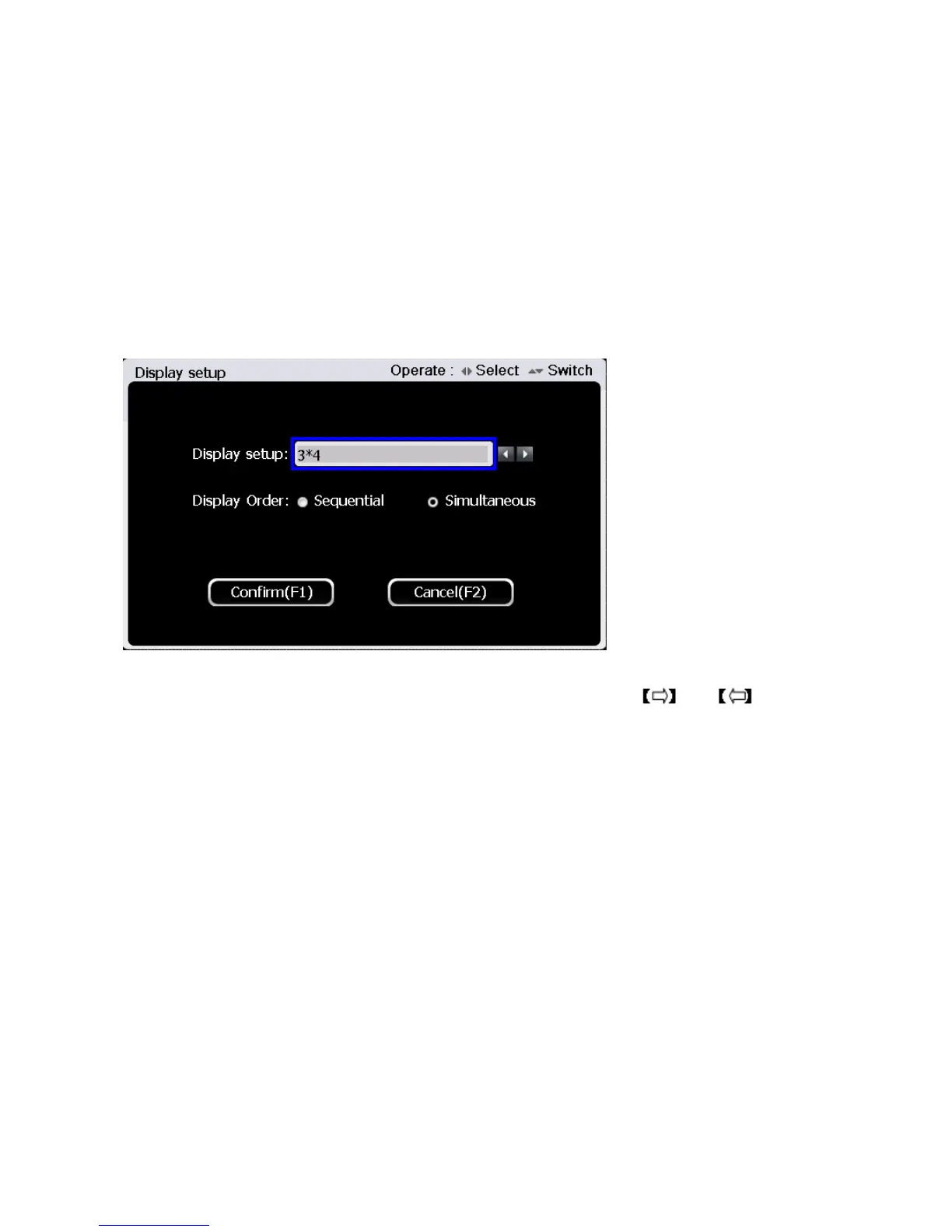
In second page of the main interface, press 【F2】to enter display setup interface. The interface is
shown as the figure below:
Under display setup interface, select setting item between “display format” and “display order”
through 【▲】and【▼】button. After selecting the setting item, use and button to
choose setting contents
There are 6 display formats as following: 3CH×4, 3CH×4+1rhythm, 3CH×4+3rhythm, 6CH×2,
6CH×2+1rhythm and 12CH×1.
Display sequence: sequential mode or simultaneous mode. In sequential mode, the waveforms
will be displayed one group after another group. In simultaneous mode, all waveforms will be
displayed at the same time.
After display setup, press 【F1】 button to save and return, or press 【F2】 button to cancel
setup and return.



 To Next Page