36
5.4 Leads setup
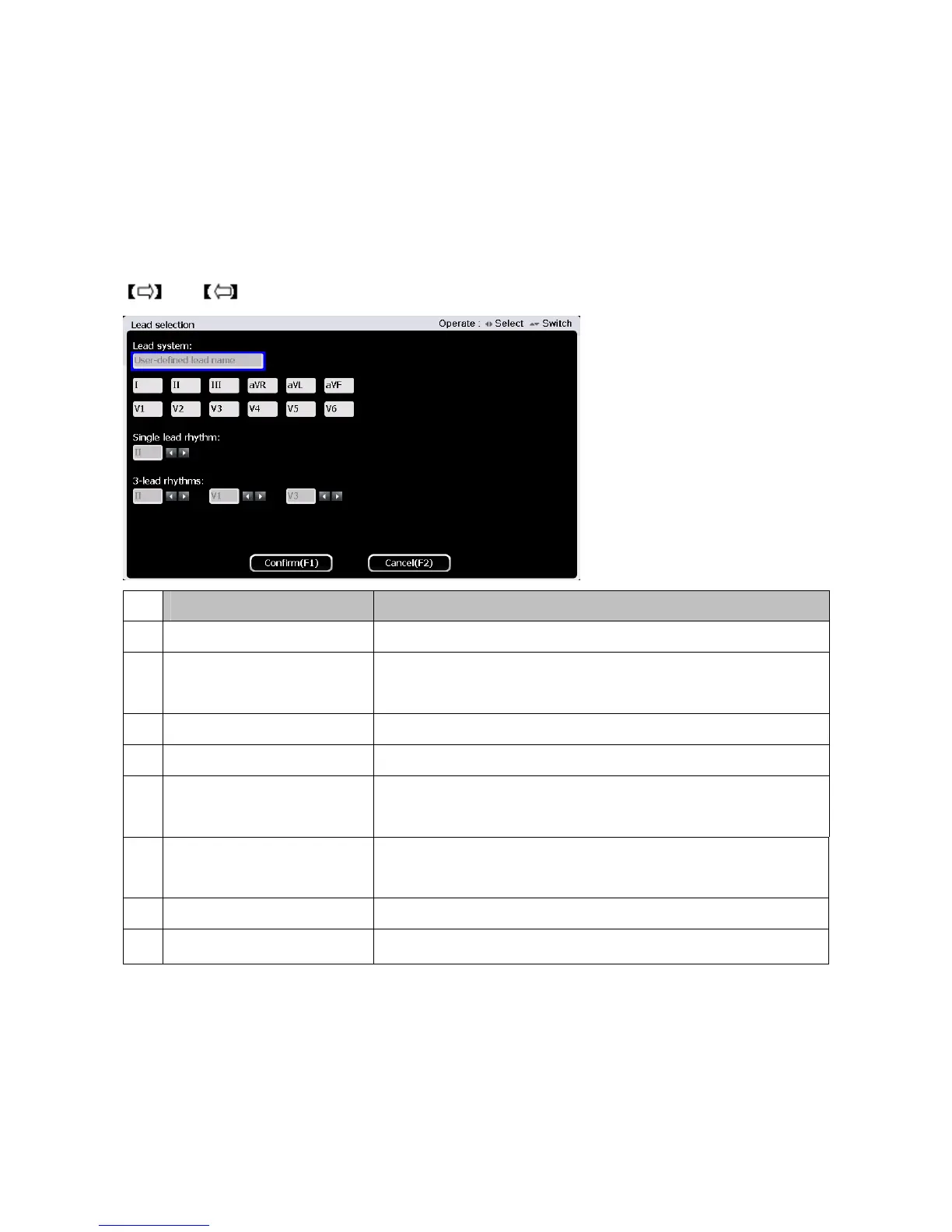
On the second page of main interface,press 【F1】button to enter lead setup interface. There are 8
lead systems for selection. For lead rhythm, you can choose either single lead or 3 lead rhythms as
shown below.
There are 8 lead setup systems available for selection. Users can select required lead system through
and button. The lead systems are defined as:
No Lead Setup System
Electrode label
1 Standard lead system I, II, III, aVR, aVL, aVF, V1, V2, V3, V4, V5, V6
2 Posterior wall of the lead
system
I, II, III, aVR, aVL, aVF, V1, V2, V3, V7, V8, V9
3 Right chest lead system I, II, III, aVR, aVL, aVF, V1, V2, V3R, V4R, V5R, V6R
4 left chest lead system I, II, III, aVR, aVL, aVF, V3R, V4R, V5R, V7, V8, V9
5 Previous intercostal lead
system
I, II, III, aVR, aVL, aVF, V1, V2, V3, V4, V5, , V6
6 Next intercostal lead
system
I, II, III, aVR, aVL, aVF, V1, V2, V3, V4, V5, V6
7 FRANK lead system I, II, III, aVR, aVL, aVF, V1, V2, V3, V4, V5, V6
8 CUBRERA lead system
aVL, I,-aVR,II, aVF, III, V1, V2, V3, V4, V5, V6
Users can set single lead rhythm and three lead rhythms here. Select any lead rhythm from the 12
leads by pressing 【▲】and【▼】button.
Single lead rhythm: Users can set any single lead as lead rhythm. In auto mode, if 3CH×4+1R or
6CH×2+1R are selected, the single lead rhythm displayed is the lead set here.



 To Next Page