27
“ON/OFF” key (about 3 seconds) and wait 15 seconds for system initialization. After the ECG
beeps and starts working, the ECG is ready for operation.
5.1.2 Shutdown with the mains supply
Press “ON/OFF” key (about 3 seconds) in the working state. After the LCD screen display is off,
pull the power cord and grounding cable out.
5.1.3 Startup and shutdown with the battery
When power cord is disconnected, the ECG will use the built-in battery. And the DC indicator is lit.
Then the same startup and shutdown operation with the mains supply.
5.1.4 Battery charge
If the built-in rechargeable battery is weak when mains supply is used,it will be recharged
automatically at the same time.
Please exactly follow the above instruction. Otherwise, disordered messages will be
displayed on the screen. When the shutdown prompt message is displayed, do not press the
“ON/OFF” button continuously.
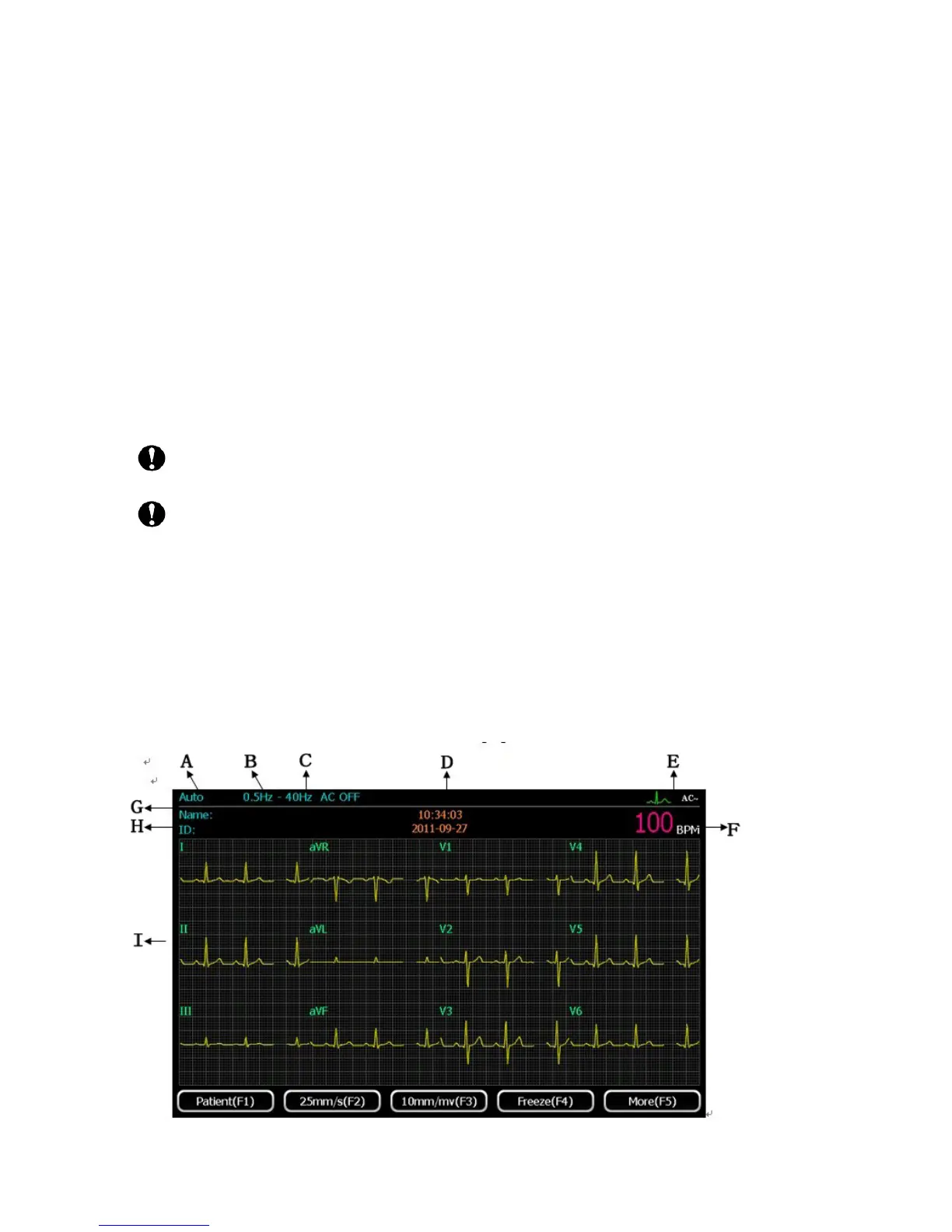
5.2 The ECG main interface
Press “ON/OFF” key (about 3 seconds) to turn on. After system initialization, the first page of the
main interface will be shown as the following figure:



 To Next Page