129
5.1 ch
decoder
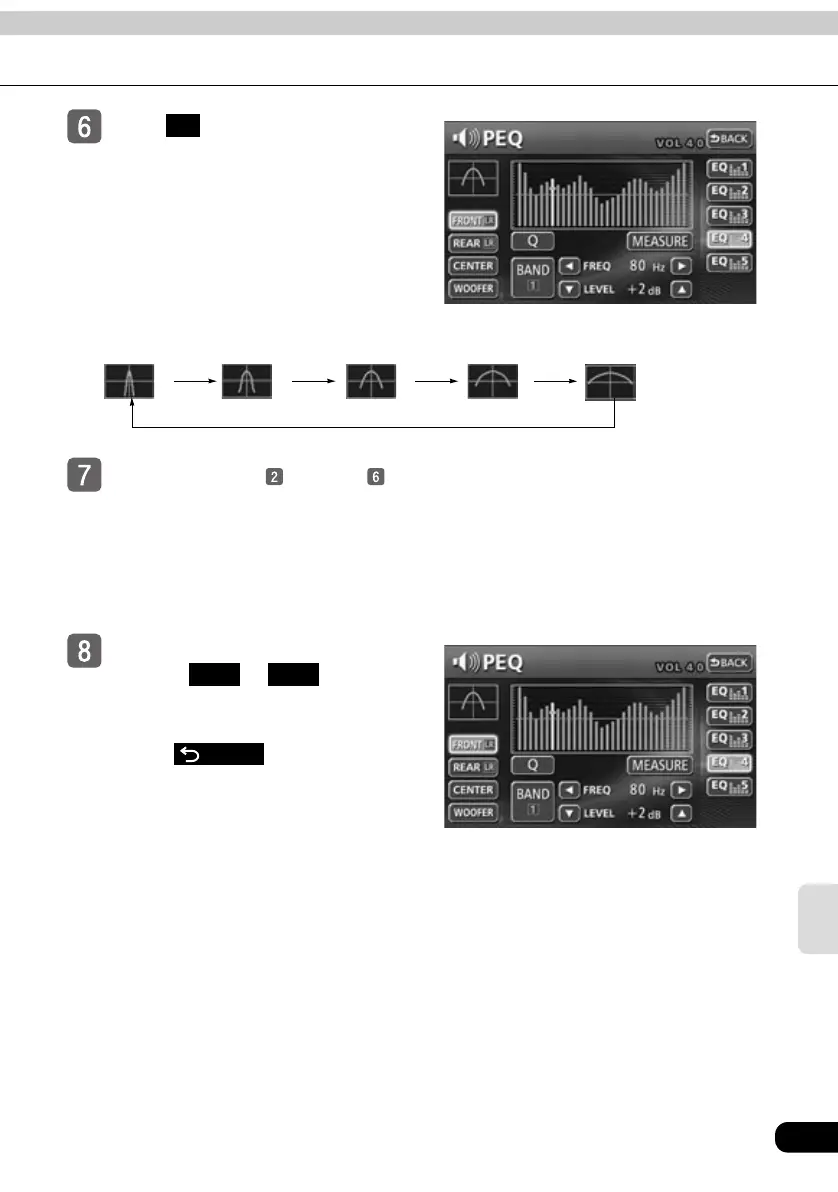
Touch to select the Q curve
pattern.
● Each time the switch is touched, the Q
curve pattern will be changed in the
order shown below.
Repeat the steps through to
change the setting for each
channel and band.
● It is not possible to set more than one
band in the same channel to the same
median frequency.
Touch the switch you want to use
to save ( to ) until you
hear a beep.
● Save the PEQ settings for future use.
● Touch after making
settings. The PEQ mode adjustments
will be saved and the system will return
to the previous operation screen.
Q
Q2
(Middle Sharp)
Q1
(Sharp)
Q3
(Normal)
Q5
(Slow)
Q4
(Middle Slow)
EQ1 EQ5
BACK



 To Next Page