147
5.1 ch
decoder
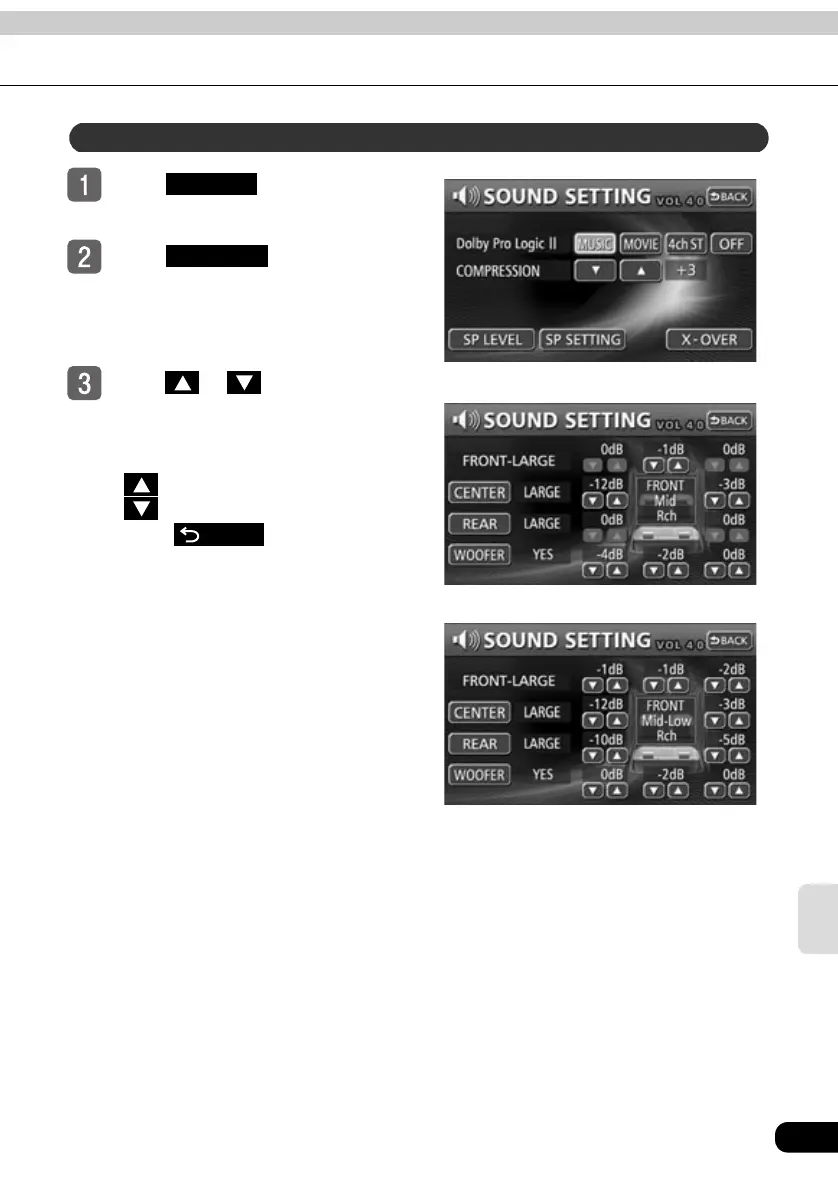
Touch in the sound
adjustment screen.
Touch in the setting
screen.
Touch or for each speaker
to adjust the speaker level.
● The speaker level can be adjusted
within -10 to 0 dB (in units of 0.1 dB).
: Increase the level.
: Decrease the level.
● Touch after making
settings. The speaker level mode
adjustments will be saved and the
system will return to the previous
operation screen.
Adjusting speaker levels
SETTING
SP LEVEL
●When the 1 WAY speaker setting is selected
●When the 3 WAY speaker setting is selected
BACK



 To Next Page